
Change Requests Margin protection begins.
Create change requests from approved proposals. Client approves additional scope before work starts. Budget updates automatically on approval.
Every change tracked. Every hour billed. Zero surprises.
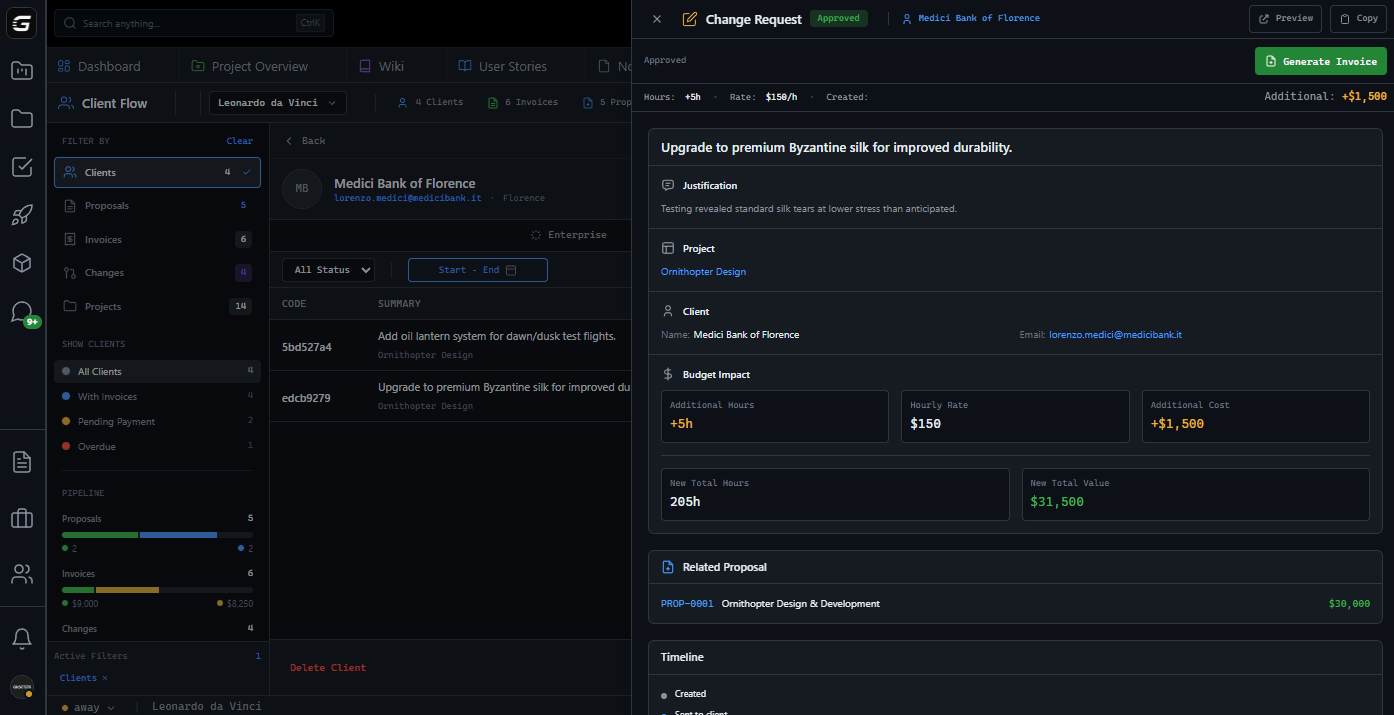
From request to approved.
Every status visible.
Edit freely. Not visible to client.
Delivered to client portal.
Client opened the request.
Budget updated automatically.
Declined with client feedback.
Client requests modifications.
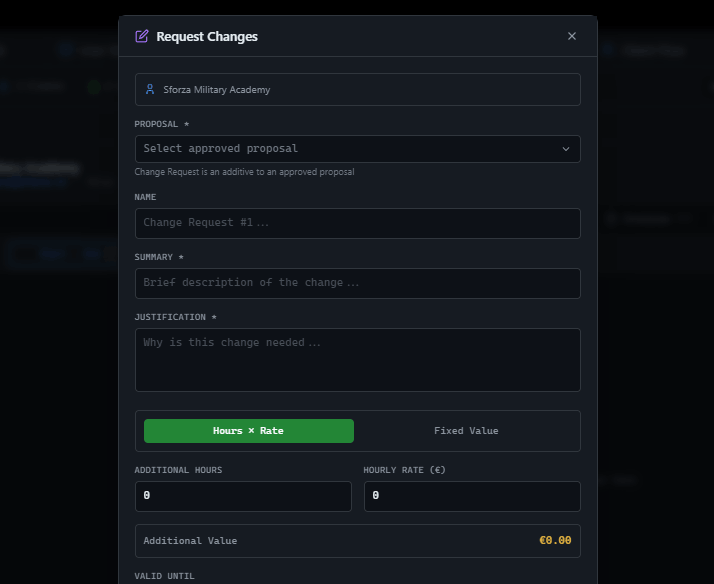
Born from proposals.
Always linked.
Change requests only exist as additives to approved proposals. Original scope preserved. Additional scope clearly documented.
Hours or fixed.
Your choice.
Calculate additional scope by hours × rate, or set a fixed value. Both show clear impact on total project budget.
Block work.
Until approved.
Enable 'require approval to continue' to pause project work until client approves the change. No more working for free.
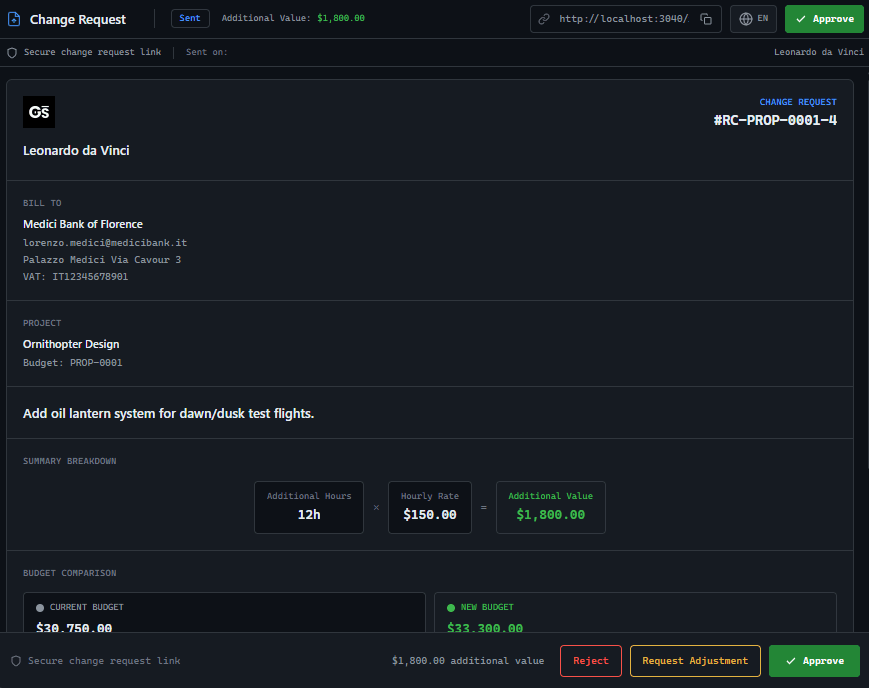
Share a link.
Get a decision.
Clients see a clear breakdown: current budget, additional scope, new total. Approve, reject, or request adjustment. No login needed.
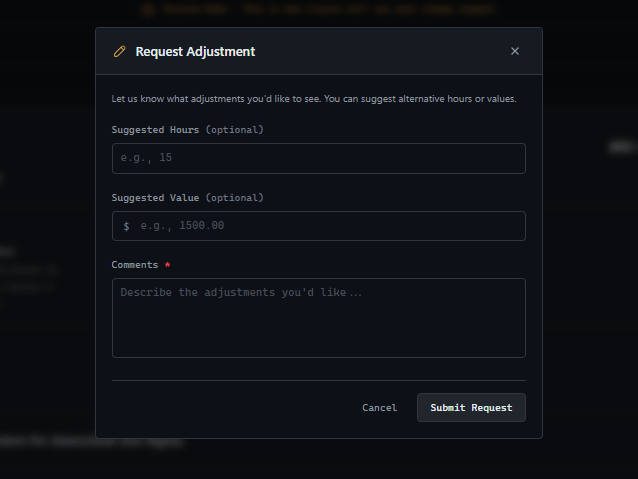
Client pushes back?
Capture the counter.
Clients can suggest different hours or value when requesting adjustments. Review their counter-offer, revise if needed, resend.
Approved?
Budget updated.
When client approves, project budget increases automatically. New total hours. New total value. Ready for invoicing.
Create in seconds.
Not hours.
Select approved proposal, enter justification and hours, send. Client decides. Project budget updates. Done.
Select Proposal
Choose approved proposal as the base for your change request.
Define Additional Scope
Enter justification, hours, rate, or fixed value.
Send to Client
Client receives link. Approve, reject, or request adjustment.
Financial tools for decision makers
Change request creation and approval is exclusive to Agency Owners. Protect pricing decisions and maintain financial control at the top.
Why GitScrum Change Requests?
| GitScrum | Email Chains | Spreadsheets | |
|---|---|---|---|
| Real-time status tracking | Live tracking | Manual follow-up | Manual update |
| One-click client approval | One click | Reply thread | None |
| Auto budget update | Automatic | Manual entry | Manual formulas |
| Linked to original proposal | Always linked | Attachments | References |
| Branded client portal | Professional | None | None |
| Negotiation workflow | Built-in | Email threads | External |
| Full audit trail | Complete | Scattered | Version chaos |
Common Questions
What agencies ask about change requests
Can I create a change request without a proposal?
No. Change requests are always additives to approved proposals. This ensures clear audit trails and proper scope documentation from the original agreement.
What happens when a client approves?
The project budget updates automatically with new total hours and value. If budget blocking was enabled, work can resume immediately. You can also generate an invoice instantly.
Can clients negotiate the price?
Yes. Clients can request adjustments with suggested hours or value. You review, edit if needed, and resend. This negotiation workflow is built into the system.
What does 'require approval to continue' do?
It pauses project work until the client decides. Teams see the blocked status. Once approved, work resumes. This prevents scope creep and protects your margins.
How does pricing work?
Choose hours × rate (inherited from proposal) or a fixed value. Both show current budget, additional amount, and new total. Clear impact visualization.
Do clients need an account?
No. Clients receive a public link to a branded portal. Approve, reject, or request adjustment with one click. No login required.
Can I track when the client views it?
Yes. The system tracks when clients open the change request, when they take action, and records all timestamps for audit purposes.
What if the client rejects?
Rejection is recorded with optional feedback. You can see exactly why and when. Use this to improve future proposals or negotiate.
Stop working for free
Track every scope change. Get approval before work starts. Bill additional hours properly. Your margins depend on it.
No credit card required.







