
Time Tracking Know Where Every Hour Goes
Live timers attached to tasks. Team-wide visibility. Billable vs non-billable separation. Export to PDF or Excel with one click.
Implement user authentication flow
API integration for payment gateway
Database schema optimization
Start. Work. Stop.
That's it.
One-click timer starts tracking immediately. Attached to the task you're working on. Auto-assigns you when you start. WebSocket broadcast keeps your team in sync.
Every second counted. Every entry editable.
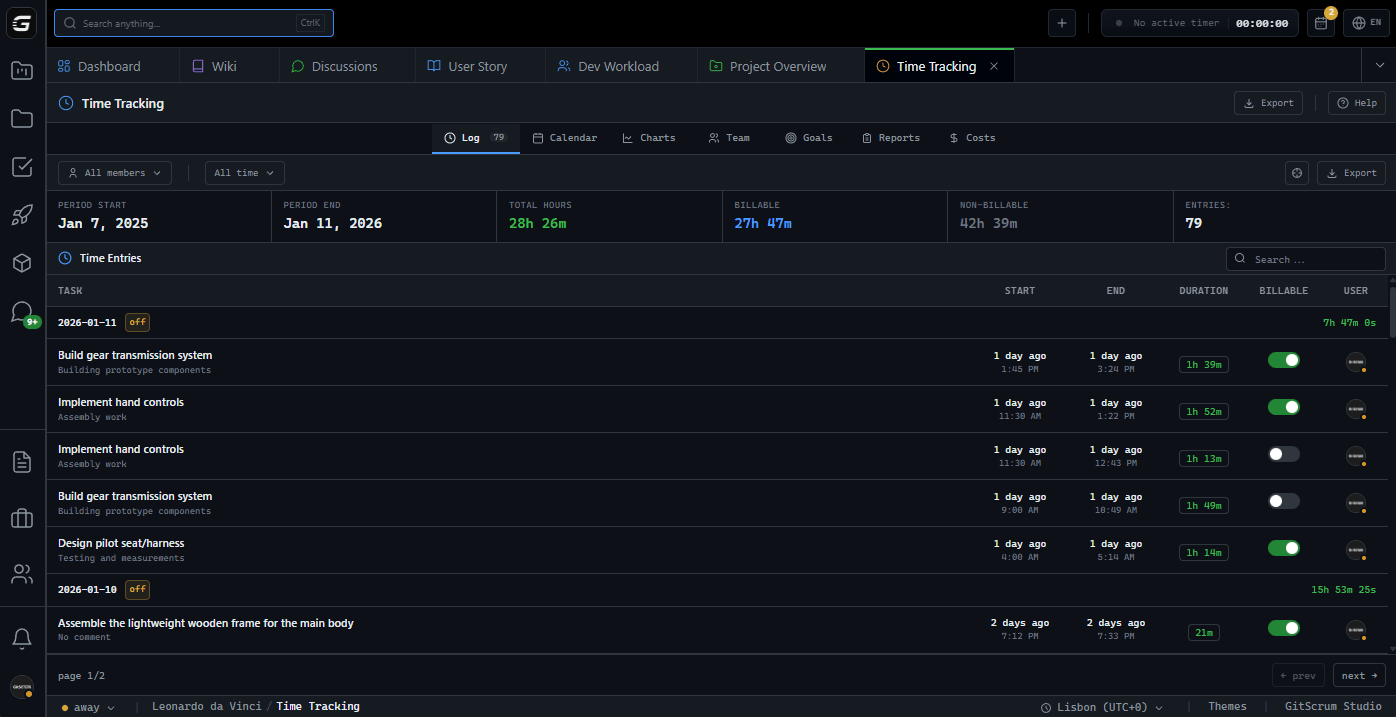
Complete log of all time entries. Filter by period, team member, or task. Toggle billable status per entry. Export filtered data instantly.
See patterns.
Optimize output.
Who's working on what.
Right now.
Real-time view of team activity. Total hours per member, session count, active projects. Identify capacity issues before they become problems.
John Doe
24h this weekAnna Miller
18h this weekSam Kim
22h this weekRachel Brown
16h this weekClient-ready reports. One click.
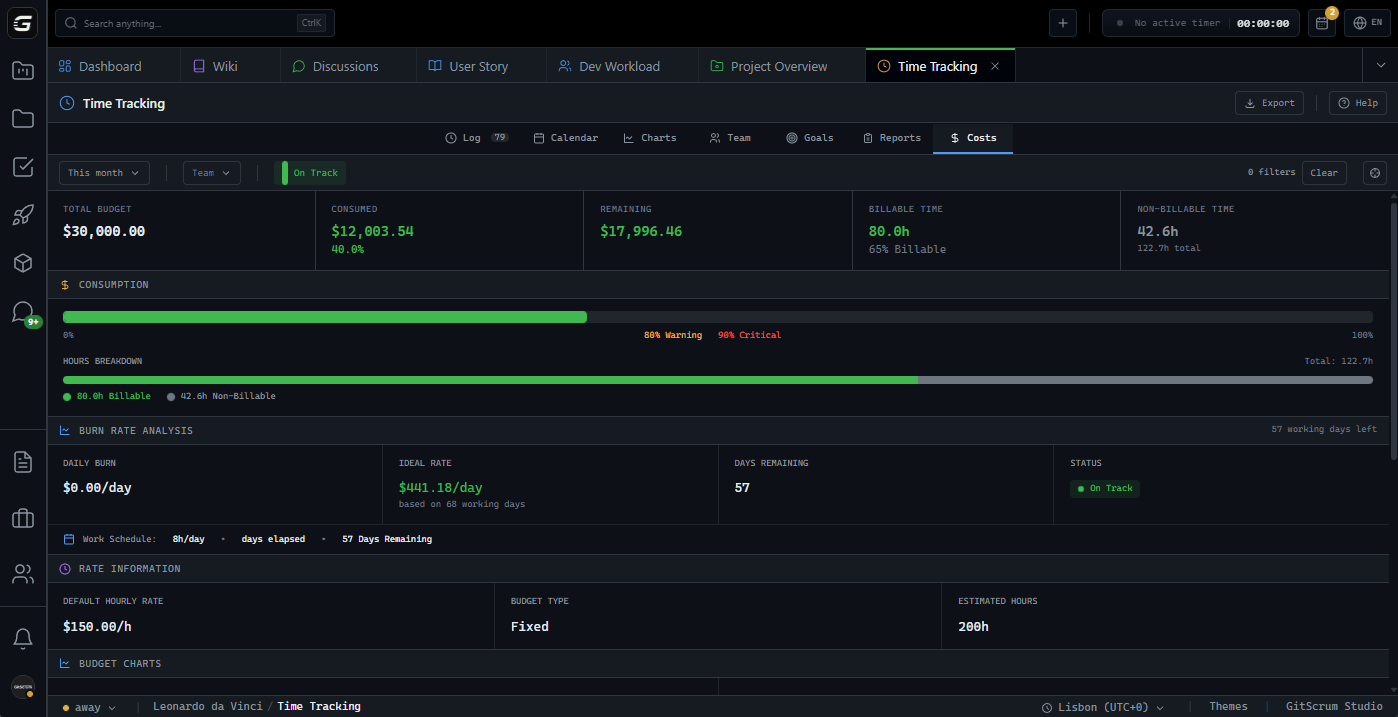
Generate detailed or summary reports. Breakdown by project, user, or day. Includes billable amounts with hourly rate calculation. Export to PDF for invoicing.
Define working days. Skip holidays.
Configure which days count as working days. Set hours per day for burn rate calculations. Add holidays your team observes. Works at workspace or project level.
Who uses Time Tracking?
Agency Owner
Full visibility into billable hours across all projects. Generate client reports, track team productivity, ensure nothing gets missed in invoicing.
Bill 100% of worked hoursProject Manager
Monitor team capacity and workload in real-time. See who's available, who's overloaded, and adjust assignments before deadlines slip.
Balance workload instantlyDeveloper
Focus on code, not timesheets. One-click timer starts when you start working. Timer follows you across the app. Stop when done, add a comment.
Zero friction trackingFinance Team
Export time data for payroll or client billing. PDF reports with project breakdown, hourly rates, and totals. Ready for accounting software.
Accurate billing dataTime Tracking: GitScrum vs. Alternatives
See how GitScrum compares to other tools in the market
| Capability | GitScrum | Jira | Asana | Monday | Toggl |
|---|---|---|---|---|---|
| Live timer in-app | Add-on | ||||
| Timer linked to tasks | Partial | ||||
| Billable per entry | |||||
| Team time dashboard | Partial | ||||
| Custom hourly rates | Pro | ||||
| PDF/Excel export | Add-on | ||||
| Work schedule config | |||||
| Productivity goals | Pro |
GitScrum includes all time tracking features in the Pro plan. No add-ons required.
Questions
Can't find what you're looking for? Contact our team.
Can developers track time without leaving their workflow?
Yes. The timer is accessible from the header bar anywhere in the app. Start tracking with one click, switch tasks, the timer follows. Stop when done and add a comment.
How do billable vs non-billable hours work?
Every time entry has a billable toggle. Managers can flip individual entries. Reports separate billable from non-billable automatically for accurate client billing.
Can I set different hourly rates per project or team member?
Yes. Set a default rate at workspace level, override per project, and set custom rates per team member. The system uses the most specific rate for calculations.
What export formats are available?
PDF for client-facing reports and Excel (XLSX) for internal analysis. Both include all selected filters, date ranges, and calculated totals.
Does the timer work offline?
The app requires internet connection for real-time sync. If connection drops briefly, the timer continues locally and syncs when reconnected.
Who can see time tracking data?
Developers see their own entries. Project managers see their project's data. Workspace owners see everything across all projects and team members.
Stop guessing where time goes.
Start tracking every minute. Bill every hour. Know exactly where your team's time is invested.
No card required · Built for dev teams · 5-minute setup







