
Project Wiki Documentation That Gets Read
Hierarchical wiki pages that live inside your project. Rich text editing. Full revision history with diff view. Search everything instantly. Documentation that stays where the work happens.
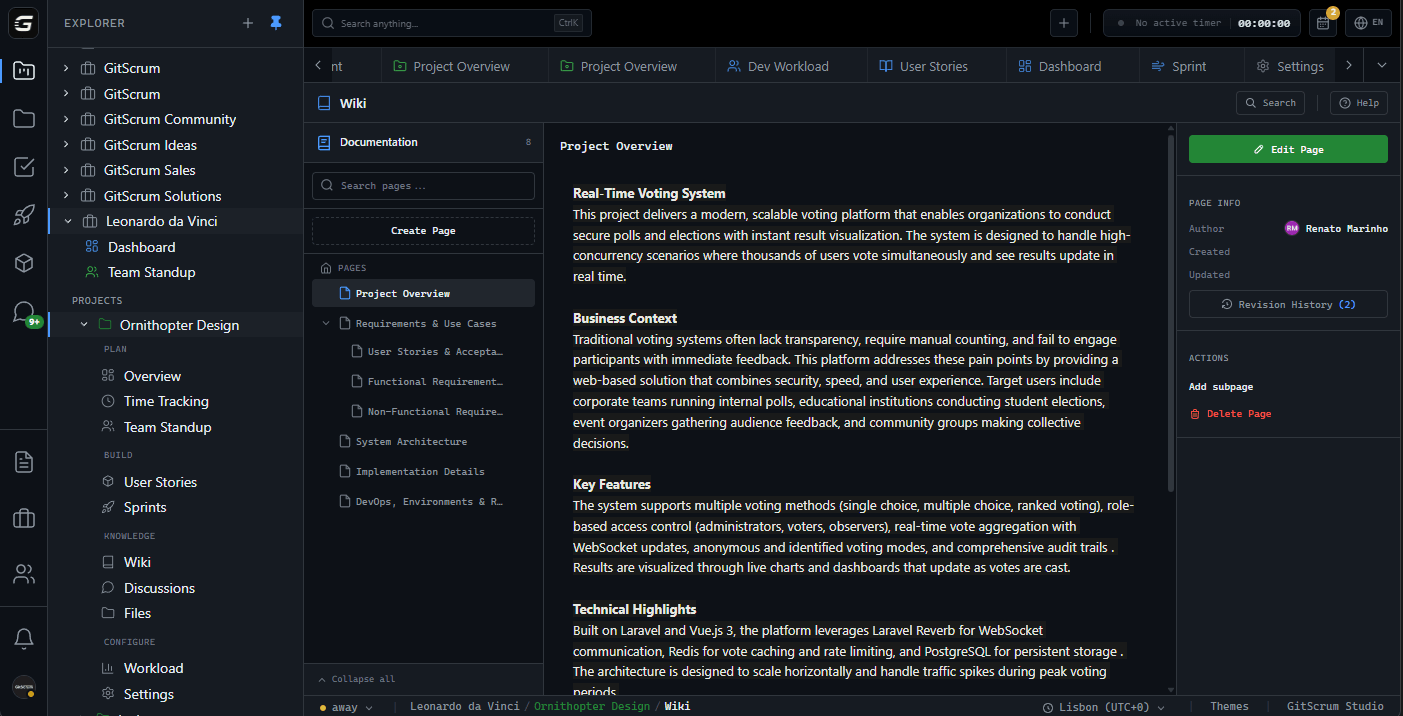
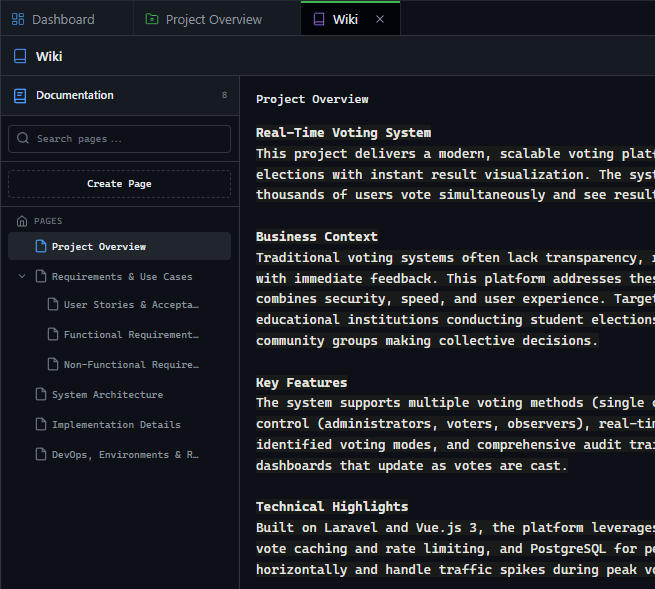
Write Documentation
Not Fight Formatting
Full Quill editor with everything you need. Headers, bold, italic, lists, code blocks, links. Focus on content, not markup.
Structure Knowledge Like You Think
Create parent pages and nest subpages underneath. Build documentation that mirrors how your team actually thinks about the project.
Every Change Tracked Automatically
Full revision history for every wiki page. See who changed what, when. One-click restore if you need to go back.
See What Changed Side by Side
Monaco-powered diff viewer shows exactly what was added or removed. Same tool developers use for code review.
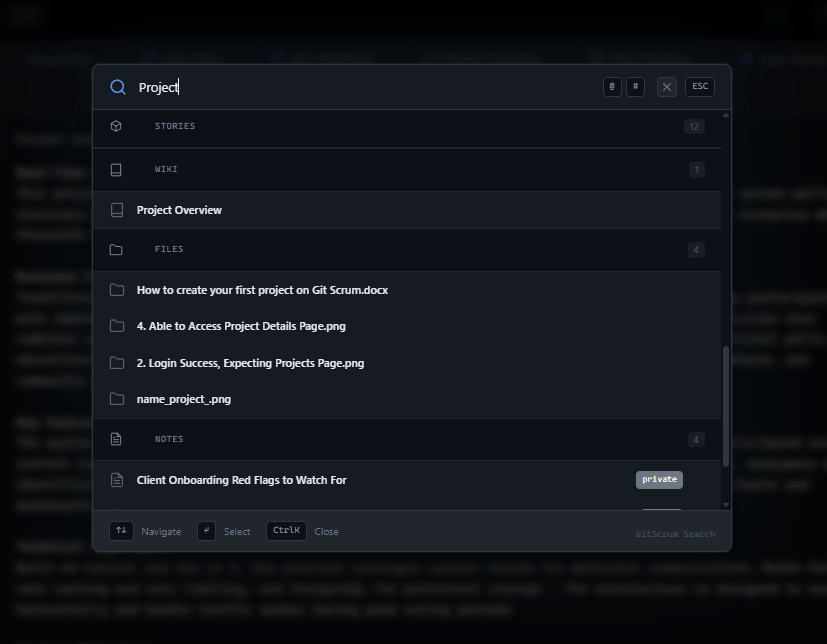
Search All Pages
Instantly
Type and find. Search across all wiki page titles and content. Jump directly to any page in your documentation.
Start Documenting in Minutes
Simple workflow. Powerful results.
Create a Page
Click create, add a title, start writing. Use the rich text toolbar for formatting. Your first wiki page is live.
Organize Structure
Add subpages to create hierarchy. Drag pages to reorganize. Build documentation that makes sense for your project.
Keep It Current
Edit pages as your project evolves. Revision history tracks everything. Restore previous versions if needed.
Who uses Project Wiki?
For Agency Owners
Maintain consistent processes across all client projects. Onboard new team members faster. Build a knowledge base that scales.
Scale processesFor Managers
Document project decisions and requirements. Keep clients informed with shared docs. Track who updated what and when.
Track decisionsFor Developers
Write technical docs without leaving your project. API references, setup guides, architecture decisions. All in one place.
Docs near codeFor Clients
Read project documentation without asking for updates. Understand what's being built. Reference requirements anytime.
Self-service infoWiki: GitScrum vs Alternatives
Documentation that lives where your work happens.
| Capability | GitScrum | Notion | Confluence | Slite |
|---|---|---|---|---|
| Built into project management | ||||
| Rich text editor | ||||
| Hierarchical page structure | ||||
| Full revision history | Paid | Paid | ||
| Monaco diff viewer | ||||
| Instant search | ||||
| Role-based access | Partial | Partial | ||
| Lives in project context | Jira |
GitScrum wiki is built into your project workflow. No separate tool, no context switching.
Frequently Asked Questions
Common questions about Project Wiki.
What can I do with the wiki editor?
Full rich text editing with headers (H1-H3), bold, italic, underline, strikethrough, ordered and bullet lists, code blocks, and links. Everything you need for technical documentation.
How deep can page nesting go?
No limit. Create as many levels as you need. The sidebar shows your full hierarchy with collapsible folders. Breadcrumbs help navigate back up.
Does it track who made changes?
Yes. Every revision records the author, timestamp, and change type (created, content update, title change, restored). See the full history for any page.
Can I restore a previous version?
One click. Open revision history, find the version you want, click restore. The page returns to that state and the restore is tracked as a new revision.
Who can edit wiki pages?
Developers, managers, and agency owners can create and edit pages. Clients have read-only access. Only managers and owners can modify wiki settings.
How does search work?
Type at least 2 characters and results appear instantly. Search matches page titles and content. Click a result to navigate directly to that page.
Documentation That Stays Current
Stop maintaining docs in a separate tool. GitScrum Wiki lives inside your project, where documentation actually gets updated.
No credit card required · Setup in 2 minutes







