
Proposals that close. Not proposals that wait.
Create professional quotes in 3 steps. Fixed or hourly pricing. Client portal for review. One-click approval. Convert to project instantly.
From quote to signed deal. Without the email chaos.
Draft to approved.
Every step tracked.
Work in progress. Edit freely until ready.
Delivered to client. Waiting for action.
Client opened the proposal.
Client signed off. Ready to convert.
Declined with optional reason.
Fixed Value
One total price. Best for defined scope.
Hourly Rate
Hours × rate. Best for ongoing work.
Fixed or hourly.
Your call.
Fixed-value for project quotes. Hourly rate for retainers. Both support line items, commercial terms, and validity dates.
Share a link.
Get approval.
Clients receive a professional portal. Your branding, clear pricing, one-click approve or reject. No login required.
Proposal to project. One click.
Approved proposals become projects instantly. Budget, description, client link preserved. Start work without re-entering data.
What transfers:
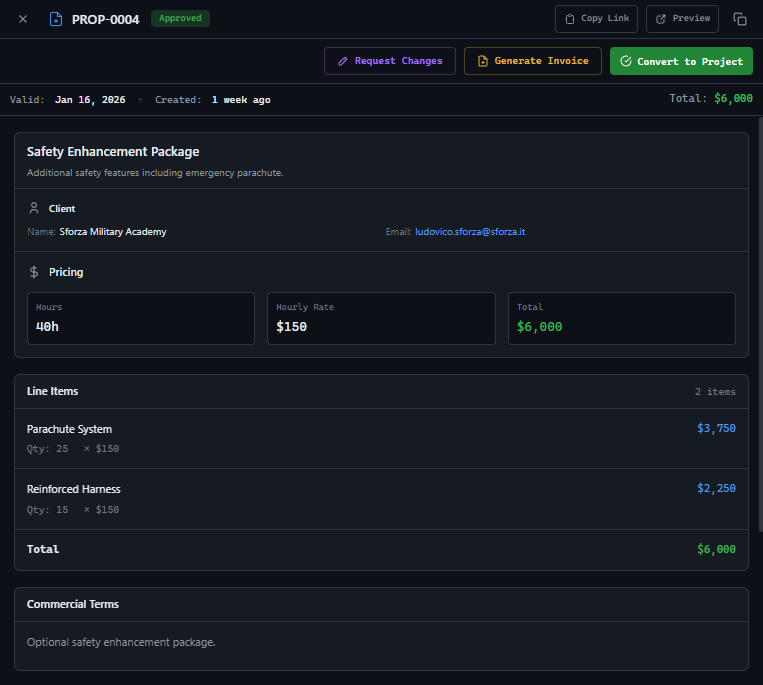
Generate invoices.
From approved proposals.
Approved proposals unlock invoicing. Generate partial or full invoices. Track what's been billed vs. remaining.
Client wants more?
Track the change.
From approved proposals, create change requests for additional scope. Separate approvals, additional budget, full audit trail.
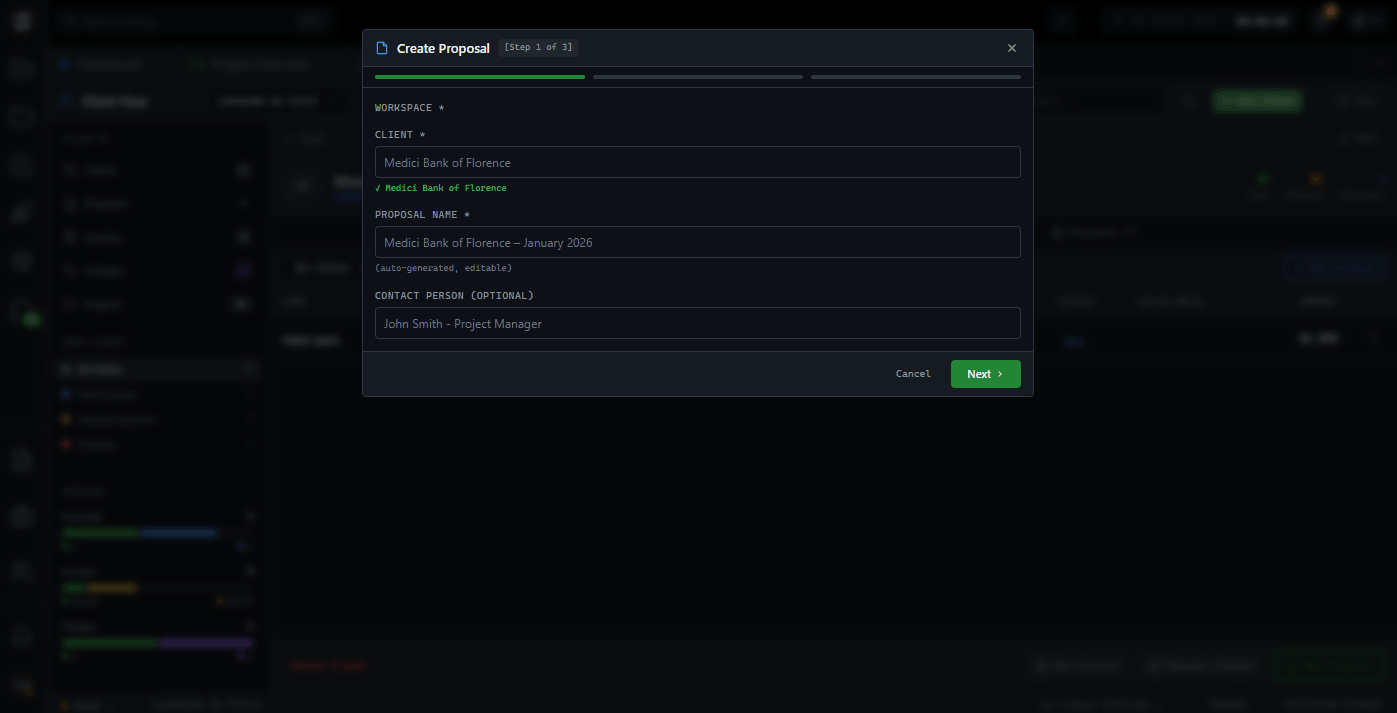
Create in minutes.
Not hours.
Step 1: Client and scope. Step 2: Pricing. Step 3: Terms and send. Professional proposals without the template hunting.
Client & Scope
Select workspace, client, proposal name
Pricing
Fixed value or hourly rate
Terms & Send
Commercial terms, validity, payment link
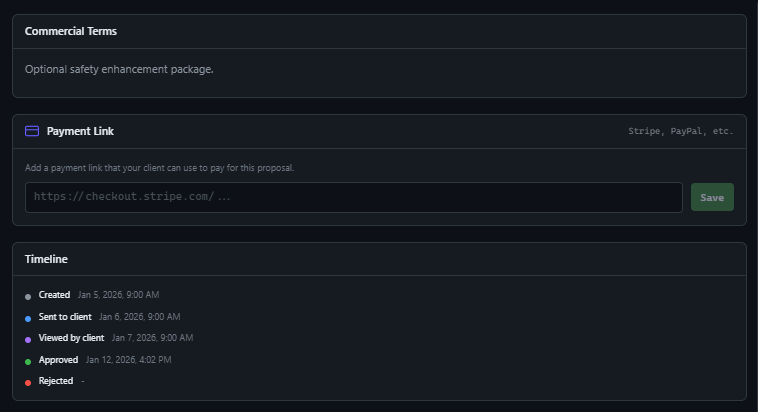
Get paid faster.
Attach payment link.
Add Stripe, PayPal, or any payment link to proposals. Clients see payment option alongside approval. Close the loop.
Financial tools. Owner only.
Proposals are visible only to Workspace Owners. Managers and developers work on projects—they don't see quotes or pricing. Client financials stay confidential.
GitScrum vs. alternatives
| GitScrum | Email Quotes | Doc Templates | |
|---|---|---|---|
| Status tracking | Full lifecycle | None | Manual |
| Viewed notification | Automatic | Unreliable | If shared |
| One-click approval | Built-in | Reply email | Comments |
| Convert to project | One click | Manual | Manual |
| Generate invoices | Integrated | Separate tool | Separate tool |
| Client portal | Branded | None | None |
| Duplicate for versions | One-click duplicate | Manual copies | File versions |
Questions
Can't find what you're looking for? Contact our team.
Who can create proposals?
Only Workspace Owners (Agency Owners) can create, view, and manage proposals. This keeps pricing and client financials at the executive level.
Can clients approve without logging in?
Yes. Clients receive a unique link to view the proposal. They can approve or reject with one click—no account required.
What happens when a proposal is approved?
Approved proposals can be converted to projects with one click. Budget, hours, and client link transfer automatically. You can also generate invoices directly.
Can I use fixed pricing instead of hourly?
Yes. Toggle between fixed value and hourly rate modes. Fixed shows one total price. Hourly shows hours × rate calculation.
How do I know when a client views the proposal?
The system tracks when clients open the proposal link. You'll see 'Viewed' status with timestamp in the proposal detail.
Can I duplicate a proposal for a new version?
Yes. Click duplicate on any proposal to create a copy with '(Copy)' appended. Edit and send as a new version.
What are change requests?
After approval, if the client wants additional scope, create a change request. It has its own approval workflow and adds to the original budget.
Can I add payment links?
Yes. Add any payment URL (Stripe, PayPal, etc.) to proposals. Clients see the payment link on the proposal portal after approval.
Stop chasing email threads.
Professional proposals with tracking, approval workflow, and project conversion. Know where every deal stands. Close faster.
No card required · Built for agencies · 5-minute setup







