
Invoices that get paid. Not invoices that get lost.
Generate invoices from billable tasks in 3 steps. Draft, issue, track payment. Public portal for clients. Payment links built-in.
From tracked time to paid invoice. Without the spreadsheet chaos.
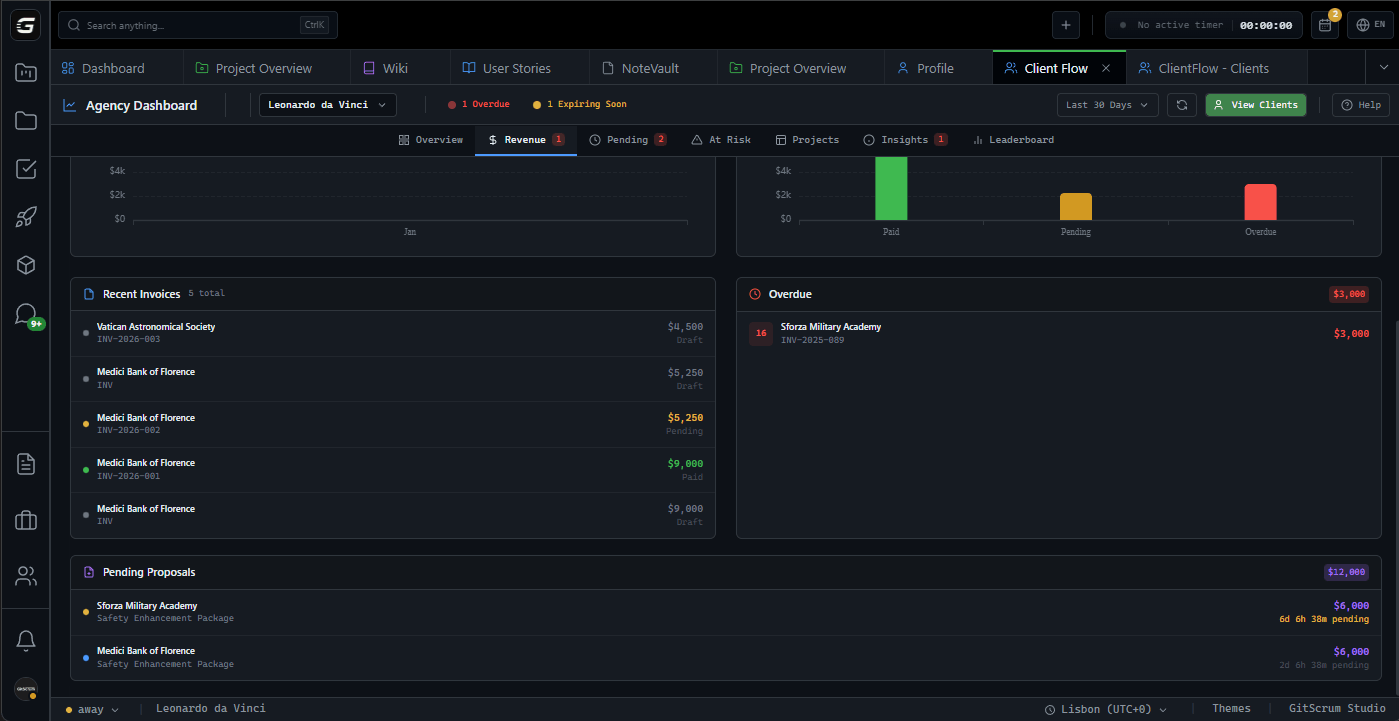
Draft to paid.
Every cent tracked.
Editable. Add items, adjust totals freely.
Locked. INV-XXXXX number generated.
Payment confirmed. Cash received.
Voided. Audit trail preserved.
Billable tasks to invoice.
In under 3 minutes.
Step 1: Select project and period. Step 2: Pick billable tasks. Step 3: Review and generate. Time tracked becomes money invoiced.
Project & Period
Select project, client, date range
Tasks to Invoice
Pick billable tasks, see hours and value
Summary & Generate
Review totals, add payment link, send
Time Tracking
Select logged hours. Auto-calculated value.
Custom Item
Add fixed fees, expenses, one-off charges.
From tracked time.
Or custom entries.
Pull items from time tracking automatically. Or add custom line items for fixed fees, expenses, adjustments. Mix both on the same invoice.
Your info. Client info.
All formatted.
Company details, VAT numbers, addresses auto-filled from workspace settings. Client billing info from your contact records. Professional layout every time.
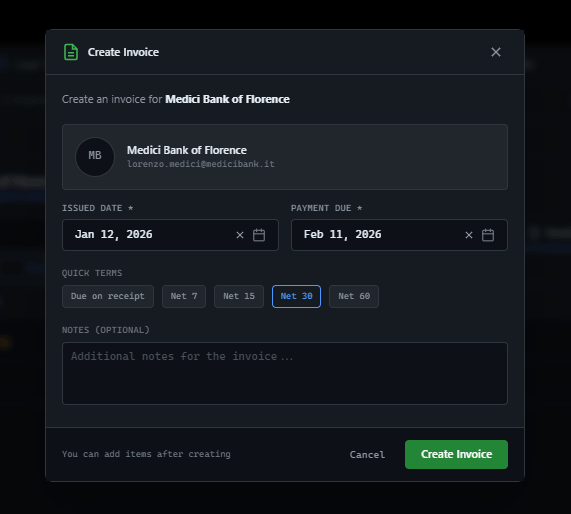
Custom message included with invoice link...
Send to client.
Track engagement.
Send invoices via email with custom message. Track how many times sent. Know when clients access the portal.
Share a link.
They see everything.
Clients receive a professional invoice portal. Your branding, clear line items, totals. Print-ready. Pay button if payment link exists. No login required.
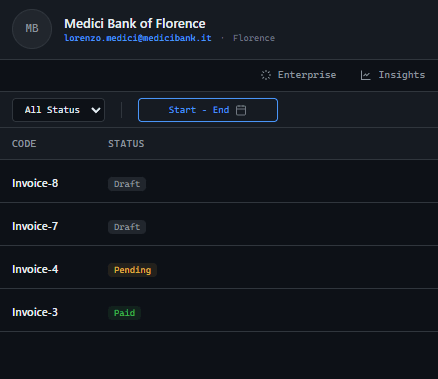
Get paid faster.
Attach payment link.
Add Stripe, PayPal, or any payment link. Clients see Pay Now button on the portal. Close the loop from invoice to payment.
Set it. Forget it.
Auto-generate monthly.
Schedule recurring invoices for retainer clients. Set day of month, total count, auto-send option. System generates automatically.
Invoice against proposals.
Track what's billed.
Link invoices to approved proposals. See original budget vs. invoiced amount. Track remaining value. Full financial visibility.
Financial tools. Owner only.
Invoices are visible only to Workspace Owners. Managers and developers work on tasks—they don't see billing or payments. Client financials stay confidential.
GitScrum vs. alternatives
| GitScrum | Spreadsheets | Accounting Software | |
|---|---|---|---|
| Status tracking | Full lifecycle | Manual | Basic |
| Time tracking integration | Built-in | Manual entry | Separate tool |
| Client portal | Branded | None | Limited |
| Payment links | Integrated | Copy-paste | Some |
| Recurring invoices | Automated | Manual | Yes |
| Proposal integration | Native | None | None |
| Email delivery | One-click | Separate tool | Built-in |
Questions
Can't find what you're looking for? Contact our team.
Who can create invoices?
Only Workspace Owners (Agency Owners) can create, view, and manage invoices. This keeps billing and client financials at the executive level.
Can I create invoices from tracked time?
Yes. The invoice wizard pulls billable tasks from your project. Select the tasks you want to invoice, and the system calculates hours × rate automatically.
What happens when I issue an invoice?
Issued invoices are locked for editing. The system generates an invoice number (INV-XXXXX), sets the status to 'Pending', and allows sending to clients.
Can clients pay directly from the invoice?
If you add a payment link (Stripe, PayPal, etc.), clients see a 'Pay Now' button on the invoice portal. Payment tracking is separate.
How do I track invoice status?
Invoices show Draft, Issued/Pending, Paid, or Cancelled status. Timeline tracks all changes including sent count and payment date.
Can I set up recurring invoices?
Yes. Create invoice schedules for retainer clients. Set day of month, total invoices, and auto-send option. System generates automatically.
Can clients view invoices without logging in?
Yes. Each invoice has a unique public link. Clients see professional invoice view with print option and payment button—no account required.
Can I link invoices to proposals?
Yes. When creating an invoice, link it to an approved proposal. Track original budget vs. invoiced amount. See remaining value to bill.
Stop chasing payments.
Professional invoices with status tracking, client portal, and payment links. From tracked time to paid invoice. Know where every payment stands.
No card required · Built for agencies · 5-minute setup







