
Files where work happens. Not in your inbox.
Project files scattered across Google Drive, Slack, email? Centralize everything. Folder hierarchy, instant preview, comments. One source of truth.
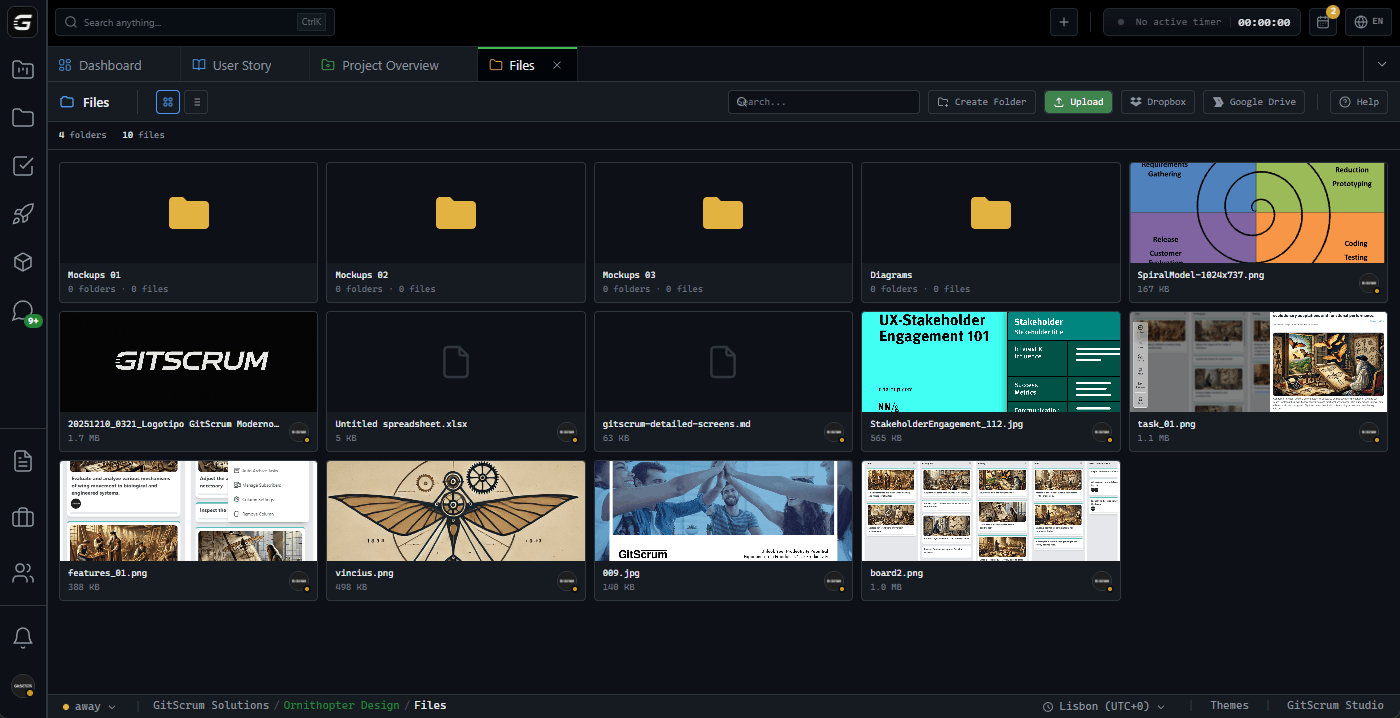
Structure your project.
Like you want it.
Unlimited folder depth. Create the hierarchy that makes sense for your team. Move files between folders with drag-and-drop. Breadcrumb navigation keeps you oriented.
Upload anything. From anywhere.
Drag files directly into the browser. Or paste links from Google Drive, Dropbox, OneDrive. All files end up in the same organized structure.
Drag files here or browse
PNG, JPG, PDF, ZIP up to 100MB
Supported sources
Preview without downloading. Images, PDFs, more.
Click to preview images, PDFs, documents. No download needed. Share feedback right there. Keep the conversation attached to the file, not lost in chat.
Feedback on context.
Not lost in Slack.
Leave comments directly on files. Team sees feedback where it matters. Sort by newest or oldest. Delete outdated comments. Conversation history preserved.
The new dashboard layout looks great. Can we adjust the spacing on the sidebar?
Updated version uploaded. Added the dark mode toggle as requested.
This is the final mockup for the analytics section. Ready for review.
Initial design uploaded based on the wireframes from last release.
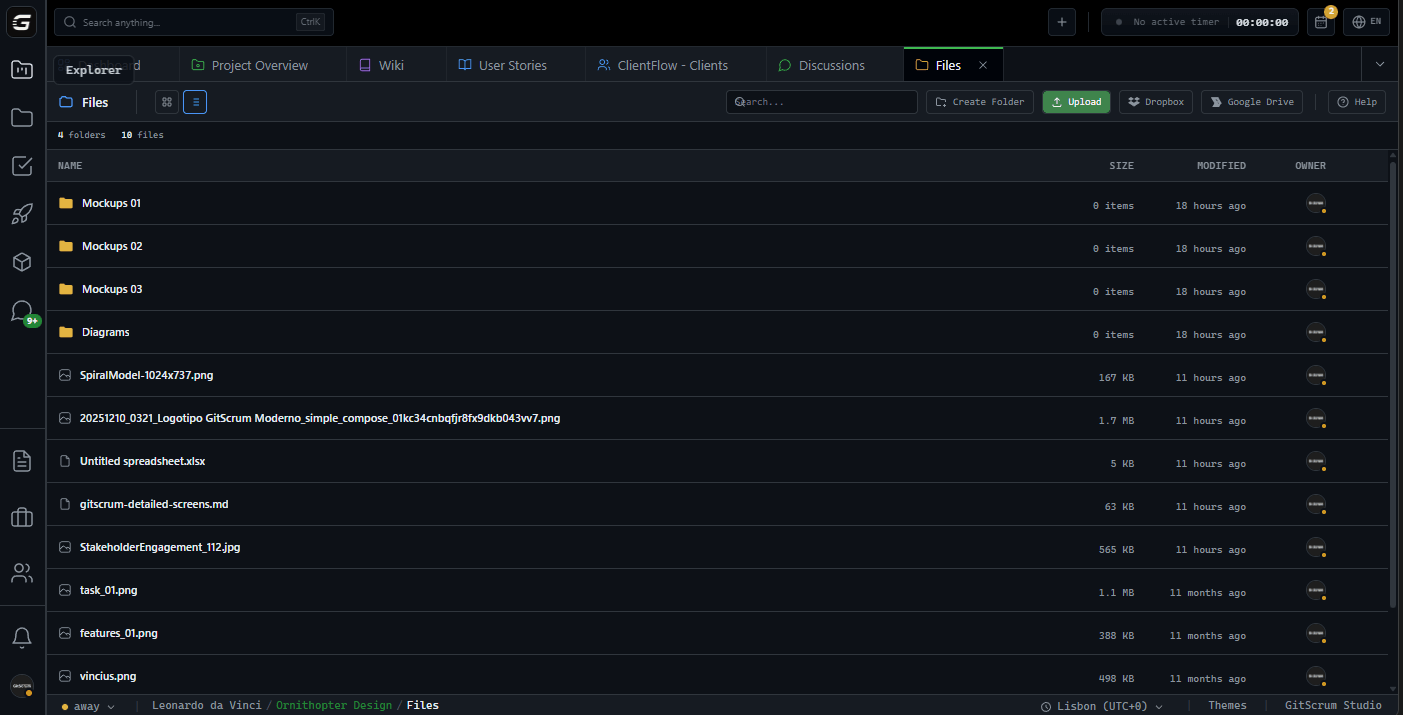
View files your way. Grid or compact list.
Toggle between thumbnail grid for visual browsing or compact list for details. Search by filename. Stats bar shows folder count, file count, total storage used.
Enterprise-grade storage.
Secure by default.
Files stored on AWS S3 with encrypted transfers. Temporary signed URLs for downloads. Links expire after 24 hours. No unauthorized access.
Who uses Project File Manager?
Agency Owners
Stop chasing files across tools. Project assets, contracts, deliverables—all in one place per project. Audit trail of uploads and changes included.
Single source of truthProject Managers
Organize deliverables by milestone, release, or client need. Know exactly where to find the latest version. No more 'which folder was that in?'
Organized deliverablesDevelopers
Drop design assets, API docs, specs right into the project. Drag-and-drop from your desktop. Preview without switching contexts. Comments for clarifications.
Context without switchingClients
Access approved files through secure links. Preview deliverables before download. Leave feedback without email chains. Track what was shared and when.
Secure file accessWhy teams centralize files in GitScrum
Project files scattered across 5 tools is normal. It shouldn't be.
| Capability | GitScrum | Google Drive | Dropbox | Notion |
|---|---|---|---|---|
| Files in project context | Partial | |||
| Unlimited folder hierarchy | ||||
| Inline file preview | Partial | |||
| Comments on files | ||||
| Drag-and-drop upload | ||||
| Paste links from providers | ||||
| Task file attachments | ||||
| Enterprise S3 storage |
Feature comparison based on native functionality. File storage limits vary by plan.
Frequently asked questions
Everything about project file management
What file types can I upload?
Any file type. Images, PDFs, documents, spreadsheets, designs, archives. Preview works for images and PDFs natively. Other types download directly.
Is there a file size limit?
Individual files up to 100MB on free plans, 500MB on Pro. Need larger? Enterprise plans support files up to 5GB with dedicated storage.
Can I link files from Google Drive or Dropbox?
Yes. Paste the share link and GitScrum stores the reference. Your team accesses the file through GitScrum while it stays in the original service.
How secure are the download links?
Downloads use AWS S3 signed URLs that expire after 24 hours. Links are unique per request. No direct public access to your files.
Can clients access project files?
Client role users can view and download files you share with them. They cannot delete files or access folders you haven't shared.
What happens to files when a project is archived?
Files remain accessible in archived projects. Storage counts toward your plan limit. You can delete files individually to free up space.
One place for project files
Stop searching through Drive, Dropbox, and email threads. Centralize project files where the work happens.
No credit card required · Setup in 2 minutes







