
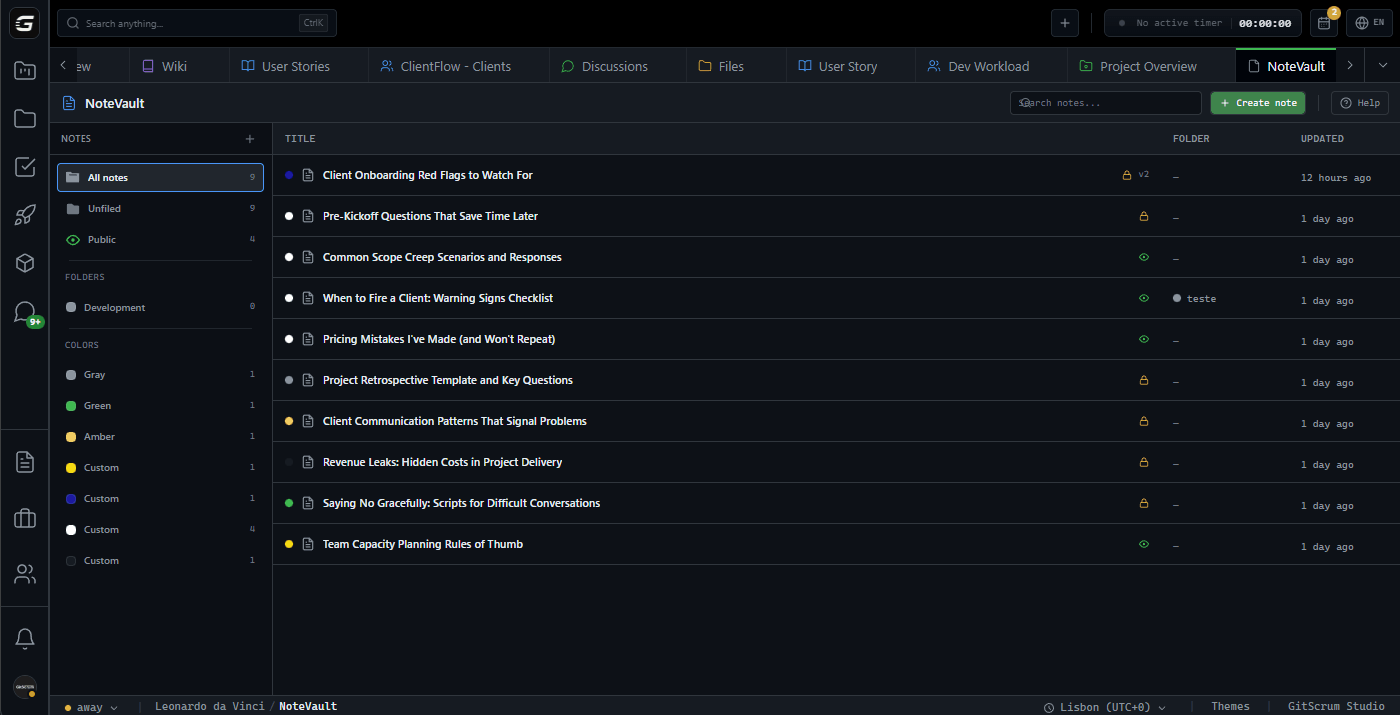
Notes that live where your work happens
Stop context-switching to Notion. Document decisions, share snippets, and capture knowledge—in the same workspace where you ship code.
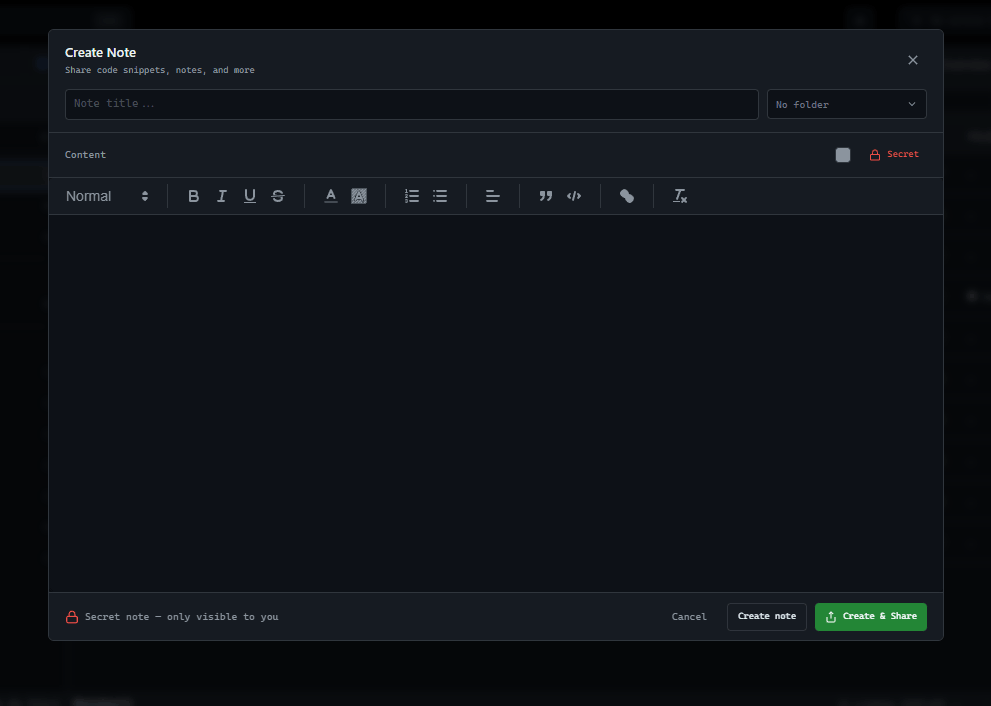
Write like a developer
thinks
A text editor that respects your workflow. Code blocks that render properly, formatting that doesn't fight you, and keyboard shortcuts that actually work.
Folders and colors that make sense
Organize notes the way your brain works. Nested folders for structure, color coding for visual scanning.
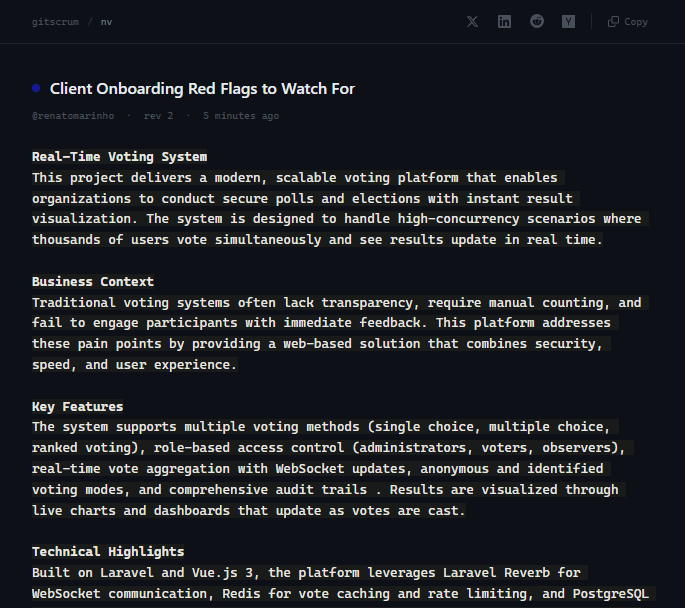
Share knowledge
without friction
Generate a shareable link in one click. Anyone with the link can view—no login required. Track views, regenerate links, or disable sharing anytime.
Every change preserved
Full revision history with visual diff. See exactly what changed between versions.
Compare versions side by side
Monaco-powered diff editor shows exactly what changed. Spot additions, deletions, and modifications instantly.
Private by default
shared when ready
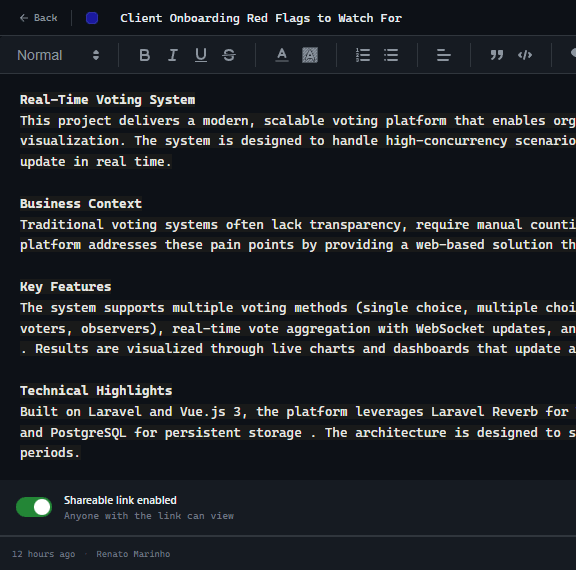
Notes start private. Share with your workspace team or make publicly accessible—all with simple toggles. You control who sees what.
How NoteVault Works
From thought to shared knowledge in seconds
Write
Create notes with rich formatting, code blocks, and images. No friction, just capture.
Organize
Nest into folders, color-code by type, search by title. Find any note in seconds.
Share
Keep private, share with team, or generate public links. One click to make knowledge accessible.
Who uses NoteVault?
For Agency Owners
Document client decisions with permanent links. When scope creep happens, you have the paper trail.
Protect your marginsFor Managers
Capture institutional knowledge before it walks out the door. Onboard faster with searchable context.
Preserve team knowledgeFor Developers
Stop re-solving problems. Code snippets with syntax highlighting, right where your tasks live.
Build your snippet libraryFor Clients
Access shared notes without logging in. See what was decided without asking for updates.
Stay informed passivelyNoteVault vs Alternatives
Your documentation shouldn't live in a different zip code than your work
| Capability | GitScrum | Notion | Confluence | Slite |
|---|---|---|---|---|
| Built into project workspace | ||||
| Rich text editor | ||||
| Code blocks with syntax | Partial | |||
| Version history | Paid | Paid | ||
| Monaco diff viewer | ||||
| Public sharing | Paid | |||
| View tracking | ||||
| Project integration | Jira |
Comparison based on free tiers as of January 2026
Questions about NoteVault
Everything you need to know
Can I use NoteVault for personal notes?
Yes. All notes are private by default. Only you can see them unless you explicitly share with your workspace team or generate a public link.
How does version history work?
Every save creates a new revision. You can view the full history, see side-by-side diffs of any two versions, and restore any previous version with one click.
Can clients view notes without logging in?
Yes. Generate a public link and anyone with that link can view the note. No account required. You can disable sharing or regenerate the link at any time.
Is there a limit to how many notes I can create?
No artificial limits. Create as many notes and folders as you need. Notes are tied to your workspace, so each project has its own context.
Can I use code blocks in notes?
Yes. The rich text editor supports code blocks with syntax highlighting. Perfect for storing code snippets, API documentation, and technical notes.
What happens to shared links if I edit a note?
The link always shows the current version. Anyone who visits sees your latest content. The link itself stays the same unless you regenerate it.
Start capturing knowledge
Notes that live where your work happens. Get started, no credit card required.
No credit card required · Setup in 2 minutes







