








PRO Annual — 50 users, $106.80/year

GitScrum logo
GitScrum/MCP Partner Directory/3D AI Studio MCP
Official Vinkius Partner Grade F · 12 tools

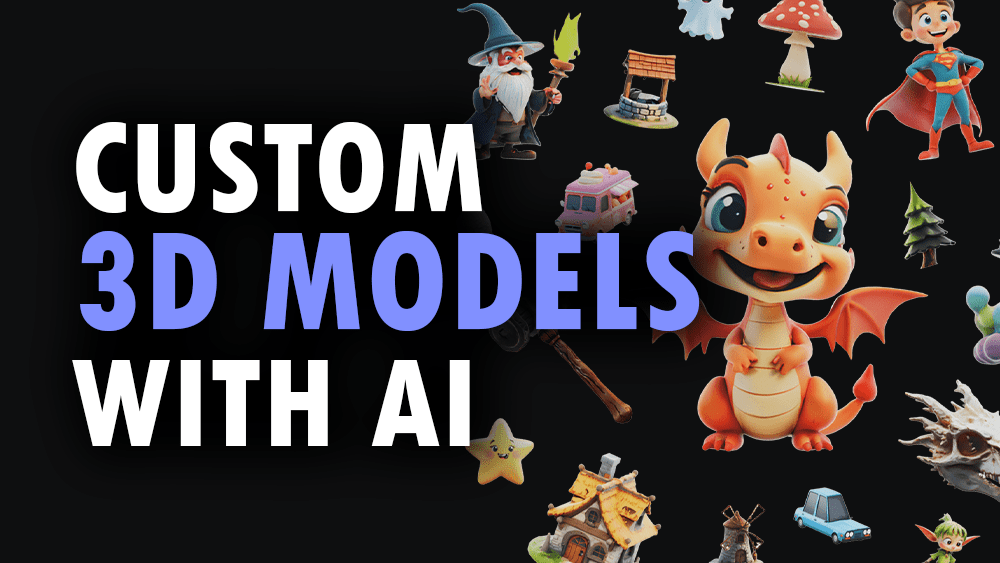
3D AI Studio MCP + Claude: Generate Game Assets from Text Prompts

Stop bouncing between design tools and GitScrum tickets. When Claude uses the 3D AI Studio MCP, you can generate, texture, optimize, and render high-quality assets directly within your project workflow. This makes asset creation part of your sprint cycle, not a bottleneck.

3D AI Studio MCP is compatible with ClaudeClaude
3D AI Studio MCP is compatible with ChatGPTChatGPT
3D AI Studio MCP is compatible with CursorCursor
3D AI Studio MCP is compatible with GeminiGemini
3D AI Studio MCP is compatible with WindsurfWindsurf
3D AI Studio MCP is compatible with VS CodeVS Code
3D AI Studio MCP is compatible with JetBrainsJetBrains
3D AI Studio MCP is compatible with VercelVercel

Connected via Vinkius catalog · No credit card

3D AI Studio
PRO Annual
$106.80/year · 50 users · no per-seat
Get PRO Annual
workflow

Create a task. Delegate to Claude. Get the result on your board.

01

Create an 'Asset Generation' task in GitScrum

You create a ticket, instructing Claude: "Using the 3D AI Studio MCP, generate a low-poly model of a fantasy sword based on this prompt." Claude determines what is needed.

02

Claude runs the 3D AI Studio MCP

Claude autonomously calls functions like `generate_text_to_3d` or `generate_image_to_3d`. It handles the complex, multi-step process of creating and refining the asset using its knowledge.

03

Outcome lands in your GitScrum board

The resulting 3D model files (GLB/FBX) and associated metadata appear directly on the ticket, ready for review, approval, or assignment to a QA developer.

templates

task.create()

3D AI Studio MCP + Claude: 3 Templates for Your Product Asset Backlog

Copy. Paste into a Claude-aware GitScrum task. Done.

Client portaltemplate1

Generate Product Mockups: Convert Image to 3D Asset

An e-commerce team lead has dozens of product photos and needs them quickly converted into standardized, viewable 3D assets for the catalog.

Claude prompt

Claude, I have attached a high-resolution photo of a new gadget. Please use the 3D AI Studio MCP's `generate_image_to_3d` tool to convert this single image into a full 3D model file. Ensure it retains accurate PBR textures so our web team can visualize it immediately.


Sprint boardtemplate2

Optimize and Repair Assets for Web Deployment

A developer submits a new game asset that is too high-poly, has holes, or won't load correctly on the mobile web client.

Claude prompt

We need to prepare this character mesh for deployment. Claude, run the 3D AI Studio MCP first to `repair_3d_mesh` and then use the `optimize_3d_model` tool to reduce the polygon count by at least 40%. Finally, ensure the file is ready in GLB format.

Backlogtemplate3

Create Concept Art Assets from Text Descriptions

The design team needs rapid prototyping for a new sci-fi vehicle model and only has rough text descriptions, no reference images available yet.

Claude prompt

Claude, use the 3D AI Studio MCP's `generate_text_to_3d` tool. Generate a plausible 3D asset of a 'hovering industrial cargo drone.' The output must be fully textured and ready for initial review in our backlog.

01 · workflow

3D AI Studio MCP + Claude: Generating Assets from Text Prompts into your GitScrum Backlog

When you're managing a design sprint, the biggest friction point is usually asset creation. Historically, this meant endless round trips: exporting concept art to Slack, emailing it to an artist, waiting for manual texturing, and then finally uploading the finished mesh into GitScrum. It’s slow and requires constant context switching.

Now, Claude can own that loop. By using the 3D AI Studio MCP, you delegate the core creative task: generating initial assets directly from a simple text prompt. The resulting model lands immediately on your backlog ticket for review, meaning concept exploration is instant and keeps your development sprint moving.

Open this workflow in GitScrum →
02 · outcome

How to Use 3D AI Studio MCP + Claude for Mesh Optimization in Your Sprint Workflow

Game assets rarely arrive perfect. They might be too complex, have non-manifold geometry, or use incorrect file formats for the target platform. Manually debugging these meshes and optimizing them is a tedious, specialist task that halts your entire workflow until it’s fixed.

Claude handles this complexity automatically. If an asset fails QA because of poly count or bad topology, you simply assign the fix to Claude using the MCP's optimization tools. It repairs, remeshes, and optimizes the model—all within GitScrum—getting your ticket back into a 'Ready for Dev' state without manual intervention.

prompts

Claude prompts that fire once 3D AI Studio is live for GitScrum users

/1

I'm stuck on rendering this architectural model for the client presentation. Claude, can you use the 3D AI Studio MCP to generate several high-res turntable video options? I need marketing-quality renders by EOD.

/2

We have these five different concept sketches and need a unified asset. Claude, please use the `generate_multiview_to_3d` function within the 3D AI Studio MCP to create the most accurate possible model from all reference images.

/3

The materials look flat on this prototype. Claude, can you run the `generate_ai_texturing` tool on the existing mesh using a prompt like 'weathered copper' to give it realistic PBR details?

/4

Can you use the 3D AI Studio MCP to calculate the volume and estimated weight of this model? I need these physical measurements for our logistics planning ticket.

specs

tools.list()

What Claude can call on 3D AI Studio: 14 tools for asset pipeline automation

Each tool is one operation Claude runs on your behalf.

tool_nameoperation
Claude can repaint or restyle existing 3D models. It applies complete PBR texture sets (albedo, normal, metallic, roughness) using text prompts to add surface details.
This tool preserves all geometry and materials while converting the model between different file formats, ensuring platform compatibility for your AI agent.
Claude uses this to convert a product photo or concept sketch into a detailed 3D asset. It's essential for e-commerce visualization when you need reliable image-to-3D conversion.
If an asset fails QA, Claude runs this tool on the mesh URL to fix common structural issues like holes or non-manifold geometry, making it ready for printing or gaming engines.
This function automatically identifies and separates parts of a complex model (e.g., head, body, wheels). This is crucial for rigging preparation in game development pipelines.
When you have multiple reference images from different angles, Claude can use this tool to construct an accurate 3D representation, which is key for precise product visualization.
To ensure web performance, Claude uses this tool on the model URL. It reduces the polygon count and compresses the file size so the asset loads quickly in a browser-based viewer.
This process takes an existing mesh and restructures its topology (to clean quads or triangles). This is vital for game assets that need animation-ready, clean geometry.
Claude executes this tool to generate marketing-quality images or even turntable videos from the 3D file. You get high-res renders without needing a dedicated rendering engine setup.
You don't need reference art anymore. Claude simply needs your description—like 'futuristic kitchen faucet'—and uses this tool to generate a complete, textured 3D model from scratch.
For game pipelines, high-detail models must be shrunk down without losing quality. Claude runs this tool to bake complex detail maps (like normal maps) onto the lower-poly, game-ready mesh.
If you're running a cost estimate for 3D printing or shipping, Claude uses this function to calculate the exact volume and estimated weight of the model based on specified units.

grade

F

tools

12

auth

Required

catalog

Vinkius

faq

faq.read()

3D AI Studio MCP + Claude, answered for GitScrum users

Does the 3D AI Studio MCP connect with Claude Desktop or just Claude Pro on the web?
The 3D AI Studio MCP is available across all major MCP-compatible clients, including Claude Desktop and Claude Pro. This means you can trigger complex asset pipelines whether you prefer using Cursor, VS Code, or Anthropic's native interface.
How does the 3D AI Studio MCP fit into a typical GitScrum sprint?
It fits anywhere an asset needs to move from concept to final build. Claude uses this MCP to generate, repair, and optimize assets directly on your ticket, ensuring nothing gets lost between design review and development handoff.
Is the 3D AI Studio MCP complex to set up in GitScrum?
No. Once you connect the MCP via Vinkius, Claude manages the complexity for you. You just need to write a clear task description in GitScrum; the rest is handled by the powerful tools available through the 3D AI Studio MCP.
Can I use the 3D AI Studio MCP with other AI agents like ChatGPT or Gemini?
Yes, absolutely. Since this is an open standard MCP, any client supporting it—including ChatGPT and Gemini—can call these tools. Claude just provides a fantastic interface for managing those calls within your GitScrum workflow.

Ready to delegate asset generation and optimization to Claude?

Free for small teams. Set up in 5 minutes. Cancel anytime.

GitScrum lists this MCP as a Vinkius partner. Installations happen on Vinkius.

Works with your favorite tools

Connect GitScrum with the tools your team already uses. Native integrations with Git providers and communication platforms.

GitHubGitHub
GitLabGitLab
BitbucketBitbucket
SlackSlack
Microsoft TeamsTeams
DiscordDiscord
ZapierZapier
PabblyPabbly

Connect with 3,000+ apps via Zapier & Pabbly





