







VS Code

GitScrum for VS Code, Google Antigravity, Cursor and Windsurf!

GitScrum logo
Solution

Multi-Tool Learning Curve 2026 | One Platform to Learn

4 weeks learning Jira, Confluence, GitHub, Monday.com before productive. GitScrum: one platform, one learning curve, productive Day 1. 2 users free. Free trial.

Multi-Tool Learning Curve 2026 | One Platform to Learn

Tool proliferation creates learning debt.

Each specialized tool optimizes for its purpose but adds cognitive load for users who must master multiple systems. Jira's concepts (epics, stories, sprints) differ from Monday.com's (boards, pulses, subitems).

UI patterns don't transfer. Keyboard shortcuts conflict.

Search works differently. The mental model for one tool doesn't help with another.

New team members face weeks of tool training before they can focus on actual work.

The GitScrum Advantage

One unified platform to eliminate context switching and recover productive hours.

01

problem.identify()

The Problem

Each tool requires separate learning

Concepts don't transfer between tools

Weeks of onboarding before productivity

UI patterns and shortcuts conflict

Cognitive load from multiple systems

02

solution.implement()

The Solution

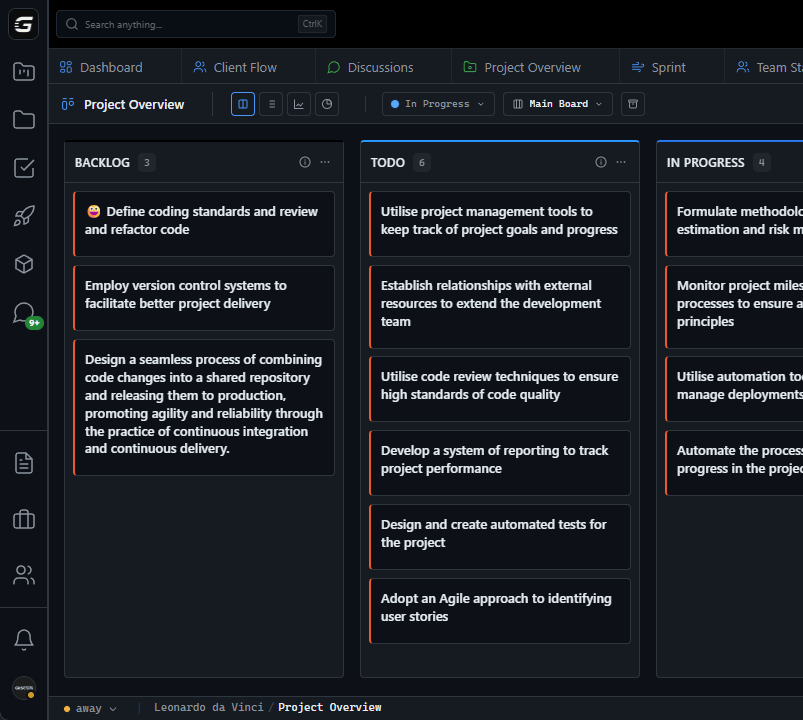
One platform means one learning curve

Consistent concepts throughout

Productive in days, not weeks

Unified UI patterns and shortcuts

Single mental model

03

How It Works

1

Consistent Concepts

One vocabulary: 'Tasks are tasks throughout GitScrum—in boards, sprints, time tracking, reports. Projects contain tasks. Workspaces contain projects. Simple hierarchy, consistent everywhere. Learn it once, apply everywhere. No translating 'Jira issues' to 'Monday pulses' to 'Asana tasks'.'

2

Unified Interface

Same patterns everywhere: 'Navigation works the same in boards, docs, reports. Cmd+K opens command palette everywhere. @ mentions work in any text field. Drag-and-drop follows consistent rules. Learn the UI once, use it for every feature.'

3

Progressive Discovery

Start simple, depth available: 'Day 1: Create tasks, move on board. Week 1: Link tasks to PRs. Week 2: Set up automation. Week 3: Build custom dashboards. Productive immediately, advanced features available when ready. No forced complexity upfront.'

4

Contextual Help

Learn as you work: 'Hover on any element for quick explanation. '?' opens help for current view. Tooltips explain advanced features when you encounter them. In-app guidance rather than external documentation hunt. Learning happens in context.'

04

Why GitScrum

GitScrum addresses Learning Curve of Multiple Specialized Development Tools through Kanban boards with WIP limits, sprint planning, and workflow visualization

Problem resolution based on Kanban Method (David Anderson) for flow optimization and Scrum Guide (Schwaber and Sutherland) for iterative improvement

Capabilities

  • Kanban boards with WIP limits to prevent overload
  • Sprint planning with burndown charts for predictable delivery
  • Workload views for capacity management
  • Wiki for process documentation
  • Discussions for async collaboration
  • Reports for bottleneck identification

Industry Practices

Kanban MethodScrum FrameworkFlow OptimizationContinuous Improvement

Frequently Asked Questions

Still have questions? Contact us at customer.service@gitscrum.com

How long does it take for a new developer to become productive?

Basic productivity: Day 1. Creating tasks, updating status, viewing boards—intuitive. Full productivity: 1-2 weeks. Time tracking, Git integration, automation rules, advanced features. Compare to multi-tool stack: 4-6 weeks to proficiency across Jira, Confluence, Monday, etc.

What about developers who already know Jira or other tools?

Familiarity helps, but concepts don't fully transfer. GitScrum's unified model is simpler than Jira's complex configuration. Most developers find GitScrum easier than what they knew, not harder. The learning is 'unlearning unnecessary complexity' more than 'learning new complexity'.

How do you handle different skill levels on the same team?

Progressive complexity. Everyone can use basic features immediately. Power users discover advanced features through tooltips, command palette suggestions, and documentation. Teams can work together while individuals operate at different depth levels.

Is there training available for teams adopting GitScrum?

Yes: Interactive onboarding in-app. Video tutorials for each feature. Documentation with examples. For enterprise: Custom training sessions, dedicated onboarding support, best-practices consultation. But most teams self-onboard successfully—the platform is designed for intuitive adoption.

Ready to solve this?

Start free, no credit card required. Cancel anytime.

Works with your favorite tools

Connect GitScrum with the tools your team already uses. Native integrations with Git providers and communication platforms.

GitHubGitHub
GitLabGitLab
BitbucketBitbucket
SlackSlack
Microsoft TeamsTeams
DiscordDiscord
ZapierZapier
PabblyPabbly

Connect with 3,000+ apps via Zapier & Pabbly