

Stop Letting Accounts Slip Through the Cracks
Your PPC manager handles dozens of accounts. Client called angry because their search terms report hasn't been reviewed in weeks. Meanwhile, budget disappeared into irrelevant traffic because nobody was optimizing.


problem.identify()
Why PPC Account Portfolios Become Unmanageable
Optimization Cadence Is Inconsistent
High-spend accounts get attention. Small accounts with good margins get neglected. Nobody knows which accounts had negative keyword reviews last week and which haven't been touched in months.
Client Requests Disappear in Email
Client asked for a new campaign several emails ago. It's buried in their account manager's inbox. Request surfaces when client complains about launch delay. Agency looks disorganized.
Quarterly Reviews Are Scramble Sessions
QBR coming up. Account manager scrambles to remember what they did for months. Creates narrative from memory and Google Ads change history. Numbers tell story but context is invented.
Team Handoffs Break Everything
Account manager leaves or takes PTO. Replacement has no context on strategy, pending tests, or client preferences. Client calls asking about the A/B test results nobody knows about.
Sound familiar?
See how GitScrum handles this in 2 minutes.
solution.implement()
PPC Account Operations That Scale
Recurring Optimization Checklists
Create standard weekly/monthly tasks per account: search term review, bid adjustments, ad testing. Tasks auto-generate on schedule. Nothing gets forgotten. Every account gets consistent attention.
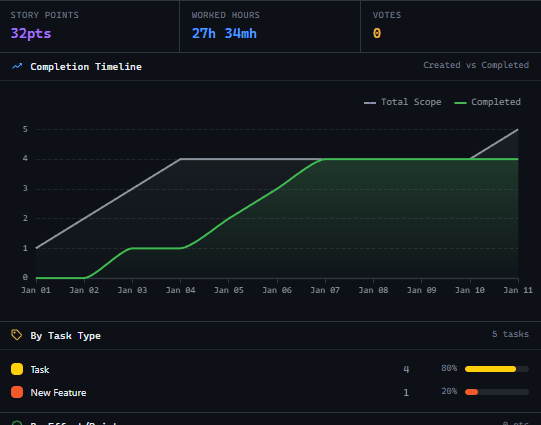
Client Request Tracking
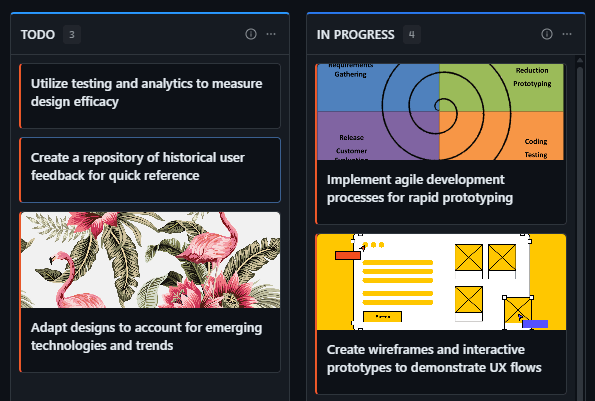
Every client request becomes a tracked task. See status, who's assigned, and estimated completion. Client asks about new campaign? Check the board. Know exactly where it stands without digging through email.
Activity Log for QBR Prep
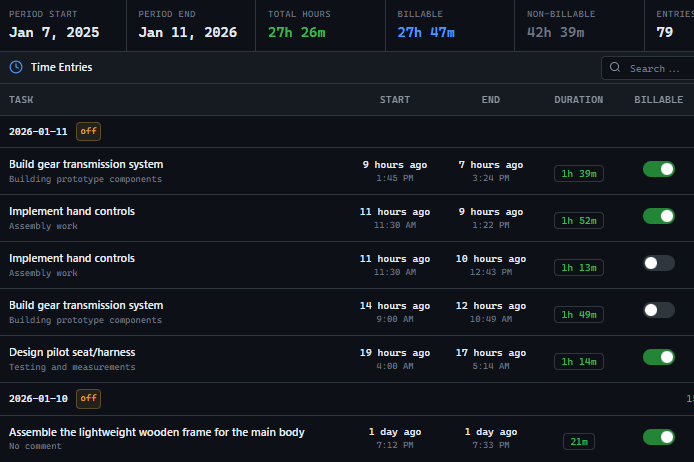
Every optimization action is logged with context. QBR prep takes minutes, not hours. Pull months of documented work with notes on why each change was made. Narratives write themselves.
Account Context Documentation
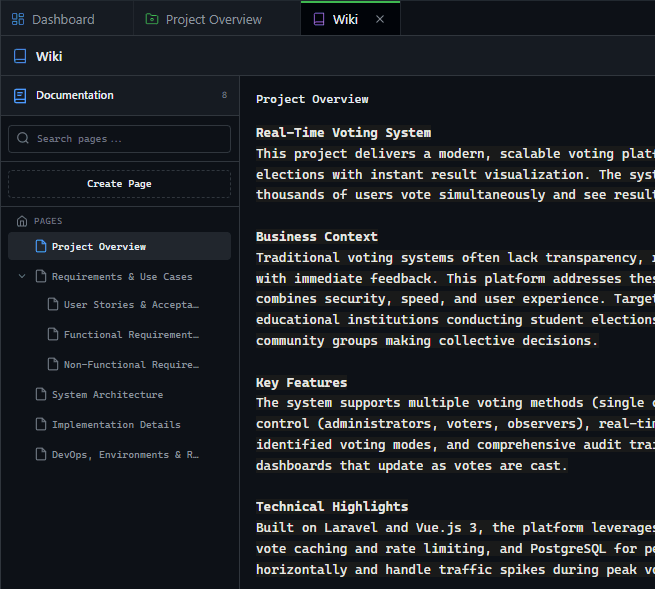
Document client preferences, ongoing tests, and strategic notes per account. When team members change, context transfers. New manager reads the account wiki and knows the full history.
These solutions work together. Try them today.
Team size GitScrum is built for
For teams up to 2 users
Per user, per month
"We stopped losing hours to status meetings. Now everyone sees progress in real-time."
Sarah Chen
Operations Lead, 15-person team
Frequently Asked Questions
Still have questions? Contact us at customer.service@gitscrum.com
How do we manage accounts with different service levels?
Create task templates by tier. Premium accounts get weekly search term reviews. Standard accounts get monthly. System ensures each account receives its contracted level of service without manual tracking.
Can clients see their optimization activity?
Yes. Give clients read-only access to their account board. They see what's been done, what's in progress, and what's planned. Transparency builds trust without adding reporting burden.
How do we track billable vs non-billable work?
Tag tasks as included in retainer or additional scope. Track time against both. When client asks for extra work, show clear delineation between contracted work and billable additions.
Ready to solve this?
Start free, no credit card required. Cancel anytime.







