
Stop Launching Campaigns With Broken Tracking
Campaign launched on Monday. Spent budget by Thursday. No conversions recorded. Someone forgot to verify the tag fired on the thank you page. Now you're explaining to the client why their money bought zero trackable results.

The annual upgrade
One-time priceStop managing projects. Start directing agents, as a team.
Annual pricing per user multiplies as your team grows, and fifty seats means thousands of dollars every year. This upgrade puts your entire team on the full platform for one payment of $106.80.
- Up to 50 Pro seats on one annual plan
- One link connects Claude, Cursor, ChatGPT or any MCP client
- You just watch: every agent, every task, every outcome, in one workspace.
$2,500/year
Secure checkout with Stripe
Works on








Built for the agent era, at a price that will not come back.
Pricing
Plans for every stage of your team
Start free with your first projects. Go per user when the board grows, or lock in the full annual plan.
Pro
Most PopularPick your user count in your account
$3.36/user/mo
billed as $40.32/year · Save $10.08/user/year
Enterprise
Volume licensing, SSO and dedicated support for large orgs.
Customtailored to your needs
problem.identify()
Why Campaign Launches Go Wrong
Setup Steps Live in People's Heads
Experienced manager knows many things to check. Junior manager knows few. When junior launches, they skip what they don't know. Conversion tracking, UTM parameters, audience exclusions—missed.
Asset Dependencies Aren't Tracked
Campaign needs landing page, conversion pixel, and approved ad copy. Designer finished landing page last week. Copy is still in client approval. Pixel was never requested. Launch day arrives and nothing's ready.
Client Approvals Stall Without Visibility
Copy sent to client for approval days ago. No response. Campaign manager didn't follow up because they assumed it was approved. Launch delayed because of one missing email.
QA Happens After Launch
Campaign goes live. Someone spots typo in ad copy hours later. Conversion tracking broken discovered next day. Each issue requires reactive firefighting instead of proactive prevention.
Sound familiar?
See how GitScrum handles this in 2 minutes.
solution.implement()
Campaign Launches That Work First Time
Standard Launch Checklists
Every campaign type has a checklist: conversion tracking verified, landing page tested, UTM parameters set, audience configured, budget confirmed, copy approved. Nothing launches until all boxes checked.
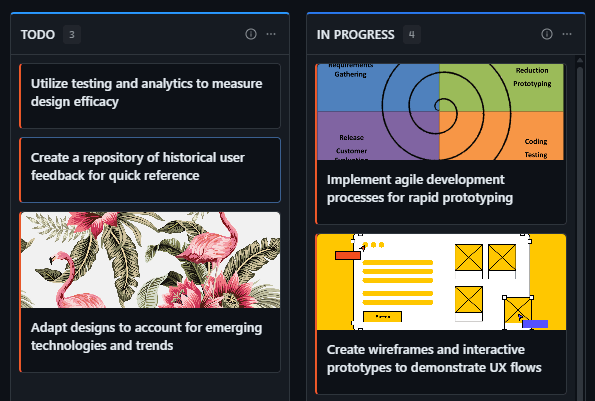
Asset Dependency Tracking
Link campaign launch to dependencies: landing page task, creative assets, tracking setup. See all dependencies in one view. Know instantly what's blocking launch and who owns each piece.
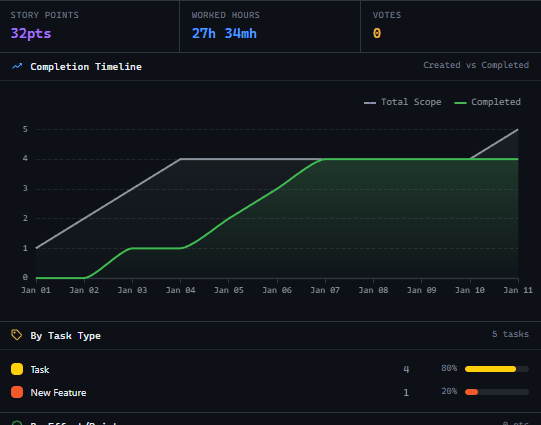
Approval Workflow Integration
Send copy to client within the system. Track approval status. Auto-remind if no response in 48 hours. Never lose track of pending approvals. Launch only when all stakeholders signed off.
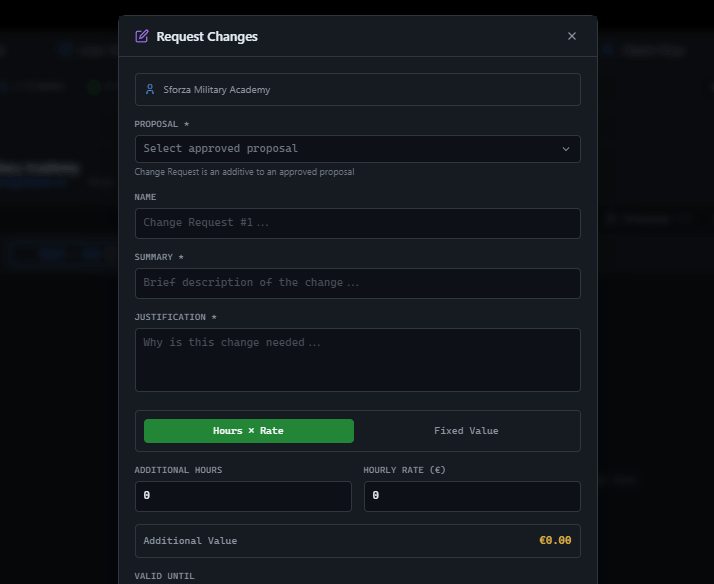
Pre-Launch QA Process
QA tasks auto-assign before launch date. Verify tracking fires. Check ad copy for errors. Test landing page. Document QA completion. Campaigns only go live after documented quality checks.
These solutions work together. Try them today.
Team size GitScrum is built for
For teams up to 2 users
Per user, per month
"We stopped losing hours to status meetings. Now everyone sees progress in real-time."
Sarah Chen
Operations Lead, 15-person team
Frequently Asked Questions
Still have questions? Contact us at customer.service@gitscrum.com
How do we create checklists for different campaign types?
Build templates for each type: search, display, shopping, video. Each template includes platform-specific requirements. Clone template when starting new campaign. Customize as needed while maintaining core checks.
Can we enforce checklist completion before launch?
Yes. Configure workflows so campaign can't move to 'live' status until all checklist items are verified complete. System prevents premature launches automatically.
How do we handle urgent campaigns with tight timelines?
Create expedited checklist for rush campaigns covering critical items only. Still prevents broken tracking but removes non-essential items. Document which checks were skipped and plan post-launch verification.
Ready to solve this?
Start free, no credit card required. Cancel anytime.