







GitScrum PRO Annual — 2,500+ SaaS apps via MCP

GitScrum logo
Solution

10 Tool Daily Workflow 2026 | Developer Tool Fatigue

10 tools daily: IDE, GitHub, Jira, Slack, Confluence, CI/CD, time tracking. Devs become tool jugglers. One consolidated platform reduces the circus. Free trial.

10 Tool Daily Workflow 2026 | Developer Tool Fatigue

The modern developer toolkit expanded organically.

Each tool was added to solve a specific problem. But no one planned for the aggregate complexity.

Now developers spend their mornings opening 10 different applications, checking 10 different notification queues, and maintaining context across 10 different interfaces. The tools that were supposed to help became the problem.

Tool mastery replaced coding skill as the differentiating factor. Something went wrong.

The GitScrum Advantage

One unified platform to eliminate context switching and recover productive hours.

01

problem.identify()

The Problem

10+ tools in daily developer workflow

Each tool with unique interface and context

Morning ritual of opening 10 applications

Notification overload from multiple sources

Tool juggling replacing actual development

02

solution.implement()

The Solution

Consolidate to 3-4 essential tools

Unified interface for development activities

Single startup for work readiness

Centralized notifications

Focus on code, not tool orchestration

03

How It Works

1

Tool Audit

Identify the sprawl: 'Current tools: 1) IDE - code. 2) GitHub - repos. 3) Jira - tasks. 4) Confluence - docs. 5) Slack - chat. 6) CircleCI - builds. 7) Harvest - time. 8) Figma - designs. 9) Gmail - communication. 10) Calendar - meetings. Question: Which are truly essential vs. which add overhead?'

2

Consolidate Core Functions

Reduce the count: 'GitScrum absorbs: Tasks (replaces Jira) + Documentation (replaces Confluence) + Git activity (reduces GitHub UI need) + Time tracking (replaces Harvest) + Team communication on work (reduces Slack for work discussions). 10 tools → 5 tools. Halved.'

3

Unified Morning

Simplified startup: 'Before: Open 10 apps, check 10 notification queues, orient to 10 interfaces. After: Open IDE + GitScrum. All work visible immediately. One notification inbox. One interface to navigate. Ready to code in 2 minutes instead of 15.'

4

Maintained Integration

Keep necessary connections: 'GitScrum connects to: Figma (design embeds). Google Calendar (meeting awareness). Email (if needed, though task discussions reduce need). The tools you still need integrate cleanly. The tools you don't need disappear from daily workflow.'

04

Why GitScrum

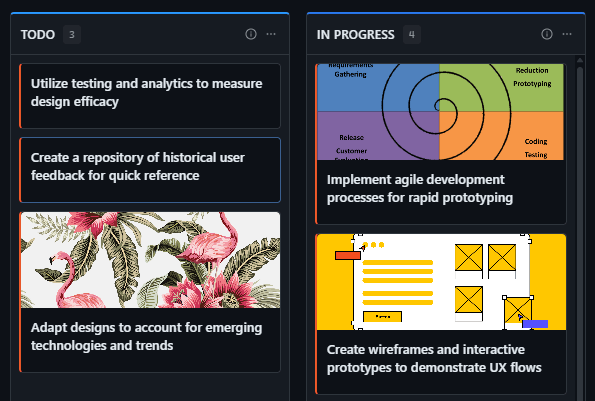
GitScrum addresses Preventing Developers from Jumping Between 10 Different Tools through Kanban boards with WIP limits, sprint planning, and workflow visualization

Problem resolution based on Kanban Method (David Anderson) for flow optimization and Scrum Guide (Schwaber and Sutherland) for iterative improvement

Capabilities

  • Kanban boards with WIP limits to prevent overload
  • Sprint planning with burndown charts for predictable delivery
  • Workload views for capacity management
  • Wiki for process documentation
  • Discussions for async collaboration
  • Reports for bottleneck identification

Industry Practices

Kanban MethodScrum FrameworkFlow OptimizationContinuous Improvement

Frequently Asked Questions

Still have questions? Contact us at customer.service@gitscrum.com

Can GitScrum really replace 5+ tools?

For core development workflow, yes. Tasks, documentation, time tracking, Git activity surfacing, and work discussions consolidate into one platform. Specialized tools (design, complex CI/CD configuration) remain but integrate. The daily tool count drops significantly.

What about tools required by the organization?

GitScrum can sync with mandated tools. If your company requires time entries in a specific system, GitScrum can export there. If clients need visibility in their tool, data syncs. You work in GitScrum; compliance requirements are met through integration.

Won't replacing multiple tools create a learning curve?

Short term, yes. But learning one comprehensive tool is easier than mastering 10 separate ones. Most developers become productive in GitScrum within a week. The ongoing savings from reduced tool switching far outweigh the initial learning investment.

How do I convince my team to reduce tools?

Start with the cost. Track how many tools people use daily, estimate context switching time, calculate the hours lost. When the data shows 3-4 hours daily lost to tool overhead, the case for consolidation makes itself. GitScrum provides analytics to support the argument.

Ready to solve this?

Start free, no credit card required. Cancel anytime.

Works with your favorite tools

Connect GitScrum with the tools your team already uses. Native integrations with Git providers and communication platforms.

GitHubGitHub
GitLabGitLab
BitbucketBitbucket
SlackSlack
Microsoft TeamsTeams
DiscordDiscord
ZapierZapier
PabblyPabbly

Connect with 3,000+ apps via Zapier & Pabbly