
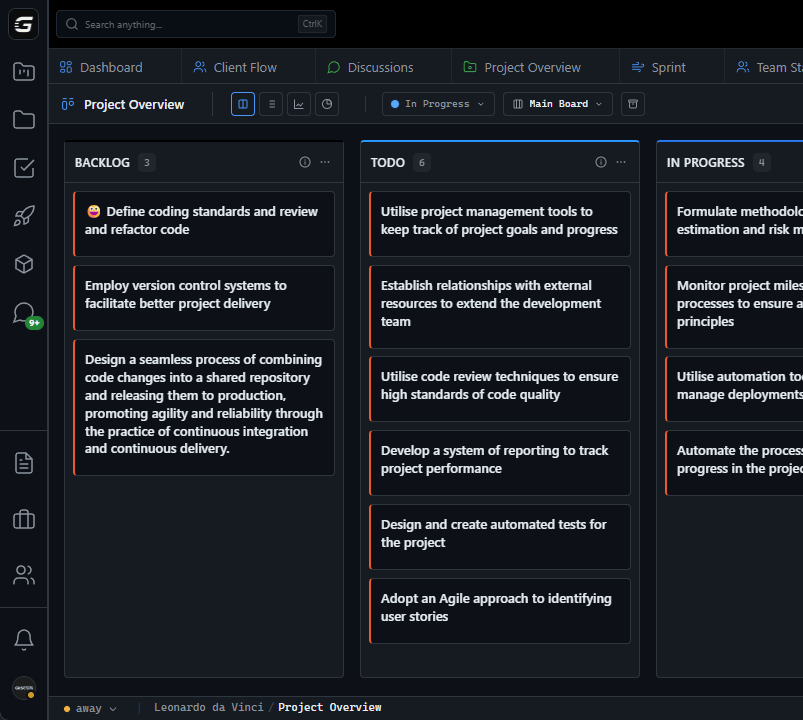







VS Code

GitScrum for VS Code, Google Antigravity, Cursor and Windsurf!

GitScrum logo
Solution

GitHub-Centric PM 2026 | Ditch Jira for Git-Native

Your development workflow lives in GitHub. Your project management lives in Jira. The disconnect creates duplicate data entry, stale status, and context switching that kills focus. GitScrum puts GitHub at the center: PRs automatically link to tasks, commits reference cards, branch names sync with task IDs, and merging a PR moves the card to Done. One workflow, not two disconnected tools.

GitHub-Centric PM 2026 | Ditch Jira for Git-Native

The typical developer workflow: Create a branch in Git.

Write code. Open a PR in GitHub.

Now tab over to Jira. Find the ticket.

Update the status to 'In Review'. Wait for review.

Merge the PR. Tab back to Jira.

Update status to 'Done'. Hope you didn't forget to update Jira at any step—because Jira's status will be wrong until your next manual sync.

This workflow is broken by design. Code lives in GitHub.

Project status lives in Jira. Neither system knows about the other without manual intervention or fragile Zapier integrations.

What if project management was GitHub-centric instead? Branch names automatically link to tasks.

Opening a PR updates card status. Code review comments appear on the task.

Merging the PR moves the card to Done. No second system to update.

No status sync to forget. GitScrum treats GitHub as the source of truth for development activity.

Project management reflects what's actually happening in your repositories—automatically. One workflow where code and project management are unified.

The GitScrum Advantage

One unified platform to eliminate context switching and recover productive hours.

01

problem.identify()

The Problem

Code lives in GitHub, project status in Jira—disconnected by design

Manual status updates required after every Git action

Branch-to-ticket linking requires naming conventions or manual entry

PR status doesn't automatically update project cards

Merge actions don't trigger task completion

Context switching between GitHub and Jira kills developer focus

02

solution.implement()

The Solution

GitHub as the source of truth for development activity

Automatic status updates triggered by Git actions

Branch names automatically link to task IDs

PR opening moves card to 'In Review'

PR merge moves card to 'Done' automatically

Single tab workflow—no context switching required

03

How It Works

1

Connect GitHub Once

OAuth into GitHub during setup. Select repositories to sync. From that moment, GitScrum watches your repos for activity. No webhook configuration. No Zapier chains. Native connection established in 30 seconds.

2

Branch Names Link Automatically

Create a branch named 'feature/GS-123-user-auth'. GitScrum automatically links it to task GS-123. Card shows 'Branch created'. No manual linking. The convention you already follow becomes automatic metadata.

3

PR Status Syncs

Open a PR for that branch. GitScrum moves card GS-123 to 'In Review'. PR title, description, and review status appear on the card. Your project board reflects reality without you touching it.

4

Merge Completes the Task

PR approved and merged. GitScrum moves GS-123 to 'Done'. Time-to-completion logs automatically. Sprint metrics update. Your entire workflow happened in GitHub—project management updated itself.

04

Why GitScrum

GitScrum addresses GitHub-Centric Project Management Tool Instead of Jira through Kanban boards with WIP limits, sprint planning, and workflow visualization

Problem resolution based on Kanban Method (David Anderson) for flow optimization and Scrum Guide (Schwaber and Sutherland) for iterative improvement

Capabilities

  • Kanban boards with WIP limits to prevent overload
  • Sprint planning with burndown charts for predictable delivery
  • Workload views for capacity management
  • Wiki for process documentation
  • Discussions for async collaboration
  • Reports for bottleneck identification

Industry Practices

Kanban MethodScrum FrameworkFlow OptimizationContinuous Improvement

Frequently Asked Questions

Still have questions? Contact us at customer.service@gitscrum.com

What if we don't follow branch naming conventions?

You can still link manually or via commit messages. But branch naming conventions (feature/TASK-123-description) are common enough that most teams already do this. GitScrum just makes existing conventions automatically useful.

Does this work with GitHub Enterprise?

Yes. OAuth works with GitHub.com and GitHub Enterprise. Same native integration, whether your repos are cloud or self-hosted.

What about GitLab or Bitbucket?

Currently GitHub-focused. GitLab and Bitbucket integrations are on the roadmap. If you're primarily on those platforms, we're not the right fit yet.

Can we still update cards manually?

Yes—automatic sync is additive. Move cards manually whenever you want. The automatic actions just reduce the work for the common cases: PR opened, PR merged, etc.

Ready to solve this?

Start free, no credit card required. Cancel anytime.

Works with your favorite tools

Connect GitScrum with the tools your team already uses. Native integrations with Git providers and communication platforms.

GitHubGitHub
GitLabGitLab
BitbucketBitbucket
SlackSlack
Microsoft TeamsTeams
DiscordDiscord
ZapierZapier
PabblyPabbly

Connect with 3,000+ apps via Zapier & Pabbly