







VS Code

GitScrum for VS Code, Google Antigravity, Cursor and Windsurf!

GitScrum logo
Solution

Technical Decisions 2026 | Accelerate Dev Team Consensus

Technical decisions stall in Slack threads. How to accelerate? Discussions with reactions reach consensus 48h faster. Searchable context forever. Free trial.

Technical Decisions 2026 | Accelerate Dev Team Consensus

Technical decisions—architecture choices, library selections, API designs—often stall for days because the context and discussion are scattered across Slack channels, email threads, and meeting notes.

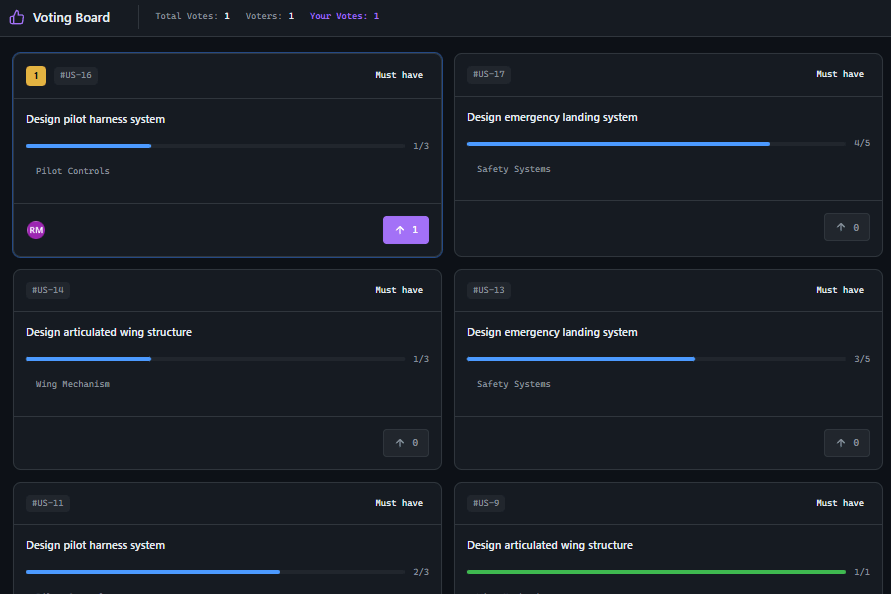
By the time you need to revisit a decision, the reasoning is lost. GitScrum Discussions provide project-scoped threaded conversations with 👍/👎 reactions for lightweight voting, threaded replies for deep technical debates, and persistent searchable history.

Every discussion stays attached to the project, searchable forever, with full context preserved. Real-time presence shows who's online to participate, while async-first design means decisions move forward across time zones.

The GitScrum Advantage

One unified platform to eliminate context switching and recover productive hours.

01

problem.identify()

The Problem

Technical decisions delayed days waiting for sync meetings to align schedules

Context scattered across Slack, email, and meeting notes—impossible to trace reasoning

No lightweight way to gauge team sentiment on architectural choices

Past decisions undocumented—same debates repeat every few months

Async team members excluded from decisions made in real-time chat

02

solution.implement()

The Solution

Project Discussions: threaded async conversations attached directly to projects, searchable forever

👍/👎 Reactions: lightweight voting on messages to gauge team sentiment without scheduling meetings

Threaded Replies: deep technical debates organized in threads without cluttering main channel

Real-time Presence: see who's online (Discord-style sidebar) to know when to expect responses

Full History: every discussion searchable, with complete context preserved for future reference

03

How It Works

1

Start Discussion

Create a discussion channel in your project. Public channels are visible to all project members; private channels include only invited participants plus workspace owners automatically.

2

Async Debate

Team members post arguments, code snippets, and technical analysis. Threaded replies keep sub-conversations organized. Link tasks directly from discussions for context.

3

Gauge Consensus

Use 👍/👎 reactions for lightweight voting. Hover over reactions to see who voted. No need to schedule a meeting—sentiment is visible at a glance.

4

Real-time Collaboration

Team sidebar shows online/offline status for all project members. Typing indicators show when someone is responding. Notifications alert relevant team members.

5

Document Decision

Once consensus is reached, capture the decision in Project Wiki. Full discussion history remains searchable, providing permanent audit trail of reasoning.

04

Why GitScrum

GitScrum addresses Accelerating Technical Decision Making in Development Teams through Kanban boards with WIP limits, sprint planning, and workflow visualization

Problem resolution based on Kanban Method (David Anderson) for flow optimization and Scrum Guide (Schwaber and Sutherland) for iterative improvement

Capabilities

  • Kanban boards with WIP limits to prevent overload
  • Sprint planning with burndown charts for predictable delivery
  • Workload views for capacity management
  • Wiki for process documentation
  • Discussions for async collaboration
  • Reports for bottleneck identification

Industry Practices

Kanban MethodScrum FrameworkFlow OptimizationContinuous Improvement

Frequently Asked Questions

Still have questions? Contact us at customer.service@gitscrum.com

How do reactions help with decision making?

👍/👎 reactions provide lightweight voting without scheduling meetings. When evaluating architecture options, team members can quickly indicate preferences. Hovering over reactions shows exactly who voted each way, making it easy to identify concerns and reach consensus.

What's the difference between Discussions and task comments?

Task comments are attached to specific tasks for implementation discussions. Project Discussions are channel-based conversations for broader technical decisions, architecture debates, and cross-task coordination. Both support threading and reactions.

How does real-time presence work?

The team sidebar (Discord-style) shows online/offline status for all project members using WebSocket presence detection. Green dots indicate online members. This helps you know when to expect responses and who's available for synchronous discussion if needed.

Can I link discussions to tasks or wiki pages?

Yes. You can link tasks directly from discussion messages using the # Link Task feature. Once a decision is made, document it in Project Wiki and reference the discussion for full context. Everything stays connected.

How do private channels work?

Private channels are visible only to invited members plus workspace owners (who are added automatically). Use private channels for sensitive architectural decisions or discussions involving external stakeholders. All other channels are visible to the full project team.

Ready to solve this?

Start free, no credit card required. Cancel anytime.

Works with your favorite tools

Connect GitScrum with the tools your team already uses. Native integrations with Git providers and communication platforms.

GitHubGitHub
GitLabGitLab
BitbucketBitbucket
SlackSlack
Microsoft TeamsTeams
DiscordDiscord
ZapierZapier
PabblyPabbly

Connect with 3,000+ apps via Zapier & Pabbly