







The Jira free tier trap works like this: 1.
Small team signs up, gets 10 free users 2. Team configures basic project 3.
Team discovers they need automation rules (paid) 4. Team discovers they need advanced permissions (paid) 5.
Team discovers they need marketplace integrations (paid + per-user) 6. Team discovers they need admin expertise (time cost) 7.
Team is now paying enterprise prices for startup-scale work Jira's complexity isn't a bug—it's a feature for Atlassian's business model. Enterprise customers need that complexity.
They have dedicated admins. They have compliance requirements.
They have 500-person teams with intricate permission needs. But a 5-person development team?
They need to track tasks, run sprints, and see what everyone is working on. That's it.
The Hidden Costs of Jira for Small Teams: 1. Configuration Time Jira's project setup wizard has dozens of fields.
Issue types, workflows, screens, permission schemes, notification schemes. A new team member asked 'why is this dropdown here?' and nobody knew—the person who configured it left the company.
Small teams can't afford dedicated tool administrators. Everyone wears multiple hats.
The time spent configuring and maintaining Jira is time not spent shipping product. 2.
Learning Curve Jira has its own vocabulary: epics, stories, tasks, subtasks, components, versions, sprints, boards, backlogs, filters, JQL. New team members need orientation just to navigate the tool.
Small teams can't afford long onboarding cycles. A new developer should be productive on day one, not week two after Jira training.
3. Integration Complexity Jira's GitHub integration works, but it requires: - Installing the right marketplace app - Configuring OAuth permissions - Setting up smart commits syntax - Training team on the linking format - Troubleshooting when links don't appear Small teams need integration that just works.
Connect GitHub, see code activity on tasks. Done.
4. Workflow Overhead Jira's workflow engine is powerful.
You can create 15-step approval processes with conditional transitions. Most small teams need: To Do → In Progress → Done.
Maybe a Review column. But Jira's default workflows assume enterprise needs.
Small teams either live with unnecessary complexity or spend hours simplifying it. 5.
Permission Paralysis Jira's permission system has dozens of granular controls. Can this role edit comments?
Can they transition issues? Can they view sprint reports?
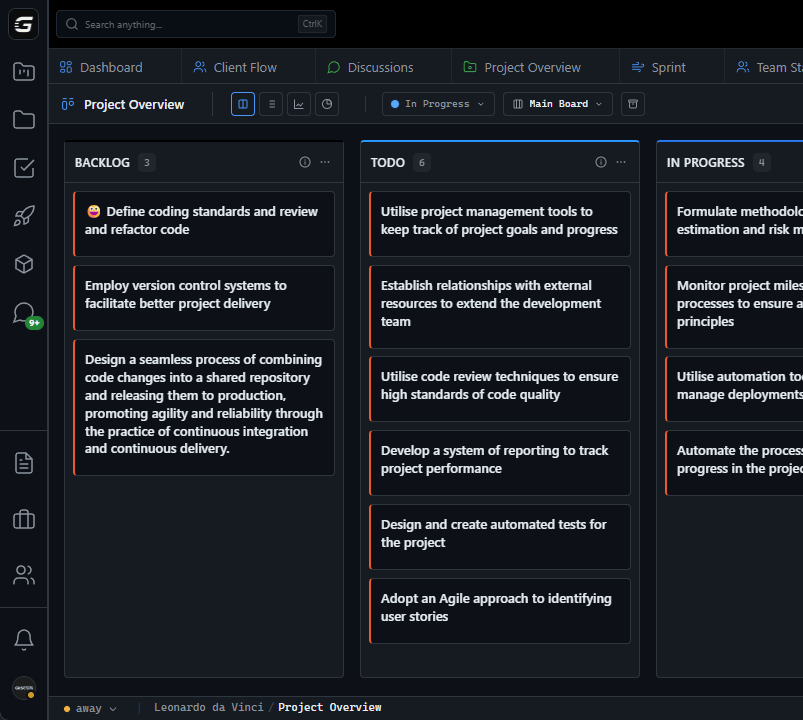
Small teams typically want: everyone can see everything, admins can delete things. The Real Cost Calculation: Jira Standard (assume 10-person team needs features beyond free): - $77.50/month base - + Admin time: 5 hours/month × $50/hour = $250/month - + Learning curve: 2 hours/new hire × $50/hour - + Integration troubleshooting: 2 hours/month × $50/hour = $100/month - Effective cost: ~$430+/month GitScrum (10-person team): - 2 users free + 8 × $8.90 = $71.20/month - Admin time: minimal (simple configuration) - Learning curve: minimal (intuitive interface) - Integration: native (no troubleshooting) - Effective cost: ~$75/month What Small Teams Actually Need: ✓ Boards for visual task management ✓ Sprints for Agile methodology ✓ Time tracking for project visibility ✓ GitHub sync for code-task connection ✓ Simple permissions (team vs admin) ✓ Client access for stakeholder visibility ✓ Mobile access for on-the-go updates What Small Teams Don't Need: ✗ 47 different issue types ✗ Workflow engines with conditional logic ✗ Marketplace dependency hell ✗ JQL query language learning ✗ Multi-scheme permission architecture ✗ Enterprise compliance features GitScrum delivers exactly what small teams need without the overhead they don't.
Same Agile fundamentals, modern interface, native integrations, minimal configuration. $8.90/user/month.
2 users free forever. Small team pricing for small team needs.
The GitScrum Advantage
One unified platform to eliminate context switching and recover productive hours.


