







VS Code

GitScrum for VS Code, Google Antigravity, Cursor and Windsurf!

GitScrum logo
Solution

GitHub Projects Alternative 2026 | Real Sprint Planning

GitHub Projects free but no velocity, no burndown, no story points, no time tracking. GitScrum: real sprint planning ON TOP of GitHub. $8.90/user. Free trial.

GitHub Projects Alternative 2026 | Real Sprint Planning

GitHub Projects: The Free Temptation GitHub Projects is tempting: ├─ Free with GitHub ├─ Native issue integration ├─ Improving constantly ├─ Custom fields ├─ Table and board views ├─ Filters and grouping └─ Right where your code is For simple task tracking?

GitHub Projects works. For professional sprint planning?

You'll hit walls. The GitHub Projects Gaps 1.

No Real Sprint Planning GitHub Projects: ├─ Iterations exist (added recently) ├─ But no sprint capacity planning ├─ No sprint goal setting ├─ No sprint review/retro support ├─ Sprints feel bolted on, not native GitScrum: ├─ Sprint planning is core ├─ Capacity planning built-in ├─ Sprint goals ├─ Review and retro support ├─ Sprints are first-class citizens 2. No Native Story Points GitHub Projects: ├─ Custom fields exist ├─ Can create 'Points' number field ├─ But no Fibonacci enforcement ├─ No velocity calculation ├─ No capacity based on points └─ DIY estimation GitScrum: ├─ Story points built-in ├─ Fibonacci scale (1,2,3,5,8,13,21) ├─ Velocity auto-calculated ├─ Capacity planning from points └─ Professional estimation workflow 3.

No Velocity Tracking GitHub Projects: ├─ No velocity metric ├─ No sprint-over-sprint comparison ├─ No trend analysis ├─ No predictability data ├─ Can't answer 'how much can we commit?' GitScrum: ├─ Automatic velocity calculation ├─ Sprint-over-sprint trends ├─ Rolling average ├─ Predictability metrics ├─ Data-driven sprint planning 4. No Burndown Charts GitHub Projects: ├─ Insights exist (basic) ├─ But no real burndown ├─ Can't see remaining work vs time ├─ No daily progress tracking ├─ No sprint health visualization GitScrum: ├─ Real burndown charts ├─ Ideal line vs actual line ├─ Daily progress visible ├─ Sprint health at a glance ├─ Standard agile reporting 5.

No Time Tracking GitHub Projects: ├─ No time tracking whatsoever ├─ Need third-party tools ├─ Disconnected from issues ├─ Extra cost, extra context switching GitScrum: ├─ Built-in time tracking ├─ Plus automatic from Git commits ├─ Time tied to tasks ├─ Reporting included 6. Limited Status Automation GitHub Projects: ├─ Actions can auto-move cards ├─ Requires workflow configuration ├─ Branch/PR status detection limited ├─ Not automatic for dev workflow GitScrum: ├─ Branch created → In Progress ├─ PR opened → In Review ├─ PR merged → Done ├─ Automatic, no configuration Why Not 'Just Use GitHub Projects'?

The conversation usually goes: 'Just use GitHub Projects - it's free and improving!' True. But: Product Manager: 'What's our velocity?' GitHub Projects: silence Stakeholder: 'Will we finish this sprint on time?' GitHub Projects: no burndown Manager: 'How much can we commit to next sprint?' GitHub Projects: manual calculation Team Lead: 'Where is everyone spending their time?' GitHub Projects: no time data CFO: 'What's the actual cost of this feature?' GitHub Projects: no time tracking Free tools have hidden costs.

The Hybrid Approach You don't have to abandon GitHub Issues. GitScrum + GitHub: ├─ Keep issues in GitHub ├─ PRs link to issues normally ├─ GitScrum syncs with GitHub ├─ Sprint planning in GitScrum ├─ Metrics in GitScrum ├─ Code stays in GitHub └─ Best of both GitScrum reads from GitHub.

You get sprint planning ON TOP of GitHub. Not instead of GitHub.

Feature Comparison | Feature | GitHub Projects | GitScrum | |-----------------------|-----------------|-------------------| | Task management | ✓ | ✓ | | Kanban boards | ✓ | ✓ | | Custom fields | ✓ | ✓ | | Issue integration | Native | Via GitHub API | | Sprint/Iterations | Basic | Full | | Story points | DIY field | Native Fibonacci | | Velocity tracking | ✗ | Automatic | | Burndown charts | ✗ | Built-in | | Time tracking | ✗ | Built-in + Git | | Sprint capacity | ✗ | Built-in | | Auto status updates | Limited | Full from Git | | Price | Free | $8.90/user | The 'Free' Cost Analysis GitHub Projects is free. But what does 'free' cost?

Time spent on workarounds: ├─ Manual velocity calculation: 30 min/sprint ├─ Building burndown in spreadsheet: 1 hour/sprint ├─ Time tracking in separate tool: 15 min/day ├─ Sprint planning without data: Less effective ├─ Status updates without automation: 10 min/day Developer time: $50-150/hour For a 10-person team, 2-week sprints: ├─ Velocity workaround: $25-75/sprint ├─ Burndown spreadsheet: $50-150/sprint ├─ Time tracking tool: $100-300/month ├─ Manual updates: $500-1500/month └─ Total 'free' cost: $700-2000+/month GitScrum cost for 10 users: $71.20/month Free isn't free when it costs time. Who Should Stay on GitHub Projects GitHub Projects is fine if: ├─ Very small team (1-3 devs) ├─ No sprint methodology needed ├─ Don't need velocity metrics ├─ Don't need burndown charts ├─ Don't need time tracking ├─ Simple task list is enough ├─ No stakeholder reporting needs └─ Budget is truly $0 Who Should Add GitScrum Add GitScrum if: ├─ Need real sprint planning ├─ Need velocity tracking ├─ Need burndown charts ├─ Need story point estimation ├─ Need time tracking ├─ Report to stakeholders ├─ Want auto status from Git ├─ Team growing beyond basics └─ Professional agile workflow Migration is Easy 1.

Sign up GitScrum (2 users free) 2. Connect GitHub account 3.

Import issues or start fresh 4. Set up first sprint 5.

Experience the difference Your GitHub stays intact. GitScrum adds sprint planning layer.

No migration headache. Real Team Experience 'We tried to make GitHub Projects work for sprint planning.

Custom fields for points, Insights for tracking. But we were spending more time building our own project management system than building product.

No velocity, no burndown, manual everything. GitScrum gave us actual sprint planning that works with our GitHub repos.

The automation alone was worth it.' - Engineering Lead, Startup Vs Other Alternatives Jira: - Full featured but complex - GitHub integration exists - Expensive - Overkill for many Linear: - Developer focused - Good GitHub integration - $8/user, no free tier - Different philosophy Asana: - No Git integration - No sprints - Not for dev teams GitScrum: - GitHub-native - Sprint planning focused - $8.90/user (2 free) - Professional dev metrics Pricing Summary 2 users: $0/month (free forever, all features) 5 users: $26.70/month 10 users: $71.20/month All sprint planning features. Velocity and burndown included.

Time tracking included. GitHub integration native.

Try Free 1. Keep using GitHub for code and issues 2.

Sign up GitScrum free 3. Connect GitHub account 4.

Create sprint 5. See what real sprint planning looks like $8.90/user/month.

2 users free forever. GitHub Projects + professional sprint planning.

The GitScrum Advantage

One unified platform to eliminate context switching and recover productive hours.

01

problem.identify()

The Problem

No real sprint planning - Iterations exist but lack capacity planning, goals, velocity integration

No native story points - Custom fields work but no Fibonacci scale, no velocity math

No velocity tracking - Cannot answer 'how much can we commit to next sprint?'

No burndown charts - No visualization of remaining work vs time in sprint

No time tracking - Need separate tool, disconnected from tasks

Limited status automation - Branch/PR to status requires manual workflow setup

02

solution.implement()

The Solution

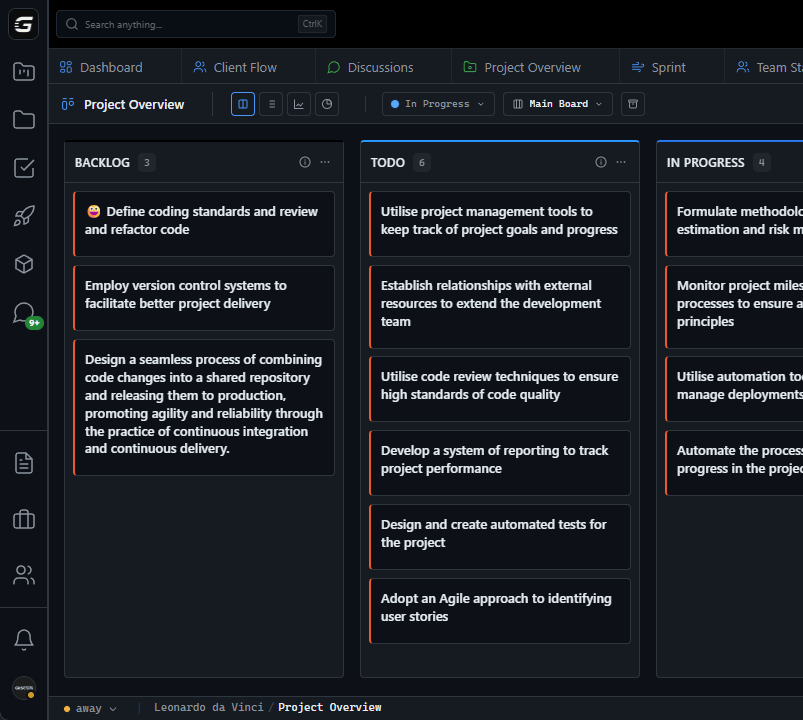
Full sprint planning - Capacity planning, sprint goals, review support, sprints as first-class

Native story points - Fibonacci scale built-in, velocity auto-calculated from points

Automatic velocity tracking - Sprint-over-sprint trends, rolling average, predictability metrics

Real burndown charts - Ideal vs actual, daily progress, sprint health visualization

Built-in time tracking - Plus automatic from Git commits, tied to tasks, reporting included

Full Git automation - Branch moves task, PR updates status, merge completes, no config needed

03

How It Works

1

Keep Using GitHub

Your code, PRs, issues stay in GitHub. GitScrum adds sprint planning layer, doesnt replace GitHub.

2

Connect GitHub Account

One-click OAuth connection. GitScrum reads your repos and issues.

3

Create Sprint with Real Planning

Set sprint duration, assign story points, plan capacity. Everything GitHub Projects lacks.

4

Get Professional Metrics

Velocity trends, burndown charts, time tracking. The data you need for stakeholder conversations.

04

Why GitScrum

GitScrum addresses GitHub Projects Alternative for Advanced Sprint Planning - When Issues Aren't Enough through Kanban boards with WIP limits, sprint planning, and workflow visualization

Problem resolution based on Kanban Method (David Anderson) for flow optimization and Scrum Guide (Schwaber and Sutherland) for iterative improvement

Capabilities

  • Kanban boards with WIP limits to prevent overload
  • Sprint planning with burndown charts for predictable delivery
  • Workload views for capacity management
  • Wiki for process documentation
  • Discussions for async collaboration
  • Reports for bottleneck identification

Industry Practices

Kanban MethodScrum FrameworkFlow OptimizationContinuous Improvement

Frequently Asked Questions

Still have questions? Contact us at customer.service@gitscrum.com

Do I need to stop using GitHub Issues?

No! Keep using GitHub Issues and PRs exactly as you do now. GitScrum connects to GitHub and syncs your data. You get sprint planning on top of GitHub, not instead of GitHub. Your developers can keep working in GitHub.

How is this different from just adding custom fields in GitHub Projects?

Custom fields give you data entry, not data intelligence. You can add a 'Points' field in GitHub Projects, but you dont get velocity calculation, burndown charts, sprint capacity planning, or time tracking. GitScrum gives you the actual sprint planning tools, not just fields to fill in.

GitHub Projects is free - why would I pay?

Free has hidden costs: time spent calculating velocity manually, building burndowns in spreadsheets, using separate time tracking tools, updating statuses manually. For most teams, the time cost of GitHub Projects workarounds exceeds GitScrum's $8.90/user. And your team's time is expensive.

Will GitHub Projects eventually have all these features?

GitHub Projects is improving, but their focus is broad GitHub platform features, not becoming a full agile PM tool. They may add some features over time, but sprint planning with velocity/burndown isn't their core focus. If you need these features now, waiting doesn't help your team today.

Ready to solve this?

Start free, no credit card required. Cancel anytime.

Works with your favorite tools

Connect GitScrum with the tools your team already uses. Native integrations with Git providers and communication platforms.

GitHubGitHub
GitLabGitLab
BitbucketBitbucket
SlackSlack
Microsoft TeamsTeams
DiscordDiscord
ZapierZapier
PabblyPabbly

Connect with 3,000+ apps via Zapier & Pabbly