







VS Code

GitScrum for VS Code, Google Antigravity, Cursor and Windsurf!

GitScrum logo
Solution

Jira-GitHub-Slack Switching 2026 | 2.5h Daily Lost

2.5h daily lost, 12h weekly switching Jira → GitHub → Slack → repeat. 23 min recovery per switch. 30% capacity lost to tab-switching. GitScrum: one platform, tasks + code + discussions. Free trial.

Jira-GitHub-Slack Switching 2026 | 2.5h Daily Lost

The Jira-GitHub-Slack triangle is the holy grail of developer frustration.

Check Jira for what to work on. Switch to GitHub to see PR status.

Hop to Slack to ask a question. Back to Jira to update status.

Over to GitHub to address review comments. Into Slack to notify team.

The cycle repeats dozens of times daily. Each switch isn't just clicking a tab—it's a cognitive context shift that takes an average of 23 minutes to fully recover from.

Multiply that by 20+ daily switches and you understand why developers feel exhausted despite 'just sitting at a computer.' The cost is measurable: 2.5 hours of productive time lost daily, 12+ hours weekly. That's 30% of developer capacity evaporating into tool switching overhead.

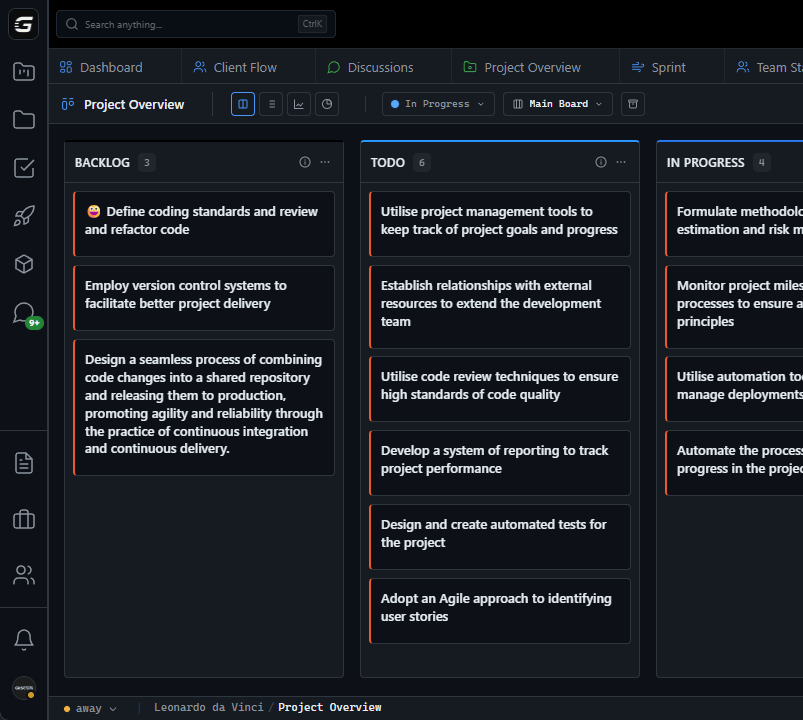
GitScrum breaks this triangle. Task management lives here—no Jira.

GitHub integration means PRs appear on tasks automatically—no switching to check status. Discussion Channels keep project conversations contextual—no hunting through Slack history.

When a developer starts their day, one platform shows what to work on, what's being reviewed, and what discussions need attention.

The GitScrum Advantage

One unified platform to eliminate context switching and recover productive hours.

01

problem.identify()

The Problem

Jira for tasks, GitHub for code, Slack for communication—three separate contexts requiring constant switching

2.5 hours daily lost to switching between these three core tools

23 minutes recovery time after each context switch destroys deep work

Jira doesn't show real-time GitHub status without manual updates

Slack conversations about work get lost, unconnected to tasks

02

solution.implement()

The Solution

Single platform for task management replaces Jira—no switching for project work

Native GitHub integration shows PR status, branches, and commits directly on tasks

Discussion Channels replace Slack threads with project-attached, searchable conversations

Automatic status updates when PRs merge—no manual Jira updates needed

One dashboard shows tasks, code activity, and discussions in unified view

03

How It Works

1

Replace Jira with Unified Tasks

Migrate tasks to GitScrum. Backlogs, sprints, boards—all project management in one place. No more switching to Jira for task details.

2

Connect GitHub Repository

Link your GitHub repos. PRs automatically associate with tasks when they reference task IDs. Branch creation happens from task cards with auto-naming.

3

Configure Auto-Status Updates

Set up workflow automation: when PR merges, task moves to Done. No manual status updates needed. The code activity drives task progress.

4

Move Project Discussions

Create Discussion Channels for ongoing project conversations. Unlike Slack, these stay attached to the project and are fully searchable months later.

5

Work from Single Dashboard

Start your day with one view: assigned tasks, linked PRs awaiting review, discussions needing response. No triangle switching.

04

Why GitScrum

GitScrum addresses How Much Time Developers Waste Switching Between Jira GitHub Slack through Kanban boards with WIP limits, sprint planning, and workflow visualization

Problem resolution based on Kanban Method (David Anderson) for flow optimization and Scrum Guide (Schwaber and Sutherland) for iterative improvement

Capabilities

  • Kanban boards with WIP limits to prevent overload
  • Sprint planning with burndown charts for predictable delivery
  • Workload views for capacity management
  • Wiki for process documentation
  • Discussions for async collaboration
  • Reports for bottleneck identification

Industry Practices

Kanban MethodScrum FrameworkFlow OptimizationContinuous Improvement

Frequently Asked Questions

Still have questions? Contact us at customer.service@gitscrum.com

How is 2.5 hours daily calculated?

Research from RescueTime and Gloria Mark's studies show developers switch applications 1,200+ times daily. Each meaningful context switch (between project management, code, and communication tools) costs 10-23 minutes of recovery time. Even conservatively, 20 significant switches × 7.5 minutes average = 2.5 hours of fragmented focus time.

Can GitScrum actually replace Jira?

For most teams, yes. GitScrum provides backlogs, sprints, boards, task types, story points, epics—the core project management features teams use in Jira. The main difference is deeper GitHub integration and built-in discussions. Enterprise compliance features vary; evaluate based on your specific requirements.

What about teams that rely heavily on Slack?

GitScrum doesn't eliminate Slack for real-time chat. Discussion Channels handle project-related conversations that need persistence and searchability. Use Slack for quick questions and social chat; use Channels for decisions, specs, and discussions you'll need to find later.

How does the GitHub integration work exactly?

Connect your GitHub org/repos to GitScrum. When you create branches from task cards, they auto-link. PRs that mention task IDs (like GS-123) automatically appear on the task. PR status (open, merged, closed) is visible without checking GitHub. Optionally, merging a PR can auto-move the task to Done.

Ready to solve this?

Start free, no credit card required. Cancel anytime.

Works with your favorite tools

Connect GitScrum with the tools your team already uses. Native integrations with Git providers and communication platforms.

GitHubGitHub
GitLabGitLab
BitbucketBitbucket
SlackSlack
Microsoft TeamsTeams
DiscordDiscord
ZapierZapier
PabblyPabbly

Connect with 3,000+ apps via Zapier & Pabbly