







VS Code

GitScrum for VS Code, Google Antigravity, Cursor and Windsurf!

GitScrum logo
Solution

Code Complexity Distribution 2026 | Effort Levels

Complex work clusters on 2-3 seniors = burnout. GitScrum visualizes effort with XS-XL levels, Dev Workload view, and story points. Free trial.

Code Complexity Distribution 2026 | Effort Levels

Complex tasks naturally gravitate toward senior developers—they're the only ones who can handle them.

But this creates a dangerous pattern: complexity clusters around 2-3 people while junior developers work on trivial tasks that don't grow their skills. The seniors burn out, the juniors stagnate, and when a senior leaves, knowledge walks out the door.

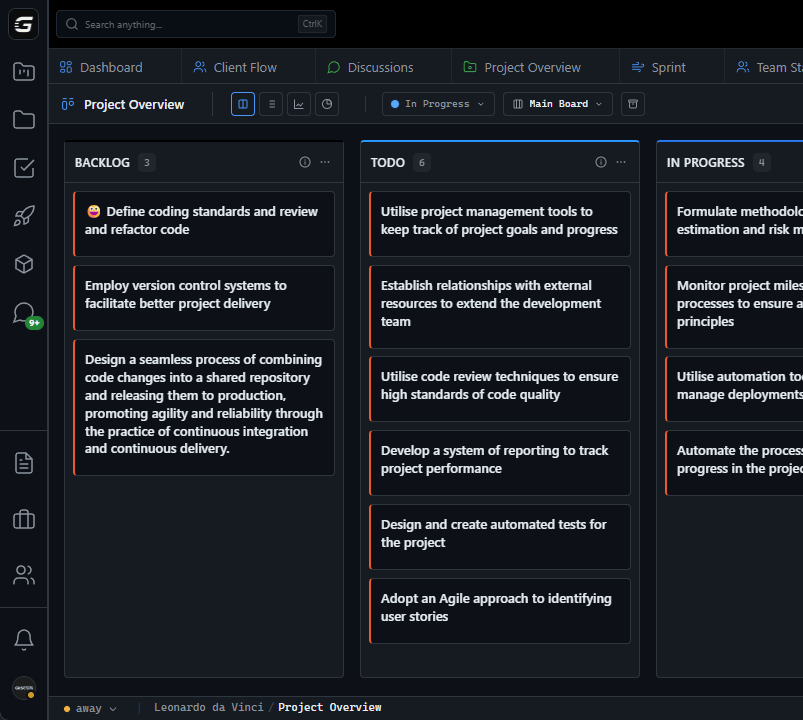
GitScrum provides tools to visualize and distribute complexity: effort levels (configurable points with estimated hours), story points for sprint planning, task types distinguishing bugs from features from spikes, and Dev Workload showing who has capacity. Combine these: filter by effort level, see who's handling all the 8-point tasks, then deliberately assign some complex work to developers who are ready to grow—with senior oversight.

The goal isn't equal distribution (some developers are faster), but intentional distribution that prevents both burnout and skill stagnation.

The GitScrum Advantage

One unified platform to eliminate context switching and recover productive hours.

01

problem.identify()

The Problem

Complex work clusters around 2-3 senior developers, creating single points of failure

No visibility into how complexity is distributed—hard tasks just go to 'whoever can do it'

Junior developers work on trivial tasks forever, never growing into complex work

Seniors burn out handling all architectural and performance-critical work

When a senior leaves, institutional knowledge and complex system understanding vanishes

02

solution.implement()

The Solution

Effort levels with hours: Configure workspace-wide effort scale (e.g., XS=1h, S=2h, M=4h, L=8h, XL=16h)—quantify complexity consistently

Story points for planning: Relative complexity scoring enables sprint capacity planning—see total points per developer

Task type categorization: Bug vs Feature vs Spike vs Chore—filter board by type to see complexity patterns

Dev Workload visualization: See allocated hours and capacity per developer—identify who can absorb complex work

Sprint velocity per developer: Track who completes complex vs simple tasks—identify growth opportunities

03

How It Works

1

Configure Effort Levels

Go to Workspace Settings > Effort Levels. Define your complexity scale: XS (trivial fixes, 1h), S (simple tasks, 2h), M (moderate complexity, 4h), L (complex features, 8h), XL (architectural work, 16h). These become available across all projects—providing a consistent complexity language for your team.

2

Tag Tasks with Effort and Type

When creating or editing tasks, assign an effort level and task type. Types distinguish work categories: Feature (new functionality), Bug (defect fixes), Spike (research/exploration), Chore (maintenance). Combined with effort, you can filter to see: all L+XL features (complex new work) vs all XS+S bugs (simple fixes).

3

Analyze Distribution in Dev Workload

Open Dev Workload to see each developer's assigned tasks with estimated hours. Look for patterns: Is one developer holding all the 8+ hour tasks? Are junior developers only assigned XS/S work? The visual layout immediately reveals complexity clustering that's invisible in a flat backlog.

4

Intentionally Redistribute

Drag-and-drop tasks in Dev Workload to redistribute complexity. Assign some L-level work to mid-level developers with senior pairing time built in. Move some XS/S tasks to seniors to give them quick wins between complex work. The goal: intentional distribution, not accidental clustering.

5

Track Growth Over Sprints

Use sprint metrics to track velocity per developer over time. When junior developers successfully complete M-level tasks, assign some L-level work next sprint. Track the trend: are developers growing into complexity, or staying stagnant? Data-driven growth paths prevent both burnout and skill atrophy.

04

Why GitScrum

GitScrum addresses Managing Complexity Distribution in Code Changes through Kanban boards with WIP limits, sprint planning, and workflow visualization

Problem resolution based on Kanban Method (David Anderson) for flow optimization and Scrum Guide (Schwaber and Sutherland) for iterative improvement

Capabilities

  • Kanban boards with WIP limits to prevent overload
  • Sprint planning with burndown charts for predictable delivery
  • Workload views for capacity management
  • Wiki for process documentation
  • Discussions for async collaboration
  • Reports for bottleneck identification

Industry Practices

Kanban MethodScrum FrameworkFlow OptimizationContinuous Improvement

Frequently Asked Questions

Still have questions? Contact us at customer.service@gitscrum.com

How do I set up effort levels for my workspace?

Navigate to Workspace Settings > Effort Levels. You can customize the scale to match your team's estimation style. A common setup: XS (1h), S (2h), M (4h), L (8h/1 day), XL (16h/2 days). Each level can have a custom name and estimated hours. These levels become available across all projects in the workspace, providing consistent complexity language.

Should I use effort levels or story points for complexity?

Use both for different purposes. Effort levels with hours help with capacity planning and workload distribution—you can see if someone has 40h of work assigned. Story points help with relative velocity tracking—compare how many points the team completes sprint over sprint. Effort is absolute (hours), points are relative (comparison).

How do I identify complexity clustering in my team?

Open Dev Workload and look at estimated hours per developer. If one developer consistently has 30+ hours of L/XL tasks while others have 15 hours of XS/S tasks, complexity is clustered. Also check Profile Health—developers handling complex work often show higher context switching and load distribution alerts.

How do I grow junior developers into complex work safely?

Progressive exposure: Start by assigning M-level tasks with senior pairing time budgeted. When they succeed consistently, assign L-level tasks with explicit senior review checkpoints. Track completion in sprint metrics—are they finishing M-level work within estimates? Use effort history to show growth: 'You completed 5 M-level tasks this quarter, let's try an L.'

What if seniors resist having their complex work redistributed?

Frame it as sustainability and knowledge sharing, not reduction of responsibility. Show the risk: 'If you leave, we have zero people who understand the payment system.' Position redistribution as mentoring opportunity—they still touch complex work, but now they're teaching others. The data from Dev Workload helps: 'You have 50h assigned this sprint while others have 20h—that's not sustainable.'

Ready to solve this?

Start free, no credit card required. Cancel anytime.

Works with your favorite tools

Connect GitScrum with the tools your team already uses. Native integrations with Git providers and communication platforms.

GitHubGitHub
GitLabGitLab
BitbucketBitbucket
SlackSlack
Microsoft TeamsTeams
DiscordDiscord
ZapierZapier
PabblyPabbly

Connect with 3,000+ apps via Zapier & Pabbly