







VS Code

GitScrum for VS Code, Google Antigravity, Cursor and Windsurf!

GitScrum logo
Solution

Platform Hopping Cost 2026 | 9% Annual Time Wasted

Platform hopping wastes 9% of annual work time—180h per employee. Loading, re-authentication, context rebuilding add up. Unified platform recovers lost productivity. Free trial.

Platform Hopping Cost 2026 | 9% Annual Time Wasted

Harvard Business Review and multiple productivity studies calculate that knowledge workers lose approximately 9% of their annual work time purely to platform hopping—navigating between disconnected tools, waiting for apps to load, re-authenticating, and mentally reconstructing context after each switch.

For a 2,000-hour work year, that's 180 hours—over four full work weeks—evaporated on tool management rather than actual work. In development teams, this tax compounds: developers hop between IDE, project management, documentation wiki, chat platform, code review tool, CI/CD dashboard, and time tracker dozens of times per hour.

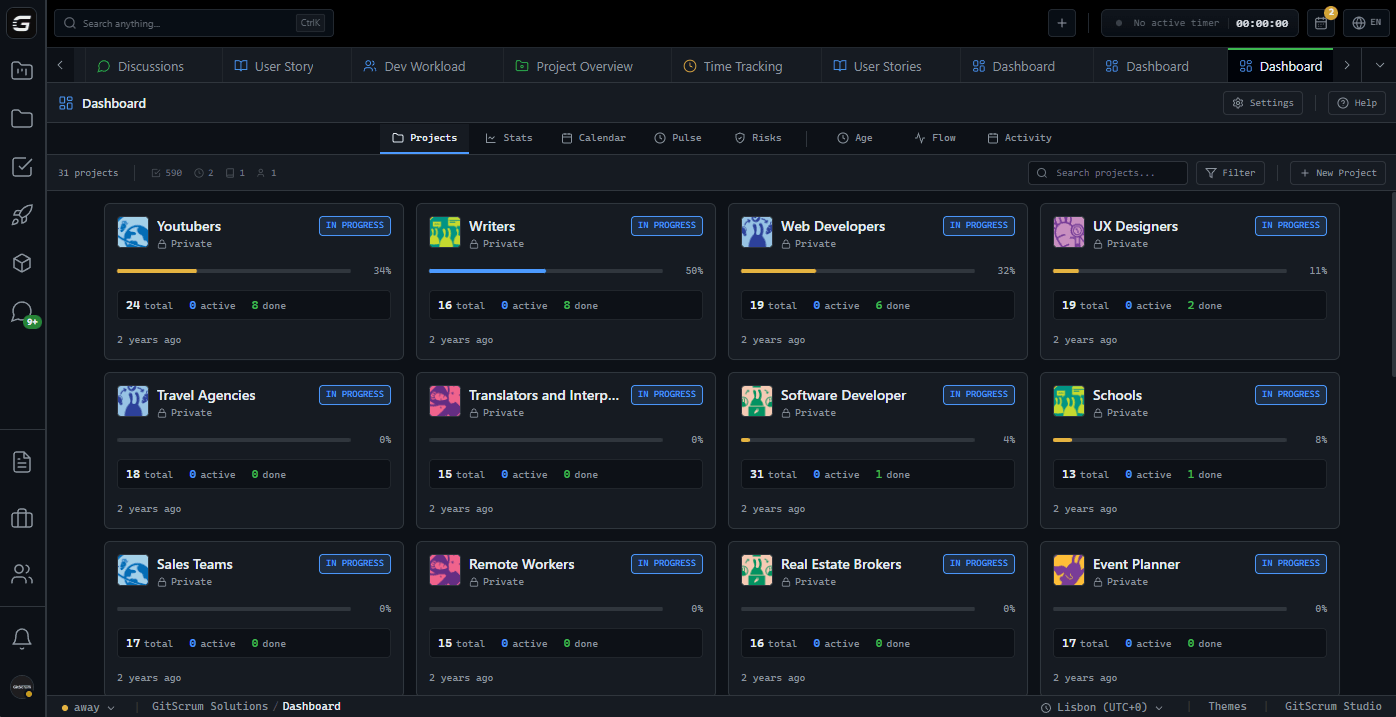
GitScrum attacks this waste directly by providing a unified environment where project management, task tracking, time logging, team communication, and Git integration coexist. Instead of hopping across platforms, teams navigate within a single persistent context.

The 9% productivity recovery translates to nearly 200 additional productive hours per developer annually.

The GitScrum Advantage

One unified platform to eliminate context switching and recover productive hours.

01

problem.identify()

The Problem

9% of annual work time lost to platform hopping between tools

180 hours per employee per year wasted on tool navigation

Context reconstruction required after every platform switch

App loading times accumulating into significant daily delays

Re-authentication friction across multiple disconnected systems

Mental fatigue from constant environment changes

02

solution.implement()

The Solution

Single platform housing all project work eliminates hopping

Persistent context means zero environment reconstruction

One authentication grants access to all capabilities

Instant navigation between views with keyboard shortcuts

Recover 180+ hours annually per team member

Mental energy preserved for problem-solving, not navigation

03

How It Works

1

Unified Work Environment

All project dimensions—tasks, boards, time tracking, discussions, integrations—live in one browser tab, eliminating platform hopping entirely

2

Persistent Session State

Your context persists across sessions. Return to exactly where you left off with filters, views, and open tasks preserved

3

Single Sign-On

One login authenticates you across all capabilities. No re-authentication friction when moving between features

4

Keyboard-First Navigation

Navigate between projects, views, and tasks using keyboard shortcuts. Switch contexts in milliseconds, not minutes

04

Why GitScrum

GitScrum addresses Platform Hopping Between Tools Wasting 9% of Annual Work Time through Kanban boards with WIP limits, sprint planning, and workflow visualization

Problem resolution based on Kanban Method (David Anderson) for flow optimization and Scrum Guide (Schwaber and Sutherland) for iterative improvement

Capabilities

  • Kanban boards with WIP limits to prevent overload
  • Sprint planning with burndown charts for predictable delivery
  • Workload views for capacity management
  • Wiki for process documentation
  • Discussions for async collaboration
  • Reports for bottleneck identification

Industry Practices

Kanban MethodScrum FrameworkFlow OptimizationContinuous Improvement

Frequently Asked Questions

Still have questions? Contact us at customer.service@gitscrum.com

How was the 9% annual time loss calculated?

Multiple productivity studies including Harvard Business Review research measured time spent navigating between tools, waiting for apps to load, re-authenticating, and mentally context-switching. The consistent finding across studies was 8-10% of work time lost to platform hopping.

Can GitScrum really recover 180 hours per employee annually?

By consolidating project management, time tracking, communication, and Git integration into one platform, teams eliminate most inter-tool navigation. The actual recovery depends on how many tools you currently use, but teams typically report 2-3 hours saved daily.

What about specialized tools that GitScrum cannot replace?

GitScrum integrates with specialized tools like GitHub, GitLab, Slack, and CI/CD systems. Data flows into GitScrum automatically, so you access information without switching platforms. The integration model extends consolidation benefits even to irreplaceable external tools.

Ready to solve this?

Start free, no credit card required. Cancel anytime.

Works with your favorite tools

Connect GitScrum with the tools your team already uses. Native integrations with Git providers and communication platforms.

GitHubGitHub
GitLabGitLab
BitbucketBitbucket
SlackSlack
Microsoft TeamsTeams
DiscordDiscord
ZapierZapier
PabblyPabbly

Connect with 3,000+ apps via Zapier & Pabbly