
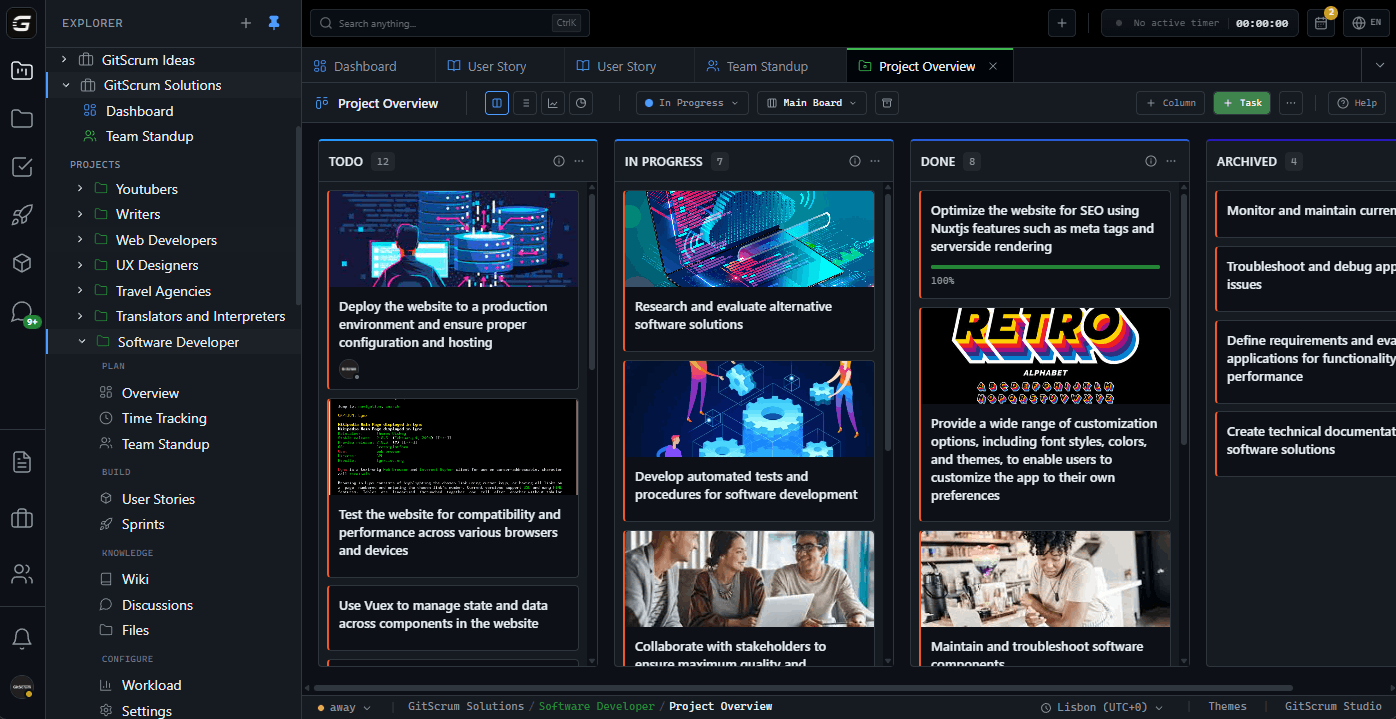
The Tracking Problem Project managers ask: 'What's the status?
Could be 95%. Nobody knows.
Why traditional tracking fails: 1. Self-reported status is unreliable - 'Almost done' for 3 weeks - 'Just needs testing' (hasn't started) - Tasks marked done but code not deployed 2.
Manual updates are forgotten - Developer finishes work, forgets to update Jira - PM thinks task is in progress - Sprint review: 'Oh, I finished that Tuesday' 3. No verification mechanism - Task says 'Done' but is it really?
- Code review passed? - Tests passing?
Update fatigue - Developers hate updating PM tools - The more tracking required, the less it gets done - Eventually everyone ignores the board The Data Quality Problem Typical project tracking accuracy: Real Status vs Tracked Status Actually complete: 47 tasks Marked complete: 38 tasks Accuracy: 81% Actually in progress: 12 tasks Marked in progress: 23 tasks Accuracy: 52% Overall data quality: ~65% You're making decisions on 65% accurate data. GitScrum: Track via Git Instead of asking developers to update tasks, track what they actually do.
Developers already: - Create branches - Make commits - Open pull requests - Merge code This IS the work. Track it directly.
How Git-Based Tracking Works 1. Branch Created = Work Started Developer creates: feature/123-user-auth GitScrum parses: Task 123 Status auto-changes: To Do → In Progress No manual update required.
2. Commits = Progress Evidence Commit: 'Add login form 123' Commit: 'Add password validation 123' Commit: 'Add JWT token handling 123' Task shows 3 commits.
Progress is visible. Activity timestamp shows recent work.
3. PR Opened = Ready for Review PR 456: 'User authentication [123]' GitScrum sees PR Status auto-changes: In Progress → Review No developer had to click anything.
4. PR Merged = Complete PR 456 merged to main GitScrum receives webhook Status auto-changes: Review → Done Task completion verified by code.
Tracking Accuracy Comparison Traditional (manual updates): Task 123: User Auth Status: In Progress Last update: 4 days ago Commits: Unknown PR: Unknown Real status: ??? GitScrum (Git-based): Task 123: User Auth Status: In Review Branch: feature/123-user-auth Commits: 8 (last: 2 hours ago) PR: 456 (approved, ready to merge) Real status: Clear and verifiable What You Can Track Project-Level Metrics Velocity: - Story points completed per sprint - Trend over time - Team capacity baseline Throughput: - Tasks completed per week - By assignee - By task type Burndown: - Sprint progress vs ideal - Scope changes visible - Remaining work clear Burnup: - Total work completed - Scope additions - Completion trajectory Task-Level Tracking Cycle Time: - From started to done - Per task type - Per assignee - Identifies slow tasks Age: - How long in current state - Aging work item alerts - Stale task warnings Blockers: - Blocked tasks highlighted - Blocking relationships visible - Critical path identification Git-Level Tracking Commit Activity: - Commits per task - Commits per day - Active development evidence PR Metrics: - Time from PR to merge - Review cycle duration - Merge frequency Branch Status: - Open branches - Stale branches - Branch-to-task mapping Sprint Tracking Views Sprint Board: ┌────────────────────────────────────────────────────────────┐ │ Sprint 14 Progress: 68% Days: 3 │ ├──────────┬──────────┬──────────┬──────────┬──────────────┤ │ Backlog │ Ready │ Progress │ Review │ Done │ │ │ │ │ │ │ │ │ ○ GS-125 │ ● GS-123 │ ✓ GS-122 │ ✓ GS-120 │ │ │ (3pts) │ (5pts) │ (3pts) │ (5pts) │ │ │ │ PR↑ │ PR✓ │ Merged │ │ │ ○ GS-126 │ ● GS-124 │ │ ✓ GS-121 │ │ │ (2pts) │ (3pts) │ │ (3pts) │ │ │ │ 8 cmts │ │ Merged │ └──────────┴──────────┴──────────┴──────────┴──────────────┘ ● = Has Git activity ✓ = Has merged PR PR↑ = PR Open PR✓ = PR Approved Burndown Chart: Points │ 30 │━━━ │ ━━━━ 20 │ ━━●━━ │ ━━━ (actual) 10 │ - - - - - (ideal) │ ━ 0 │──────────────────────── Day 1 5 10 14 Velocity Trend: Sprint 11: ████████████████ 32 pts Sprint 12: ██████████████ 28 pts Sprint 13: █████████████████ 34 pts Sprint 14: ████████████ 24 pts (in progress) Avg velocity: 31 pts Reporting Sprint Report: - Committed vs completed - Velocity - Scope changes - Incomplete items - Carry-over analysis Project Report: - Overall progress - Milestone status - Risk indicators - Timeline projection Team Report: - Work distribution - Individual velocity - Task completion rate - Time tracking summary Client Report: - High-level progress - Milestone achievements - Budget/time utilization - Deliverable status Real-Time Tracking No refresh needed: - Webhooks push updates - Board updates instantly - Metrics recalculate live - Everyone sees same data Dashboard widgets: - Customizable views - Multiple projects - Team-wide metrics - Saved configurations Mobile tracking: - iOS and Android apps - View project status - Update tasks on-go - Receive notifications Tracking Without Micromanaging GitScrum approach: ✓ Track work output (commits, PRs) ✗ Don't track keystrokes ✗ Don't track mouse movements ✗ Don't track screenshots ✗ Don't track active time Respects developers: - Privacy preserved - Autonomy maintained - Output-focused - Trust-based Git activity is professional work evidence, not surveillance.
Vs Manual Update Tools Jira/Asana/Monday (manual): ✗ Requires discipline to update ✗ Data accuracy degrades over time ✗ Status meetings needed to verify ✗ Developer time wasted on updates ✗ No verification mechanism GitScrum (Git-based): ✓ Updates automatically from code ✓ Data accuracy remains high ✓ Status visible without meetings ✓ Zero update overhead ✓ Code proves completion Vs Time Tracking Tools Time trackers (Toggl, Harvest): ✓ Know where time went ✗ Requires manual logging ✗ Often inaccurate ✗ Feels like surveillance ✗ Not connected to tasks GitScrum: ✓ Built-in time tracking per task ✓ Correlates with Git activity ✓ Optional, not required ✓ Task context preserved ✓ Respects developer autonomy Vs GitHub Insights GitHub Insights: ✓ Commit graphs ✓ PR metrics ✗ Not connected to PM ✗ No sprint tracking ✗ No story points ✗ No velocity GitScrum: ✓ Git activity + PM metrics ✓ Sprint tracking ✓ Story points ✓ Velocity charts ✓ Complete picture Integration Options Git providers: - GitHub (Cloud & Enterprise) - GitLab (Cloud & Self-hosted) - Bitbucket (Cloud & Server) Notifications: - Slack integration - Email digests - Webhook API Exports: - CSV reports - JSON API - PDF summaries Tracking for Different Roles For Developers: - See your tasks - Track your commits - Know what's next - Minimal overhead For Managers: - See team progress - Identify bottlenecks - Track velocity - Report to stakeholders For Clients: - See project status - Track deliverables - Verify progress - No guesswork Pricing 2 users: $0/month (free forever) 3 users: $8.90/month 10 users: $71.20/month 25 users: $178/month Includes: - All tracking features - Burndown/burnup charts - Velocity tracking - Git integration - Time tracking - Reports - API access No 'reporting tier' upgrade. No per-project pricing.
Getting Started 1. Sign up (30 seconds) 2.
Connect GitHub/GitLab/Bitbucket 3. Create project and tasks 4.
Start coding with task IDs in commits 5. Watch tracking happen automatically From zero to tracking: 5 minutes.
$8.90/user/month. 2 users free forever.
Project tracking that actually reflects reality.
The GitScrum Advantage
One unified platform to eliminate context switching and recover productive hours.







