
PRO Annual — 50 users, $106.80/year

GitScrum logo
Solution

Tool Setup Overhead 2026 | One Platform vs Five

Jira + Slack + GitHub + Confluence + Monday = days lost. GitScrum: one platform, project templates, start same day. $8.90/user. 2 free forever. Free trial.

Tool Setup Overhead 2026 | One Platform vs Five
PRO Annual
$106.80/year · 50 users · no per-seat
Get PRO Annual

Tool setup is non-billable time that delays project start.

Each tool has its own configuration: workflows, permissions, custom fields, integrations. Multiply by the number of tools in your stack.

Add the integration configuration between them. Now multiply by every new project.

The cumulative setup time across a year is weeks of work that advances no product. And when setup is rushed, you pay later with misconfiguration bugs.

The GitScrum Advantage

One unified platform to eliminate context switching and recover productive hours.

01

problem.identify()

The Problem

Multiple tools require separate setup

Days lost before development begins

Integration configuration adds more time

Setup repeats for every new project

Rushed setup causes later problems

02

solution.implement()

The Solution

One platform means one setup

Project templates for instant configuration

Native integrations pre-configured

Development starts same day

Consistent setup every time

03

How It Works

1

Project Templates

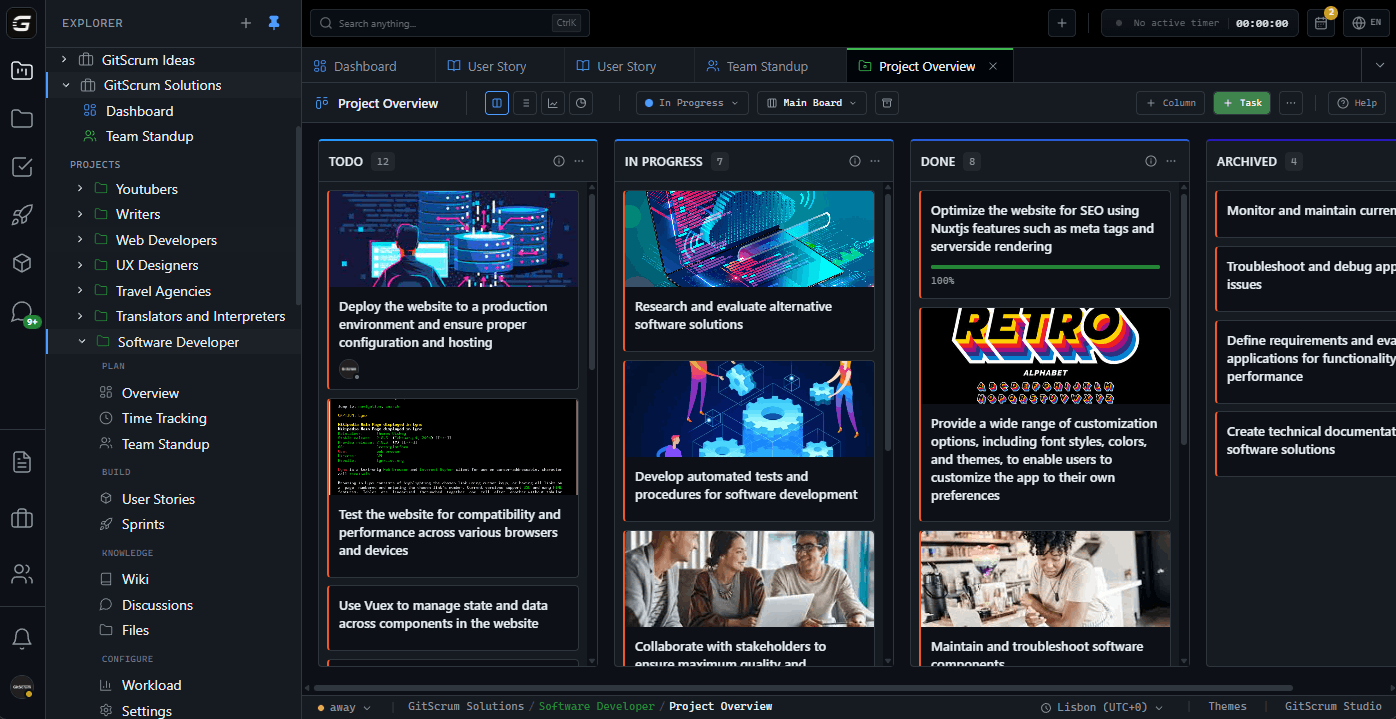
One click, full setup: 'Select 'Web Application Project' template. GitScrum creates: Sprint board with standard columns. Initial epics for common features. Documentation structure with README template. Workflow automation rules. Team permissions based on roles. Five tools worth of setup in 30 seconds.'

2

Native Features

Built-in means pre-integrated: 'Time tracking? Already there. Documentation wiki? Already there. Git integration? Connect once at org level, new projects inherit. Notifications? Configure patterns once, apply to all projects. No per-project integration setup.'

3

Instant GitHub Connection

Repository setup streamlined: 'Create project, click 'New Repository'. Repository created with branch protection rules from template. Webhook configured automatically. First commit can happen within minutes of project creation, not days.'

4

Team Onboarding

Add people, they're ready: 'Invite team member → they have access to: Project boards. Documents. Time tracking. All integrations. No separate invites to Jira, Slack channel, Confluence space, GitHub repo. One invite, full access.'

04

Why GitScrum

GitScrum addresses Time Spent Setting Up New Tools in Development Workflow through Kanban boards with WIP limits, sprint planning, and workflow visualization

Problem resolution based on Kanban Method (David Anderson) for flow optimization and Scrum Guide (Schwaber and Sutherland) for iterative improvement

Capabilities

  • Kanban boards with WIP limits to prevent overload
  • Sprint planning with burndown charts for predictable delivery
  • Workload views for capacity management
  • Wiki for process documentation
  • Discussions for async collaboration
  • Reports for bottleneck identification

Industry Practices

Kanban MethodScrum FrameworkFlow OptimizationContinuous Improvement

Frequently Asked Questions

Still have questions? Contact us at customer.service@gitscrum.com

Can we create custom project templates for our specific workflows?

Yes. Start from GitScrum templates or create from scratch. Define: Board columns and workflow. Standard epics and task types. Document structure. Automation rules. Permission presets. Save as template. New projects of that type launch with one click.

How long does it actually take to start a new project?

Template-based: Under 2 minutes. Custom configuration: 15-30 minutes. Compare to multi-tool setup: Jira (30 min) + GitHub (20 min) + Confluence (20 min) + integrations (60+ min) = 2+ hours minimum. GitScrum reduces by 80-90%.

What about projects with unique requirements?

Templates are starting points, not constraints. Create from template, then customize: add custom fields, modify workflow, adjust permissions. The template saves common setup; customization handles unique needs. Still faster than from-scratch multi-tool setup.

How do you handle client-specific access needs?

Client portals provide scoped access. Create project, enable client portal, invite client users. They see their project: progress, tasks, documents they should see. No separate Monday.com setup. No external tool access management. One platform, configurable visibility.

Ready to solve this?

Start free, no credit card required. Cancel anytime.

Works with your favorite tools

Connect GitScrum with the tools your team already uses. Native integrations with Git providers and communication platforms.

GitHubGitHub
GitLabGitLab
BitbucketBitbucket
SlackSlack
Microsoft TeamsTeams
DiscordDiscord
ZapierZapier
PabblyPabbly

Connect with 3,000+ apps via Zapier & Pabbly






