







VS Code

GitScrum for VS Code, Google Antigravity, Cursor and Windsurf!

GitScrum logo
Solution

Cross-Team Decision Delays 2026 | Days to Hours

4-day blocker for 15-min decision? GitScrum: async discussion channels, decisions documented, all stakeholders can respond async. $8.90/user. 2 free. Free trial.

Cross-Team Decision Delays 2026 | Days to Hours

The front-end team needs to know the API response format.

They message the back-end team on Slack. The back-end tech lead is in meetings all day.

When they respond, they need clarification. Another day passes.

Finally a meeting is scheduled to discuss—but the earliest availability across both teams is Thursday. What should be a 15-minute decision becomes a 4-day blocker.

This cross-team coordination tax is invisible but enormous. Every dependency between teams creates potential for multi-day delays.

Developers context-switch to other work while waiting, losing focus. Timelines slip not because work is hard, but because decisions take too long.

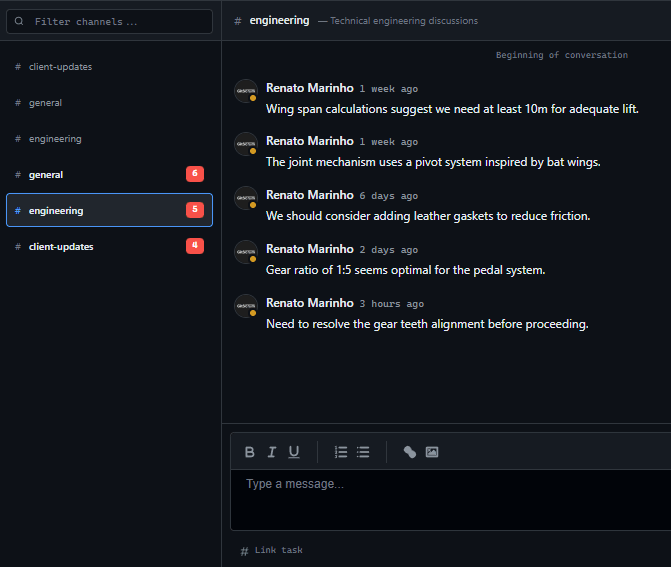
The problem is coordination overhead, not decision complexity. GitScrum addresses this with Discussion Channels that enable structured async communication across teams.

Instead of pinging Slack and hoping for response, developers post in a Discussion Channel where all relevant stakeholders can see and respond. Decisions document in one place.

Context is visible to everyone. The back-and-forth that takes days in Slack collapses to hours in a focused discussion thread.

The GitScrum Advantage

One unified platform to eliminate context switching and recover productive hours.

01

problem.identify()

The Problem

Simple decisions between teams take days due to availability mismatches

Developers wait blocked while key people are in meetings or different timezones

Context gets lost across multiple Slack messages and email threads

Meetings scheduled to decide things that should take 15 minutes

Timeline slips accumulate from coordination delays, not work complexity

02

solution.implement()

The Solution

Discussion Channels enable async cross-team communication with full context

All relevant stakeholders see the question and can respond when available

Decisions document in one thread—no scattered Slack messages

Cross-team dependencies become visible, enabling proactive coordination

Days of back-and-forth collapse to hours in structured discussion threads

03

How It Works

1

Create Cross-Team Discussion Channels

Set up Discussion Channels for cross-team topics: shared APIs, design systems, platform decisions. Invite relevant stakeholders from each team. These channels become the forum for inter-team coordination.

2

Post Decisions with Full Context

When you need a cross-team decision, create a thread with full context: what you're trying to do, why, what options you've considered, what you need decided. Good context enables faster async responses.

3

Tag Relevant Stakeholders

Mention specific people who need to weigh in. They get notified and can respond when available. Unlike Slack pings that interrupt, Discussion Channel mentions create async-friendly notifications.

4

Document and Reference Decisions

When decisions are made, summarize them at the end of the thread. Reference this documented decision from related tasks. The decision is now discoverable by anyone who needs it later.

04

Why GitScrum

GitScrum addresses Waiting Days for Cross-Team Decisions That Block Work through Kanban boards with WIP limits, sprint planning, and workflow visualization

Problem resolution based on Kanban Method (David Anderson) for flow optimization and Scrum Guide (Schwaber and Sutherland) for iterative improvement

Capabilities

  • Kanban boards with WIP limits to prevent overload
  • Sprint planning with burndown charts for predictable delivery
  • Workload views for capacity management
  • Wiki for process documentation
  • Discussions for async collaboration
  • Reports for bottleneck identification

Industry Practices

Kanban MethodScrum FrameworkFlow OptimizationContinuous Improvement

Frequently Asked Questions

Still have questions? Contact us at customer.service@gitscrum.com

How do we get other teams to participate in Discussion Channels?

Start by using Discussion Channels for decisions that affect them. When the other team sees that decisions are documented and they can participate asynchronously, adoption usually follows. If they're only using Slack, link Discussion Channel threads from Slack until habits shift.

What if a decision is urgent and can't wait for async responses?

For truly urgent decisions, direct communication (call, meeting) is still appropriate. But most 'urgent' decisions aren't actually urgent—they feel urgent because delays have accumulated. Better async systems reduce fake urgency by enabling faster non-urgent responses.

How do we handle decisions involving many teams?

Create Discussion Channels at the appropriate scope. An API design discussion might include frontend, backend, and mobile teams. Invite all relevant stakeholders. The more teams involved, the more valuable async documentation becomes—synchronous meetings across many teams are nearly impossible to schedule.

What about decisions that require real-time discussion?

Some decisions benefit from synchronous discussion—complex tradeoffs, emotionally charged topics, high-stakes choices. Use Discussion Channels to document context before the meeting and decisions after. The async channel captures what synchronous discussion resolved.

Ready to solve this?

Start free, no credit card required. Cancel anytime.

Works with your favorite tools

Connect GitScrum with the tools your team already uses. Native integrations with Git providers and communication platforms.

GitHubGitHub
GitLabGitLab
BitbucketBitbucket
SlackSlack
Microsoft TeamsTeams
DiscordDiscord
ZapierZapier
PabblyPabbly

Connect with 3,000+ apps via Zapier & Pabbly