







VS Code

GitScrum for VS Code, Google Antigravity, Cursor and Windsurf!

GitScrum logo
Solution

Workflow Automation Software 2026 | Zero Manual Updates

15-30 min/day on status updates? GitScrum: Git-triggered automation. Branch→In Progress. PR→Done. Zero clicking needed. $8.90/user. 2 free. Free trial.

Workflow Automation Software 2026 | Zero Manual Updates

The Manual Status Tax A developer's day: 9:00 AM - Start working on AUTH-123 ├─ Open Jira ├─ Find ticket ├─ Click 'In Progress' ├─ Post in Slack: 'Starting AUTH-123' ├─ Close Jira └─ 3 minutes 11:30 AM - Push code, open PR ├─ Open Jira ├─ Update status to 'Code Review' ├─ Add PR link to ticket ├─ Post in Slack: 'AUTH-123 ready for review' ├─ Tag reviewer └─ 4 minutes 2:00 PM - PR approved, merging ├─ Merge PR ├─ Open Jira ├─ Move to 'Done' ├─ Add comment: 'Merged in PR 456' ├─ Update Slack └─ 3 minutes 3 tickets/day = 30 minutes on status shuffling Across team of 5 = 2.

Clicking buttons. Workflow Automation Concept Trigger → Condition → Action Instead of manually updating status: Trigger: Git branch created with 'AUTH-123' in name Condition: Task AUTH-123 exists and is not started Action: Move AUTH-123 to 'In Progress' Automatic.

Common Workflow Automations 1. Branch Created → Task In Progress Developer creates branch: feature/AUTH-123-oauth GitScrum detects: - Branch created - Contains task ID: AUTH-123 Automatically: - Moves AUTH-123 to 'In Progress' - Records branch name - Timestamps start time Developer: Does nothing.

PR Opened → Task In Review Developer opens PR for AUTH-123 GitScrum detects: - PR opened - References AUTH-123 Automatically: - Moves AUTH-123 to 'Code Review' - Links PR to task - Notifies assigned reviewer Developer: Just opens PR. 3.

PR Merged → Task Done Reviewer approves, PR merged GitScrum detects: - PR merged - Was linked to AUTH-123 Automatically: - Moves AUTH-123 to 'Done' - Records completion time - Updates sprint burndown No one clicks anything. 4.

Commit Adds Comment Developer commits: 'Fix edge case for AUTH-123' GitScrum automatically: - Adds commit message as task comment - Links to commit SHA - Timestamps activity Complete audit trail. Zero effort.

5. PR Comments → Task Discussions Reviewer comments on PR: 'Consider error handling here' GitScrum: - Syncs comment to task discussion - Notifies developer - Keeps context together No switching between GitHub and PM tool.

GitScrum Workflow Features Git-Triggered Workflows Automatic status updates from: - Branch creation - Commits - PR opened - PR review requested - PR approved - PR merged - PR closed No manual configuration needed. Connect GitHub/GitLab → automations work.

Smart Task Detection GitScrum finds task references in: - Branch names: feature/TASK-123-description - Commit messages: 'Fix bug TASK-123' - PR titles: '[TASK-123] Add feature' - PR descriptions: 'Closes TASK-123' Flexible matching. Works with your conventions.

Custom Workflows Beyond Git triggers: Time-Based: - Task older than 7 days in 'In Progress' → Notify PM - Due date approaching → Alert assignee Status-Based: - Moved to 'Blocked' → Notify team lead - Moved to 'Done' → Update parent epic progress Assignee-Based: - Assigned to new member → Add onboarding checklist - Unassigned for 2 days → Flag for assignment Notification Workflows Smart notifications: - Only notify relevant people - Consolidate multiple changes - Respect quiet hours - Channel appropriate (email vs in-app) Not spam. Just useful alerts.

Workflow Builder UI Simple rule creation: ┌─────────────────────────────────────┐ │ When: [PR Merged ▼] │ │ And: [Task in 'In Review' ▼] │ │ Then: [Move to 'Done' ▼] │ │ [Notify: Sprint channel ▼] │ │ │ │ [Add Condition] [Add Action] │ │ │ │ [Save Workflow] │ └─────────────────────────────────────┘ No code. Visual builder.

Time Savings Calculation Manual Status Updates (per developer/day): Task pickup: 2 min Push to review: 3 min Review cycles (2x): 4 min Merge and close: 2 min Status questions: 5 min ───────────────────────────── Total: 16 min/day With GitScrum automation: All above: 0 min/day Savings: 16 min/day × 5 devs = 80 min/day 80 min × 20 days = 26.6 hours/month GitScrum cost for 5 users: $26.70/month 26.6 hours × $50/hr = $1,330 value/month ROI: 50x Accuracy Benefits Manual updates fail: - Forgot to update status - Updated wrong task - Inconsistent timing - Different interpretations Automated updates: - Always happen - Always correct - Timestamped precisely - Consistent across team Result: Trustworthy data. Audit Trail Every automated action logged: AUTH-123 History ──────────────── 10:03 AM - Status: In Progress Trigger: Branch created 'feature/AUTH-123' Actor: System (via Git) 11:47 AM - Status: Code Review Trigger: PR 456 opened Actor: System (via Git) 2:15 PM - Status: Done Trigger: PR 456 merged Actor: System (via Git) Complete traceability.

Compliance-friendly. No manual logging.

Vs Manual Jira Workflows Jira Automation: ✓ Powerful automation rules ✓ Many trigger types ✗ Complex to configure ✗ Git integration needs plugins ✗ Easy to break ✗ Expensive at scale GitScrum: ✓ Git-native automation ✓ Works out of box ✓ Simple to understand ✓ No plugins needed ✓ $8.90/user Vs Zapier/n8n for PM External automation: ✓ Connects anything ✓ Very flexible ✗ Another tool to manage ✗ API rate limits ✗ Delay between trigger and action ✗ Additional cost GitScrum: ✓ Built-in automation ✓ Instant triggers ✓ No API limits ✓ No additional cost ✓ Purpose-built for dev workflow Vs GitHub Projects Automation GitHub Projects: ✓ Free ✓ Tight GitHub integration ✗ Limited to GitHub events ✗ Basic PM features ✗ No sprint management ✗ No time tracking GitScrum: ✓ GitHub + GitLab ✓ Full PM features ✓ Sprint management ✓ Time tracking ✓ $8.90/user (2 free) Implementation Patterns Pattern 1: Development Flow Branch created → In Progress PR opened → In Review PR approved → Ready to Merge PR merged → Done Pattern 2: Testing Flow Merged to develop → Ready for QA QA passes → Ready for Release Merged to main → Released Pattern 3: Bug Tracking Branch created → Investigating Fix PR opened → Fix in Review PR merged → Awaiting Verification Verified → Closed Pattern 4: Feature with QA Branch created → Development PR opened → Code Review PR merged → QA Testing QA approved → Staging Staging verified → Production Notification Automation Smart notifications based on workflow: For Developers: - PR review requested → Immediate - PR approved → Immediate - Blocked item assigned → Immediate For PMs: - Sprint item overdue → Daily digest - Blocked items → Immediate - Sprint completion updates → Daily digest For Stakeholders: - Feature completed → Immediate - Release deployed → Immediate - Weekly progress → Weekly digest Right info to right person at right time. Getting Started 1.

Connect Repository Settings → Integrations → Connect GitHub/GitLab Authorize access 2 minutes 2. Default Workflows Active Out of box: - Branch → In Progress - PR → In Review - Merge → Done No configuration needed.

3. Customize (Optional) Add custom workflows: - Additional triggers - Custom notifications - Advanced conditions 4.

Team Works Normally Developers code. GitScrum handles status.

Everyone stays informed. Pricing 2 users: $0/month (free forever) 5 users: $26.70/month 10 users: $71.20/month 25 users: $178/month Includes: - All Git-triggered workflows - Custom workflow builder - Smart notifications - Audit trail - All PM features No automation tier.

Full workflows for all plans. $8.90/user/month.

2 users free forever. Eliminate manual status updates forever.

The GitScrum Advantage

One unified platform to eliminate context switching and recover productive hours.

01

problem.identify()

The Problem

15-30 minutes per day per developer spent manually updating task status

Status updates forgotten - task shows In Progress but code is already merged

Inconsistent update practices - everyone does it differently

Context switching between code editor and PM tool breaks flow

No audit trail of when status actually changed vs when manually updated

Notifications are manual - remember to tell QA, remember to update stakeholders

02

solution.implement()

The Solution

Git events automatically trigger status updates - branch created = In Progress

PR opened = In Review, PR merged = Done - no clicking required

Consistent automation across entire team - same behavior for everyone

Stay in code editor - GitScrum handles PM tool updates in background

Complete audit trail of automated changes - accurate timestamps and triggers

Smart notifications triggered by workflow - right people notified at right time

03

How It Works

1

Connect Git Repository

Link your GitHub or GitLab repository to GitScrum. One-time setup, 2 minutes.

2

Default Workflows Activate

Out-of-box workflows start working: branch created moves to In Progress, PR opened moves to Review, PR merged moves to Done.

3

Reference Tasks in Git

Include task ID in branch names or commit messages. GitScrum automatically links Git activity to the right task.

4

Workflow Handles the Rest

Status updates, notifications, and audit logging happen automatically. Developers code, GitScrum manages.

04

Why GitScrum

GitScrum addresses Workflow Automation Software - Eliminate Manual Status Updates Forever through Kanban boards with WIP limits, sprint planning, and workflow visualization

Problem resolution based on Kanban Method (David Anderson) for flow optimization and Scrum Guide (Schwaber and Sutherland) for iterative improvement

Capabilities

  • Kanban boards with WIP limits to prevent overload
  • Sprint planning with burndown charts for predictable delivery
  • Workload views for capacity management
  • Wiki for process documentation
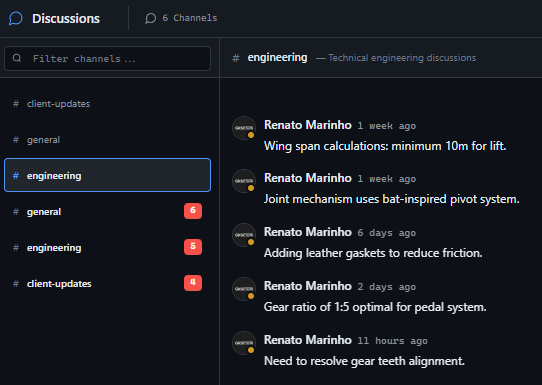
  • Discussions for async collaboration
  • Reports for bottleneck identification

Industry Practices

Kanban MethodScrum FrameworkFlow OptimizationContinuous Improvement

Frequently Asked Questions

Still have questions? Contact us at customer.service@gitscrum.com

Do I need to configure the Git workflows?

No. Default workflows work immediately after connecting your repository: branch created = In Progress, PR opened = In Review, PR merged = Done. These cover 90% of use cases. You can customize later if needed, but most teams never need to.

What if I forget to include task ID in branch name?

GitScrum looks for task IDs in multiple places: branch name, commit messages, PR title, and PR description. As long as the task ID appears somewhere in the Git workflow, GitScrum will link it. You can also manually link PRs to tasks if needed.

Can I disable automations for certain tasks?

Yes. You can set tasks to manual mode where automations won't affect them. Useful for tasks that don't follow the standard development workflow, like documentation or planning items.

How does this compare to Jira Automation?

Jira Automation is powerful but complex to configure, especially for Git integration which requires plugins. GitScrum's workflow automation is Git-native and works out of the box. For dev teams, it's simpler and more reliable at a fraction of the cost.

Ready to solve this?

Start free, no credit card required. Cancel anytime.

Works with your favorite tools

Connect GitScrum with the tools your team already uses. Native integrations with Git providers and communication platforms.

GitHubGitHub
GitLabGitLab
BitbucketBitbucket
SlackSlack
Microsoft TeamsTeams
DiscordDiscord
ZapierZapier
PabblyPabbly

Connect with 3,000+ apps via Zapier & Pabbly