







VS Code

GitScrum for VS Code, Google Antigravity, Cursor and Windsurf!

GitScrum logo
Solution

ZenHub Alternative 2026 | GitHub-Native + GitLab

ZenHub: GitHub-only, $12.50/user, no client portals. GitScrum: GitHub + GitLab, client portals, wiki, time tracking. $8.90/user. 2 free. Free trial.

ZenHub Alternative 2026 | GitHub-Native + GitLab

ZenHub had a beautiful idea: project management that lives inside GitHub.

No context switching. Issues are your tasks.

Repos are your projects. For pure GitHub teams, it felt like magic.

But the industry evolved, and ZenHub's GitHub-only bet became a constraint. ZenHub's GitHub-Native Limitations: GitHub Lock-In: ZenHub only works with GitHub.

Acquired a company using GitLab? Maintaining legacy Bitbucket repos?

Need separate PM tools. Your project management fragments.

No Client Portals: Agencies and consultancies need client-facing project views. ZenHub has no client portal functionality.

Clients either get GitHub access (security risk) or stay uninformed. Pricing at Scale: $12.50/user/month.

A 20-person team costs $3,000/year. For features that essentially overlay GitHub Issues.

No free tier for small teams starting out. Limited Beyond Code: ZenHub focuses on engineering PM.

What about documentation? Client communication?

Time tracking? Teams end up adding tools anyway—defeating the 'one tool' promise.

Dependency on GitHub UX: ZenHub layers on top of GitHub's interface. When GitHub changes, ZenHub breaks.

Browser extension dependencies. Slower innovation.

Why GitScrum Delivers More GitHub-Native Power: GitHub-Native + Independent: GitScrum connects to GitHub natively—PRs link to tasks, commits update status, branches sync with task IDs. But GitScrum is also a standalone platform.

Your PM survives if you ever change Git providers. Multi-Repo, Multi-Provider: Connect GitHub, GitLab, and Bitbucket repos to the same workspace.

Enterprise reality acknowledged. Client Portals: Built-in client access.

Clients see project progress, approve deliverables, and communicate—without GitHub credentials. Agency-ready.

Complete Development Platform: Time tracking included. Wiki for documentation.

Sprint analytics. Team management.

Everything development teams actually need. Better Pricing: $8.90/user/month vs ZenHub's $12.50.

2 users free forever. 20-person team saves $860/year.

Independent Innovation: GitScrum controls its own roadmap. No dependency on GitHub's UX decisions.

Features ship when they're ready.

The GitScrum Advantage

One unified platform to eliminate context switching and recover productive hours.

01

problem.identify()

The Problem

ZenHub only works with GitHub—no GitLab or Bitbucket support

No client portal functionality for agencies and consultancies

Pricing at $12.50/user/month adds up quickly

Dependency on GitHub UX—when GitHub changes, ZenHub breaks

Browser extension requirements and integration constraints

Limited features beyond code-focused project management

02

solution.implement()

The Solution

GitHub-native integration + GitLab and Bitbucket support

Built-in client portals for agency and consultancy workflows

Lower pricing at $8.90/user/month—save over $850/year for 20 users

Independent platform—not dependent on GitHub UX changes

Native web application—no browser extensions required

Complete platform: time tracking, wiki, sprint analytics included

03

How It Works

1

GitHub-Native Without Lock-In

GitScrum connects to GitHub natively—PRs, commits, and branches sync automatically. But also supports GitLab and Bitbucket. No single-provider dependency.

2

Client Portals Included

Share project progress with clients through built-in portals. Clients see what you want them to see—no GitHub access required. Agency-ready from day one.

3

Complete Development Platform

Time tracking, wiki documentation, sprint analytics, team management. Everything in one platform—not just GitHub overlay features.

4

Better Economics

$8.90/user/month vs ZenHub's $12.50. 2 users free forever. A 20-person team saves $860/year while getting more features.

04

Why GitScrum

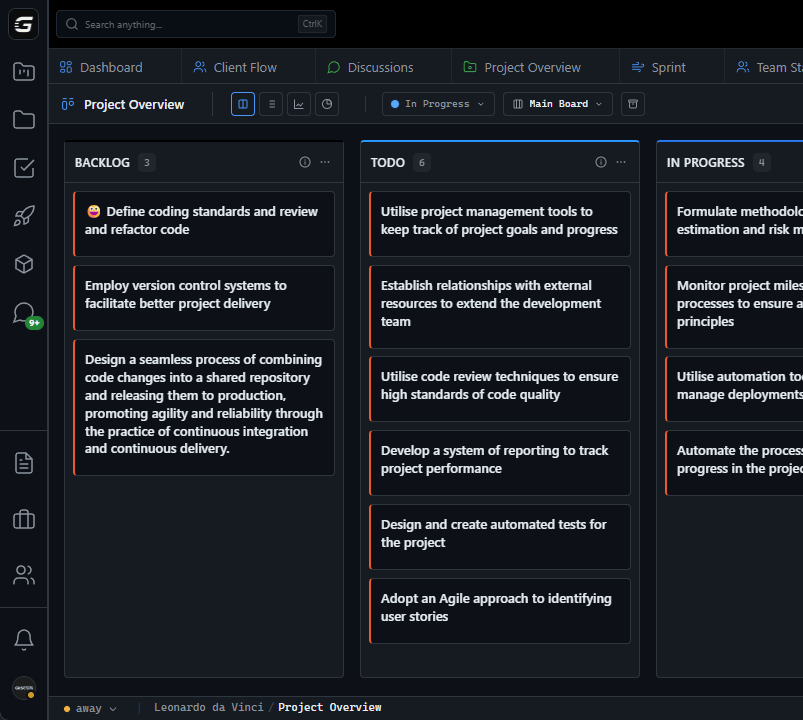
GitScrum addresses ZenHub GitHub-Native Project Management through Kanban boards with WIP limits, sprint planning, and workflow visualization

Problem resolution based on Kanban Method (David Anderson) for flow optimization and Scrum Guide (Schwaber and Sutherland) for iterative improvement

Capabilities

  • Kanban boards with WIP limits to prevent overload
  • Sprint planning with burndown charts for predictable delivery
  • Workload views for capacity management
  • Wiki for process documentation
  • Discussions for async collaboration
  • Reports for bottleneck identification

Industry Practices

Kanban MethodScrum FrameworkFlow OptimizationContinuous Improvement

Frequently Asked Questions

Still have questions? Contact us at customer.service@gitscrum.com

Is GitScrum as integrated with GitHub as ZenHub?

Yes. PRs link to tasks automatically. Commits update card status. Branch names sync with task IDs. All the GitHub-native features—plus GitLab and Bitbucket support.

Does GitScrum require a browser extension?

No. GitScrum is a native web application. Full functionality without browser extensions. Works everywhere including mobile.

Can I migrate from ZenHub?

Yes. Export ZenHub boards and import into GitScrum. Epics, tasks, and GitHub issue links transfer cleanly. Most teams migrate in under an hour.

What about ZenHub's roadmap features?

GitScrum includes roadmap views, sprint planning, and milestone tracking. Same visibility—better economics at $8.90/user/month.

Ready to solve this?

Start free, no credit card required. Cancel anytime.

Works with your favorite tools

Connect GitScrum with the tools your team already uses. Native integrations with Git providers and communication platforms.

GitHubGitHub
GitLabGitLab
BitbucketBitbucket
SlackSlack
Microsoft TeamsTeams
DiscordDiscord
ZapierZapier
PabblyPabbly

Connect with 3,000+ apps via Zapier & Pabbly