







Game Development Is Different Game teams include: ├─ Programmers (C++, Unity/C, Unreal) ├─ Artists (2D, 3D, VFX, UI) ├─ Designers (level, systems, narrative) ├─ Audio (music, SFX, voice) ├─ QA (platform-specific testing) ├─ Producers (milestone tracking) All touching the same build.
All on different schedules. All using different workflows.
Why Traditional PM Fails Jira for code: ├─ Designed for software teams ├─ Artists hate it ├─ Asset tracking is afterthought ├─ Build visibility? Good luck.
Trello for art: ├─ Visual, artists like it ├─ No Git integration ├─ No build tracking ├─ Scales terribly Shotgun/Ftrack for assets: ├─ Great for assets ├─ Terrible for code tasks ├─ Expensive ├─ Another tool to maintain Result: Tool sprawl. Nobody knows what's actually in the build.
GitScrum for Game Dev One place for everything: ├─ Code tasks linked to commits ├─ Art tasks with attachments ├─ Design docs in wiki ├─ Milestone tracking per build ├─ Cross-discipline visibility How it works: ├─ Create task: 'Character animation: Warrior idle' ├─ Artist works on it ├─ Links to Git commit (yes, art should be in Git) ├─ Task shows in build milestone ├─ Everyone sees status Build-Centric Tracking Game dev reality: ├─ Alpha build deadline ├─ Beta build deadline ├─ Gold master deadline ├─ Patch releases post-launch Tracking needs: ├─ What features are in Alpha? ├─ What's blocked for Beta?
├─ What's P0 for Gold? ├─ What can slip to Day 1 patch?
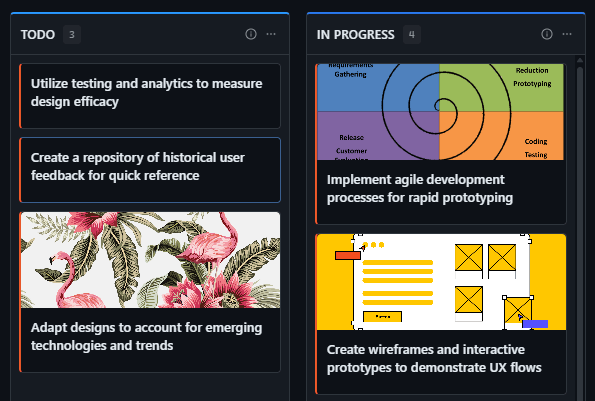
GitScrum approach: ├─ Sprint = Build milestone ├─ Backlog = Upcoming features ├─ In Progress = Current work ├─ Done = In this build ├─ Git tag = Build identifier See exactly what's in each build. Cross-Discipline Workflow Game feature lifecycle: ├─ Design creates concept ├─ Art creates assets ├─ Code implements mechanics ├─ Audio adds sound ├─ QA tests integration ├─ All must complete for 'Done' GitScrum tracking: ├─ One card per feature ├─ Subtasks per discipline ├─ Dependencies visible ├─ Blockers surface automatically ├─ Feature complete = all subtasks done No more 'I thought art was done?' Art Pipeline Integration Modern game art workflow: ├─ Art in Git (Git LFS) ├─ Asset versioning via commits ├─ Art reviews via PRs ├─ Build includes latest art GitScrum syncs with: ├─ GitHub LFS repos ├─ GitLab LFS repos ├─ Bitbucket LFS repos Art commits show on tasks.
Art progress = Git progress. Milestone Planning Typical game milestones: ├─ Vertical Slice (3 months) ├─ Alpha (6 months) ├─ Beta (9 months) ├─ Gold (12 months) ├─ Day 1 Patch Planning approach: ├─ Each milestone = Sprint ├─ Features assigned to milestones ├─ Scope visible at glance ├─ Velocity shows if on track ├─ Crunch prediction early See problems 2 months out, not 2 weeks before milestone.
QA Integration Game QA needs: ├─ Bug reports linked to builds ├─ Platform-specific tracking (PC/PS5/Xbox/Switch) ├─ Regression tracking ├─ Cert requirements checklist ├─ TCR/TRC compliance GitScrum approach: ├─ Bugs = Tasks with Bug type ├─ Labels for platform ├─ Linked to specific commits ├─ Cert checklist in wiki ├─ Regression = reopened tasks Build breaks? See exactly what changed.
Indie vs AAA Indie (2-5 devs): ├─ 2-3 devs = Free forever ├─ 5 devs = $26.70/month ├─ All features included ├─ No per-seat licensing drama ├─ Git-native from day one AAA-ish (20-50 devs): ├─ 20 devs = $160.20/month ├─ 50 devs = $427.20/month ├─ Same features as indie ├─ Multi-team support ├─ Cross-discipline visibility Scale from prototype to release. Compared to Game-Specific Tools Shotgun (now Flow): ├─ $50+/user for full features ├─ Asset-centric (not code-friendly) ├─ Overkill for most teams ├─ Enterprise complexity HanSoft: ├─ $30+/user ├─ Game-focused ├─ Dated interface ├─ Limited Git integration GitScrum: ├─ $8.90/user (2 free) ├─ Git-native (code + art) ├─ Modern interface ├─ Works for all disciplines Don't pay game tool premium for basic project tracking.
Multi-Platform Tracking Shipping on: ├─ PC (Steam, Epic, GOG) ├─ PlayStation ├─ Xbox ├─ Nintendo Switch ├─ Mobile (iOS/Android) Tracking needs: ├─ Platform-specific bugs ├─ Cert status per platform ├─ SKU differences ├─ Release timing per store GitScrum approach: ├─ Labels for platforms ├─ Filter views per platform ├─ Cert milestones per platform ├─ Release checklist in wiki See all platforms. Focus on one.
Creative vs Technical Work Game dev balance: ├─ Technical tasks (code, optimization) ├─ Creative tasks (art, design) ├─ Both equal priority ├─ Both in same build GitScrum doesn't care: ├─ Task is task ├─ Attachments for visual work ├─ Git links for code work ├─ Same board, same visibility Artists and programmers in one workflow. Finally.
Pricing for Game Teams Solo dev: $0 (free) 2-person team: $0 (free) 5-person indie: $26.70/month 10-person studio: $71.20/month 25-person team: $204.70/month 50-person production: $427.20/month $8.90/user/month. 2 users free forever.
Same price whether shipping mobile or AAA. Real Game Dev Experience 'Tried everything.
Jira drove artists crazy. Trello had no build tracking.
Spreadsheets became unmaintainable. GitScrum just works because everything connects to Git.
Art goes in Git LFS, code goes in Git, and the board shows whats in the build. Simple.' - Technical Director, AA Studio Day-to-Day Workflow Morning standup (or async): ├─ Board shows current sprint/build ├─ Each person: What am I working on ├─ Blockers visible immediately ├─ Cross-discipline deps surface ├─ 10 minutes, back to work Weekly planning: ├─ Velocity check: on track?
├─ Scope adjustment if needed ├─ Next milestone visibility ├─ No 2-hour planning meetings Build day: ├─ Filter: Done for this milestone ├─ All tasks = in build ├─ Tag release in Git ├─ Tasks auto-track build Crunch Prevention Game dev crunch happens when: ├─ Scope invisible until late ├─ Dependencies unclear ├─ Blockers hidden ├─ Velocity unknown GitScrum prevention: ├─ See all scope upfront ├─ Dependencies visible ├─ Blockers surface early ├─ Velocity warns of trouble Know 2 months out, not 2 weeks. Cut scope early, not crunch late.
Start Free Today 1. Sign up (30 seconds) 2.
Connect game repo (Git + LFS) 3. Create milestone sprints 4.
Track all disciplines in one place Ship games, not process documents.
The GitScrum Advantage
One unified platform to eliminate context switching and recover productive hours.


