
The Timezone Problem Team reality: - San Francisco: UTC-8 - London: UTC+0 - Bangalore: UTC+5:30 - Tokyo: UTC+9 - Sydney: UTC+11 Overlap window: 2 hours 9 AM standup: - SF: Great time - London: 5 PM (end of day) - Bangalore: 10:30 PM (personal time) - Tokyo: Midnight (sleeping) - Sydney: 3 AM (definitely sleeping) Someone always loses.
The Visibility Problem Manager's dilemma: - 'What is the team working on?' - Can't see anyone's screen - Can't walk to their desk - Slack shows: 'Online' (means nothing) Options: 1. Ask constantly (micromanagement) 2.
Trust blindly (anxiety) 3. Install surveillance (destroy trust) 4.
Check tools manually (time sink) None good. The Surveillance Trap Bad solution: - Install time tracking with screenshots - Monitor keyboard activity - Track mouse movements - Log application usage Result: - Developers feel surveilled - Gaming the metrics - Resentment builds - Best performers leave - Culture becomes toxic Surveillance != Visibility The Communication Gap Sync communication fails: - Message sent 9 AM London - Recipient in SF: sleeping - Response at 9 AM SF - Sender in London: gone home - 24-hour round trip for one question Async attempt fails: - Update posted in Slack - Scrolled past before team wakes - 'Did you see my message?' - 'No, where?' - Repeated constantly Async-First Done Right Information design: - Important updates: Persistent (not chat) - Status: Task states, not messages - Decisions: Documented in wiki/task - Questions: Thread on relevant task Not: - Important in Slack (ephemeral) - Status via standup meeting - Decisions in meeting (undocumented) - Questions via DM (invisible) Async Standups Daily update without meeting: - Each person posts before their workday starts: - Yesterday: What they completed - Today: What they're working on - Blockers: What's in the way Team reads when they start: - Catch up async - Comment if questions - Sync meeting only if blocked 15-minute meeting -> 2-minute post.
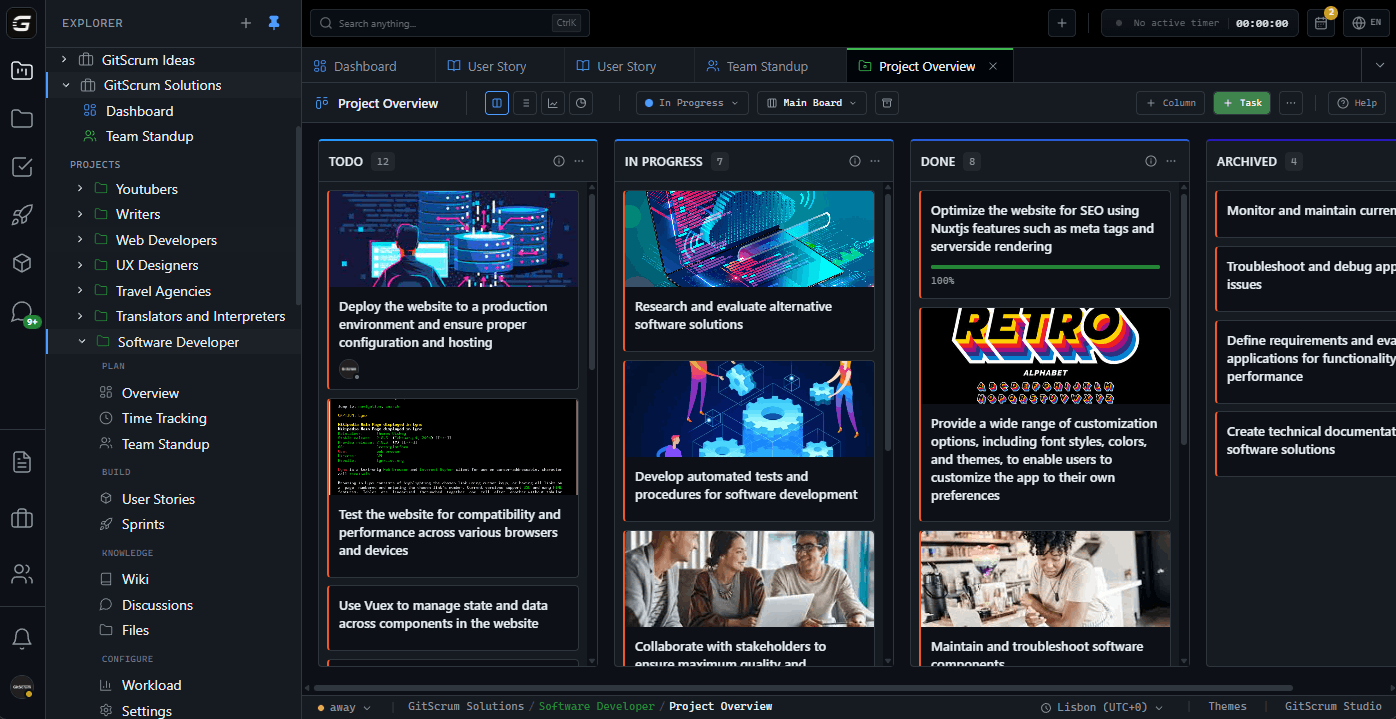
Nobody at midnight meetings. Work Visibility Through Tasks Board tells story: - In Progress: What's being worked on - Blocked: What needs attention - Done: What shipped - WIP: How much active work No asking needed: - Manager opens board - Sees current state - Identifies blockers - Takes action if needed Trust through transparency.
Not surveillance. Timezone-Aware Features Smart notifications: - Knows each person's timezone - Batches notifications for work hours - No 3 AM pings - Urgent override for critical only Deadline display: - 'Due Friday 5 PM' shows: - For SF: Friday 5 PM PST - For London: Saturday 1 AM GMT - Clarity for everyone Handoff patterns: - SF completes, hands to London - London completes, hands to Bangalore - Follow the sun Blocking Status Clear blocker visibility: - Task marked: Blocked - Reason: Waiting for API access - Blocker owner: @admin-team - Duration: 2 days Anyone opening board sees: - Red indicator on blocked tasks - Who needs to unblock - How long it's been blocked Blockers don't hide.
Action happens. Documented Decisions Decision problem: - Made in meeting - Half the team wasn't there (timezone) - Not documented - Conflict later: 'That's not what we decided' Solution: - Decision made: Document immediately - Wiki page or task comment - Rationale included - mention affected people - Everyone can reference later Async participants equal voice.
Overlap Hours Maximize overlap: - Find the 2-hour window - Protect for sync collaboration - High-bandwidth discussions - Relationship building Outside overlap: - Async by default - Documentation over conversation - Tasks over messages - Clear handoffs Overlap is precious. Use wisely.
Progress Without Presence Progress visible through: - Tasks moving across board - PRs linked to tasks - Commits connected - Reviews completed - Deploys recorded Not through: - 'Are you there?' - Status dots - Mouse movements - Keyboard activity Output, not input. Cultural Considerations Remote culture challenges: - Different communication styles - Holiday variations - Work hour expectations - Meeting etiquette Address through: - Written communication (clearer) - Shared calendar (holidays visible) - Async default (respects all schedules) - Documentation (cultural context) Written async equalizes.
Onboarding Remote New hire onboarding: - Day 1: Tool access (single tool, not 10) - Day 2: Wiki walkthrough (documented) - Day 3: First task (guided) - Week 1: Async standup participation - Week 2: First PR Not: - 'Ask Sarah' (Sarah is sleeping) - 'It's in Slack' (can't find) - 'Join the meeting' (wrong timezone) Documentation enables independence. 1:1s Across Timezones Manager-direct 1:1s: - Find overlapping slot - Alternate inconvenience (fair rotation) - Or: Async 1:1 (structured document) - Weekly written update - Manager responds in writing - Sync only when needed Async 1:1 format: - What went well this week?
- What was challenging? - What do you need from me?
- Career/growth topics Flexibility for relationship building. Team Bonding Remote connection: - Virtual coffee chats (scheduled, optional) - Non-work channels (interests, pets, games) - Async celebrations (wins board) - Occasional offsites (in-person when possible) Not: - Mandatory fun at midnight - Always-on video - Forced socialization Optional, flexible, inclusive.
Meeting Minimization Meeting rules: - Must have agenda - Must have documented outcome - Recording available for absent - Default: 25 min, not 60 - Ask: 'Could this be async?' Types that work async: - Status updates - Information sharing - Routine decisions - Reviews Types needing sync: - Brainstorming - Conflict resolution - Relationship building - Complex negotiations Sprint Ceremonies Remote Remote sprint rituals: - Planning: Async pre-work + short sync - Daily standup: Async post - Review: Recorded demo + async comments - Retro: Async input + short sync synthesis Time saved: 60% of ceremony time. Inclusion: 100% of team participates.
Trust Indicators Trust-based management: - Work visible through output - Goals clear and measurable - Autonomy in how to achieve - Support when blocked Not: - Activity tracking - Presence monitoring - Constant check-ins - Permission-based work Treat adults like adults. Getting Started 1.
Sign up GitScrum ($8.90/user, 2 free) 2. Set team timezones 3.
Enable async standups 4. Move status from chat to tasks 5.
Document decisions in wiki 6. Configure timezone-aware notifications 7.
Build trust through visibility Remote teams succeed. With the right approach.
The GitScrum Advantage
One unified platform to eliminate context switching and recover productive hours.







